
To do this, ask the resource to configure, or acting as its representative, configure:
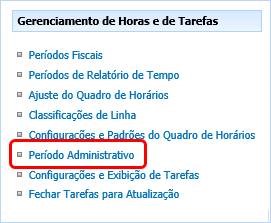
Server Settings > Time and Task Management > Administrative Period
Check "Seatime" for "Always Show" and click "Save":
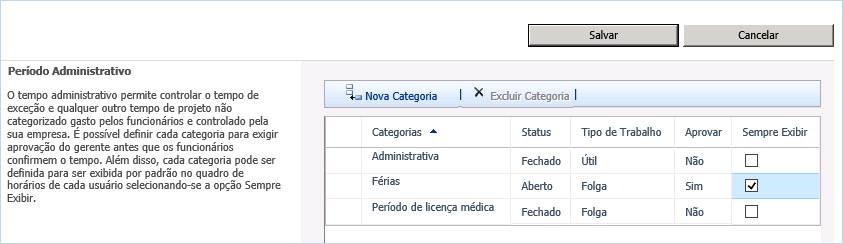
Thus, when the Hours Chart is created, the holiday line will be available for the launch of holiday hours.
At MLPro, we work eight hours a day. When we return on vacation, we launch 8h on each ‘working day of the company’ that we were on vacation and send the schedule.
Original content from the MLPro editorial library, fully preserved and translated for the English website.