
What you will find here
Explore five project management features that help teams organize work, improve collaboration and follow project progress.
A good project management tool needs to provide essential resources for planning, monitoring and effective execution of tasks. Check out the indispensable features!
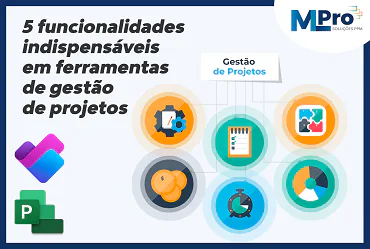
With the growing demand for efficiency and organization, companies need to project management tools to optimize processes and improve collaboration.
But with so many options available, what features really make a difference? We list the essential resources to ensure that your team works with more productivity and control.
The importance of project management tools for companies
Today, we know that companies need effective tools to manage their projects in an agile and efficient way.
With the right technology, it is possible to plan, distribute tasks and track progress in real time, ensuring more organization and predictability. Tools such as interactive dashboards, Gantt graphics and agile methodologies, such as Kanban, make everything clearer and facilitate quick adjustments.
Process automation reduces manual errors, improves communication between teams and ensures deadlines and budgets are met. Automatic notifications help avoid forgetting and keep everyone aligned on the next steps.
Thus, with more efficient management, projects progress with less obstacles, increasing the productivity and quality of deliveries.
Benefits of a complete tool for the team and managers
A good project management tool brings benefits to everyone from the team to managers. For teams, it facilitates organization, improves communication and eliminates that famous rework.
With features such as information centralization, real-time updates and job automation, professionals can focus on what really matters, rather than wasting time on those manual tasks that nobody loves - like updating spreadsheets all day long.
For managers, having full visibility of the progress of the projects means controlling deadlines, costs and resources with much more precision. Detailed reports and intuitive dashboards help make quick and accurate decisions, avoiding risks.
And when the areas of the company integrate, collaboration improves, and everyone goes in the same direction as a well-tuned team. Because in the end, working in line is always better than losing yourself in a thousand directions.
015 indispensable features for a good project management tool
To ensure efficient management, a project management tool needs to offer features that optimize processes and facilitate decision-making. We list the top five worth keeping an eye on.
Planning and structuring of tasks (chronograms, Gantt, Kanban)
Good planning is the basis of any successful project. Project management tools that offer detailed schedules, Gantt graphics and Kanban frames allow to structure tasks with clarity, define priorities and follow the evolution of the work.
With these features, the team visualizes deadlines, dependencies and responsible for each activity, facilitating adjustments when necessary.
The Gantt chart, for example, shows the timeline of the project, helping to allocate resources and identify bottlenecks. Kanban provides a more dynamic workflow, ideal for agile methodologies.
In this context, the Planner for the Web is a practical and efficient solution. Combining the simplicity of Microsoft To Do, the collaboration of Microsoft Planner and the power of Microsoft Project for the Web, Planner allows you to organize both individual and team work.
It offers advanced features such as the timeline (Gantt), dependencies and goal management, as well as relying on Microsoft Copilot intelligence to further optimize the process.
Control of automatic deadlines and notifications
Keeping deadlines under control is essential for any successful project. For that, a good tool is the key. It needs to allow you to follow the deadlines in real time, warning the team about pending tasks and deadlines that are approaching.
Automatic notifications make all the difference, making sure nothing gets lost. With programmable reminders and personalized alerts, the team is always aligned and avoids those delays that nobody wants.
And for managers, these functions are a relief: with the monitoring of progress without having to check all the time, decisions can be made faster – and schedules, fulfilled more easily.
Resource management and team allocation
Distributing tasks in a balanced way is important to avoid overload and ensure that the team remains productive. A good management tool should allow resources to be allocated strategically, showing each person's availability and helping to identify possible bottlenecks.
With this functionality, managers can see exactly who is doing what, adjust the demands when necessary and optimize the use of resources.
And analyzing the workload helps keep everything more organized, reducing delays and ensuring that projects are delivered on time and within the budget.
Reports and metrics for performance analysis
Making strategic decisions requires accurate and up-to-date data. For this, a good tool of project management it needs to offer detailed reports and metrics that help analyze the performance of the team and the progress of the tasks.
With interactive dashboards and indicators such as execution time, deadlines and resource allocation, managers can identify bottlenecks, adjust processes and improve project efficiency.
And the best: automated reports reduce the time that would be spent with manual monitoring, ensuring a clear and objective view for faster decisions and more accurate deliveries.
Integration with other corporate tools and platforms
An effective project management tool needs to integrate well with other platforms used by the company, such as CRM systems, ERP and communication tools. The goal is to ensure that all information circulates smoothly and without errors between departments.
For example, by integrating the management tool with CRM, the sales team can easily access ongoing project data and update the status directly. The result is better collaboration between the areas and that little push on productivity.
Your team is prepared to make the most of the project management tools What are you using?
02How to choose the best tool for your company?
Choosing the right project management tool for your company involves understanding your needs and available resources. With so many options in the market, it is important to think about how the tool will integrate into existing processes and whether it will help achieve productivity and control goals.
Here are some tips to help you make the right choice!
Need assessment and budget
Before choosing a tool, it is essential to understand the needs of your company and the budget available.
Ask yourself, how big is my team? What features are most important to my type of project?
Cost-benefit is a very important factor, so it is important to weigh the options according to what your company really needs.
More complete tools may require greater investment, but offer advanced resources that are worthwhile for companies with more complex projects. Simpler solutions can be enough for smaller companies or with less sophisticated processes.
Comparison of key market solutions
When you are comparing project management solutions, think of some key points, such as ease of use, whether they integrate well with other tools and cost.
Some platforms are super complete, with many features, while others go straight to the point, without complications. The most important thing is to find the one that meets your needs, without burdening the team or weighing the budget.
At MLPro, we specialize in consulting and implementing project management solutions such as Microsoft Project Online and Project for the Web. Get in touch and request a product demonstration to find out how we can optimize the management of your project portfolio.
And if you are interested and want a presentation of our products, feel free to schedule an appointment with us on the button below:
Original content from the MLPro editorial library, fully preserved and translated for the English website.
