
What you will find here
Explore how project management software helps teams organize tasks, track deadlines, centralize information and improve communication.
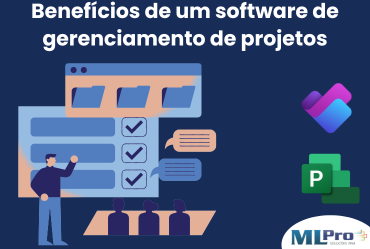
Project management software facilitates organization, improves productivity and reduces failures. Learn the main benefits for your company Efficient project management requires control over tasks, deadlines and resources. With the help of project management software, companies manage to organize processes more strategically, increasing productivity and avoiding rework. Find out how this tool can transform the way your team works.
What is project management software?
One management software projects is a tool that helps to organize, plan and monitor a company's projects. It centralizes information, facilitates communication between teams and ensures that deadlines and resources are managed efficiently.
How does it work and what problems does it solve?
A software of project management acts like the brains of your team. It allows planning, assigning tasks, monitoring progress and identifying possible problems before they become big. Imagine a picture of digital tasks where everyone can see what is happening in real time. Without a doubt, this helps to avoid confusion and rework. In addition, it helps optimize time, because each team member knows exactly what he needs to do and when. And best of all, they all have access to the same information, so the chances of communication failures decrease. Thus, it solves problems such as lack of visibility, delay of deadlines and waste of resources.
Difference between simple tools and complete business solutions
Simple tools, such as spreadsheets or basic applications, are great for smaller teams or simpler projects. They help, but do not offer much flexibility or resources to manage more complex projects. You've probably been through a lot of problems using spreadsheets, haven't you? Complete solutions such as the Microsoft Project for companies or Project for the Web, are ideal for companies that need a detailed view of the project portfolio. They offer integration, customization and advanced features such as detailed reports and data analysis. With these tools, it is possible to track the progress of several projects at the same time, identify risks, and also optimize the work of the team, all in one place. A complete solution ensures more agility, control and better results at the end.
Key benefits of project management software
Using project management software can transform the way your team works. It centralizes all the information, facilitates the monitoring of tasks and ensures more control over the deadlines and resources. Now, let's see the main benefits of this powerful tool!
Centralisation of information and better monitoring of progress
Imagine not having to hunt emails or notes anymore to know what's going on in a project. With management software, all the information is in one place. You can see progress in real time, track the status of each task and know exactly where the bottleneck is, facilitating the decision-making process and keeping everyone aligned without wasting time. And the best: everyone has access to the same information, avoiding misunderstandings.
Optimization of time and increased productivity
Who wouldn't want to have more time to focus on what really matters? With management software, you eliminate repetitive tasks and buy valuable time. The tool organizes the work, defines priorities and automates processes, which helps the team to be more productive. In addition, having everything organized and visible, the chance to lose deadlines or resources decreases, allowing your team to focus on what they do best.
Failure reduction and improvement of communication between teams
Of course, communication failures happen, we know, but with management software, this is minimized. It ensures that all team members are on the same page, sharing the right information at the right time. With well-defined tasks and clear deadlines, teams can communicate more efficiently, resulting in less rework and more results.
How to choose the best software for your company?
Choosing the ideal project management software for your company may seem a difficult task, but it doesn't have to be. The secret is to understand the needs of your team and what you hope to achieve with the tool. How about taking a look at the essential criteria that will help you make the best decision?
Essential criteria for selecting the ideal tool
When choosing project management software, consider the following criteria:
- Easy to use: the interface needs to be simple and intuitive to ensure that the entire team can use without difficulty;
- Integration with other tools: make sure the tool can easily integrate with systems already used by your company, such as Excel, OneDrive or other platforms;
- Features: search for resources that meet your company's specific needs, such as reporting, resource control and time management;
- Data security: information protection is very important, so choose a high-security platform such as data encryption;
- Escalability: make sure the software can grow together with your company, adapting to new demands and processes;
- Support and training: the offer of technical support and training is essential to ensure maximum use of the tool;
- Cost-benefit: consider the value of the software in relation to the benefits it can generate for your company, without compromising the budget.
Comparison between free and paid solutions: which is more worthwhile?
Free solutions can be tempting, but are they enough for your company? Free tools usually offer limited resources and may not be as scalable and secure. They may even work well for small teams or simple projects, but as your company grows, limitations begin to appear. On the other hand, paid solutions such as Microsoft Project , offer more features such as integration with other tools, advanced reports and improved security. In addition, they have technical support and training, which is essential for successful implementation.
And if you are interested and want a presentation of our products, feel free to schedule an appointment with us at the following link:Microsoft PPM Easy Presentation
Original content from the MLPro editorial library, fully preserved and translated for the English website.
