
What you will find here
Follow the archived procedure for disabling the Lync/Skype integration in Project Professional.
1. Close all Microsoft Office applications
2. Start Register Editor:
- In Windows 7, click Start, enter the Search programs and files text box and click regedit.exe
- In search result run step 3
- On Windows 8, move the mouse to the top right corner, click Search, type regedit.exe
- In search result run step 3
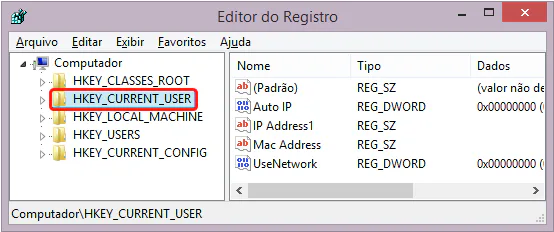
3. Locate and select the following registry subkey as shown below:
== sync, corrected by elderman == @elder man
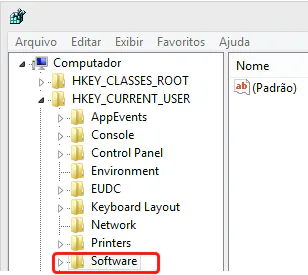
4. Next Software:
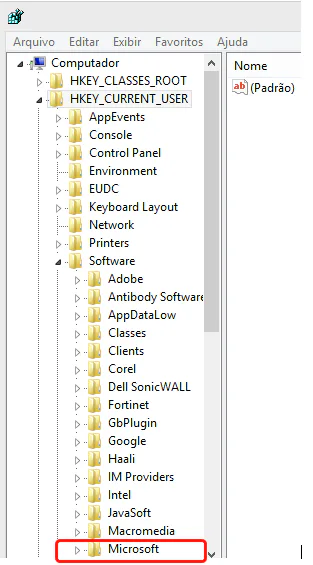
5. Then Microsoft:
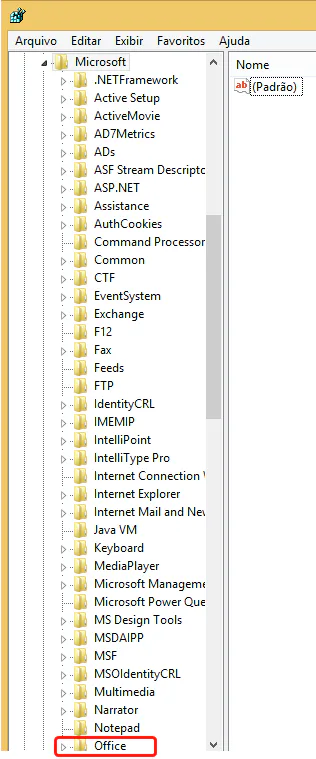
6. Then Office:
7. Then 15.0:

8. Then MS Project:
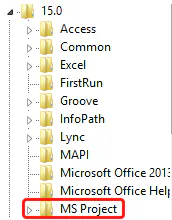
9. Next on Settings:
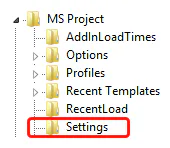
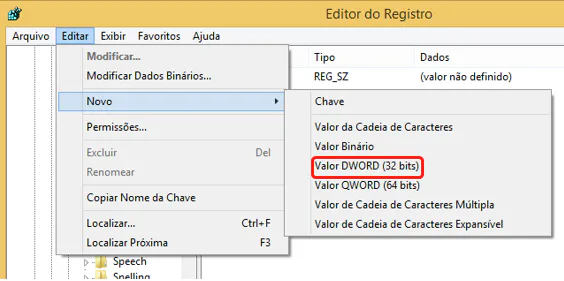
10. In the Edit menu, Point to New: Then click DWORD Value.
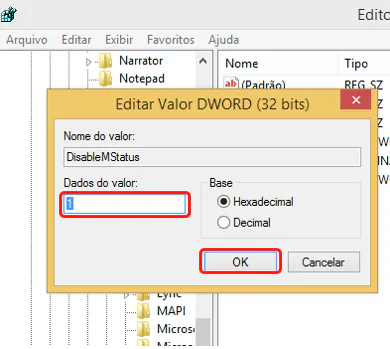
11. Type DisablelMStatus and press the key Enter as follows: In the detail panel, right click DisablelMStatus and then on Modify.
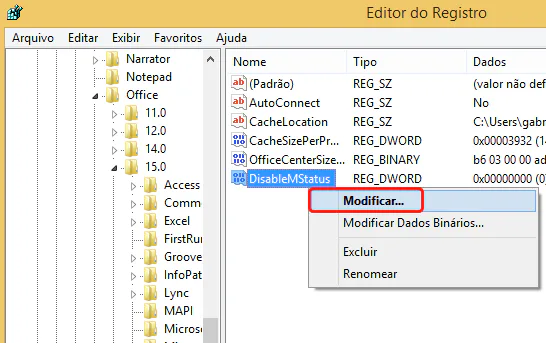
12. In the value data box, type 1 and then click OK.
13. Logout Editor.
14. Restart the computer to validate the configuration.
Before and After
Before, in Project Professional, when passing the mouse over the resource allocated in the task displayed the Skype/Lync function for communication with the feature:

After applying the configuration, the Skype/Lync function will no longer appear when stopping the mouse over the resource name.

Original content from the MLPro editorial library, fully preserved and translated for the English website.
