
What you will find here
Review the archived troubleshooting procedure for exporting Project 2010 data when Excel 2013 is not recognized.
When trying to export files from Project 2010 to Excel 2013, an error may occur with the following message: "This operation requires you to have Excel 2003 or higher installed on your computer". That is, he accuses that the installed Office version is old but it is superior to the Project version.
Error message:
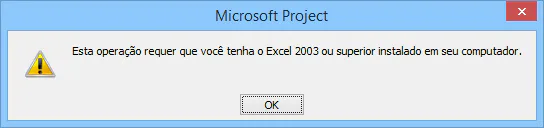
Here are solutions to the problem:
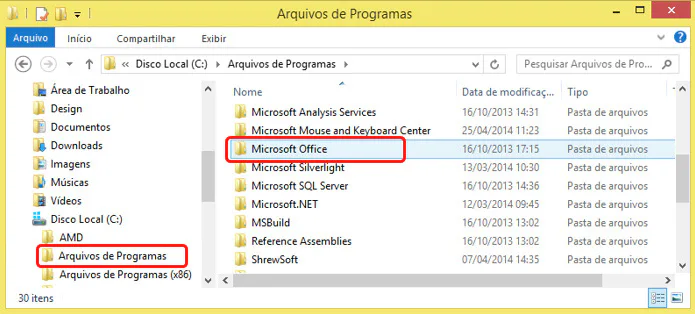
1. In "My Computer" enter "Local Disk (C:)" and open "Script Files" to access the "Microsoft Office" folder:
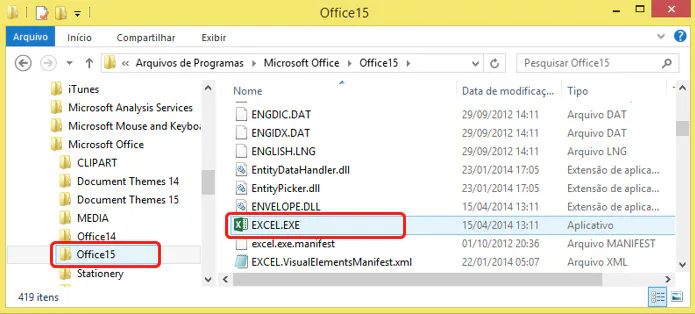
2. Enter "Office15" and Find and Copy EXECEL.EXE file to clipboard (CTRL+C):
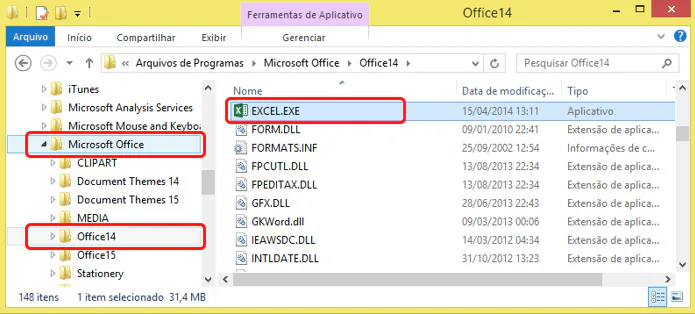
3. Back to the "Microsoft Office" folder, enter "Office14" and paste the EXCEL.EXE (Ctrl+V) file:
4. Restart computer and test.
Original content from the MLPro editorial library, fully preserved and translated for the English website.
