
What you will find here
Learn how lead and lag adjust task dependencies in Planner Premium, with examples using the grid and task details.
As teams advance in the tasks of their plans and projects, the need to start the next task early or introduce a delay may arise.
Now you can set advances and delays to your task dependencies, allowing adjustments to the project schedules in Microsoft Planner.
Advance times provide an early start to the subsequent event, allowing a buffer before the dependent task begins. On the other hand, the delay times introduce a pause between consecutive events, creating a waiting interval or period before the next task can begin.
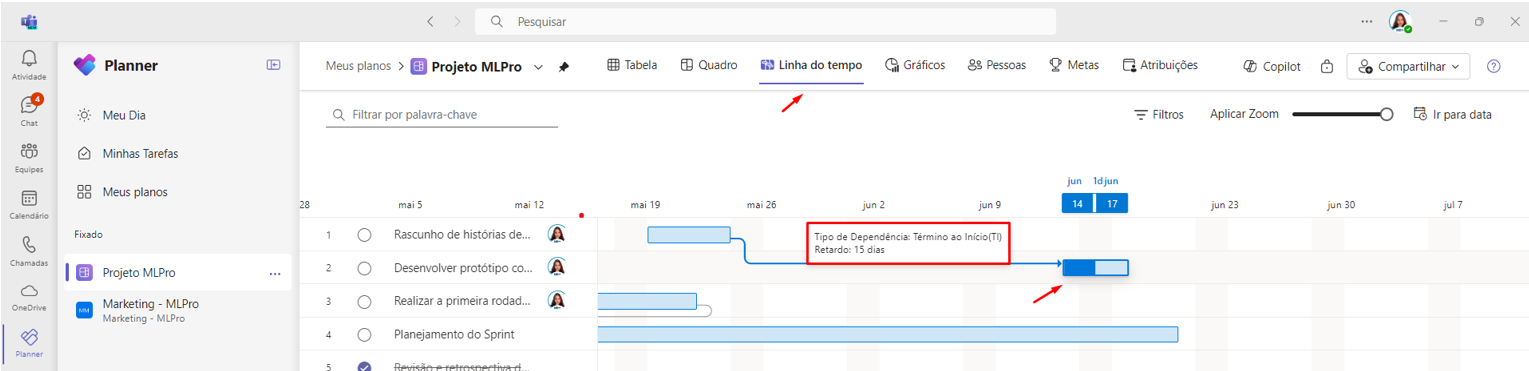
You can add advance or delay through the Grid and Task Panel in days, hours, minutes, weeks or months. This is also automatically updated in the Timeline view.
-
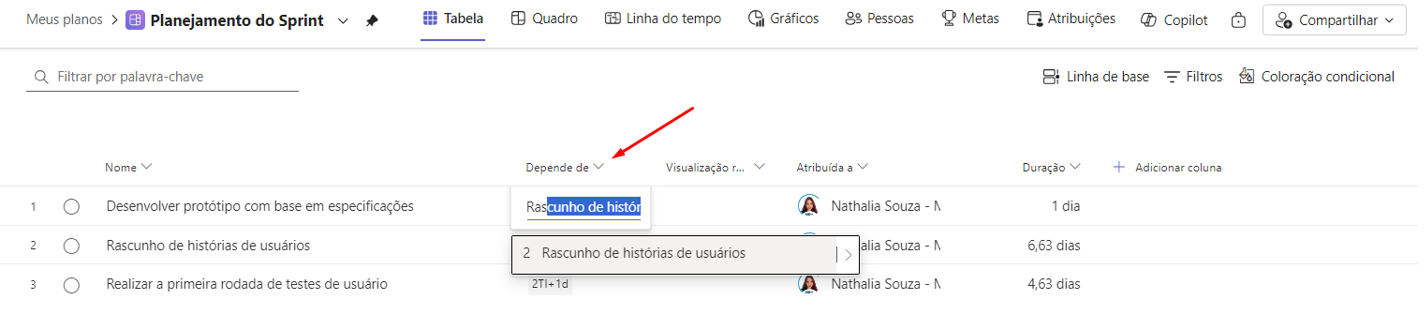
Add dependency;
-
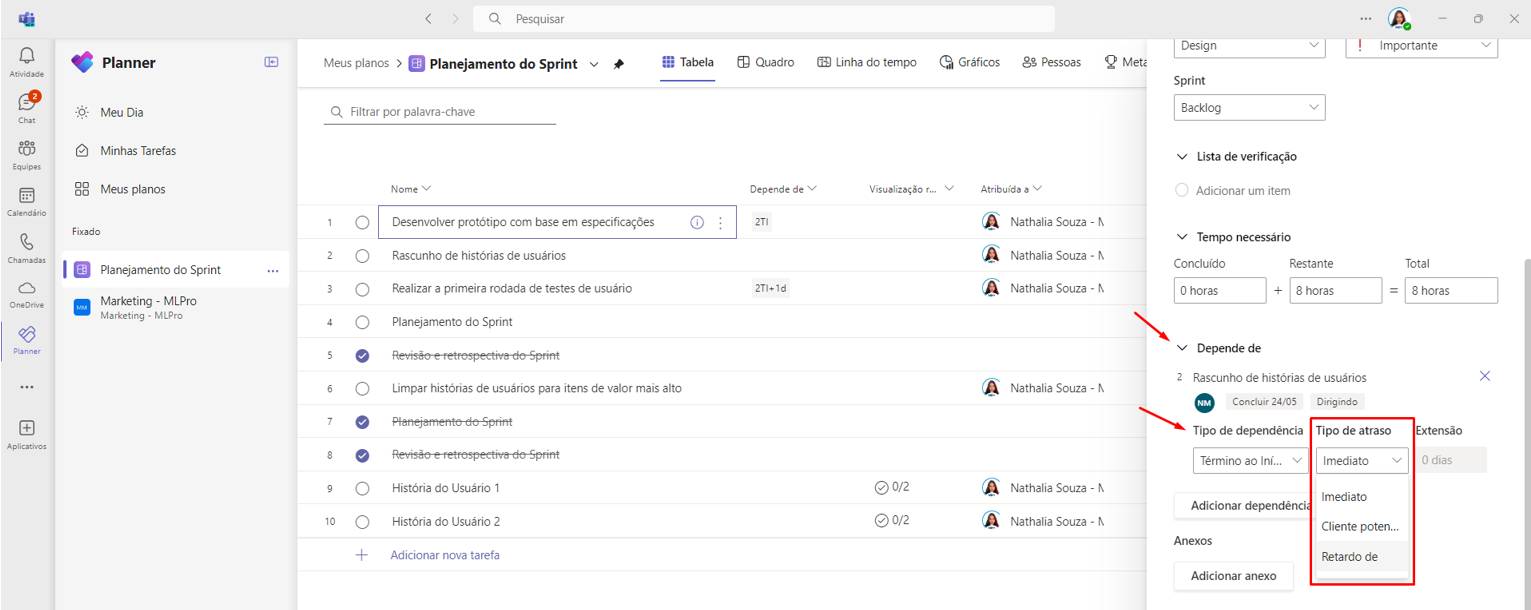
Click Open Details;

-
Add type of delay;
-
Check your timeline.
Keyboard shortcut codes are also supported, as in Project Desktop in grid display mode. You can add your dependency with lead or lag by inserting:
[Task number] [Type of dependency (TI/IT/TT/II)] +/- [Numeral progress/delay][Format of duration] Example: 3TI+10d (Here, an end dependency has been established to start with a 10-day delay.)
*These features are available on Project for the Web and Planner inside and outside Microsoft Teams. Learn more in the Microsoft article.
So, did you like the article? If you are interested and want a presentation of our products, feel free to schedule an appointment with us at the following link: Microsoft PPM Easy Presentation
Original content from the MLPro editorial library, fully preserved and translated for the English website.
