
What you will find here
Review the archived explanation of basic access to shared projects, including the task updates and licensing limits described at the time.

Now you can edit shared projects in Project for the Web with Basic Accesswithout the need for a Project license.
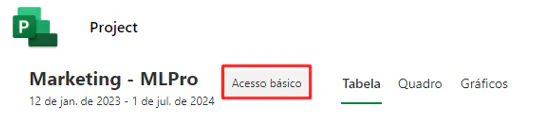
When a user who is part of the project and has any of these licenses opens the project, he will see the project page as shown below. "Basic Access" will be shown next to the project name to indicate that the user can only update the progress of the task assigned to it.
 Play video: YouTube video player
For this you need one of the following Office 365 licenses:
- Microsoft 365 F3 and Office 365 F3
- Office 365 E1
- Microsoft 365 for Standard Companies
- Microsoft 365 for Premium Companies
- Microsoft E3 and Office 365 E3
- Microsoft E5 and Office 365 E5
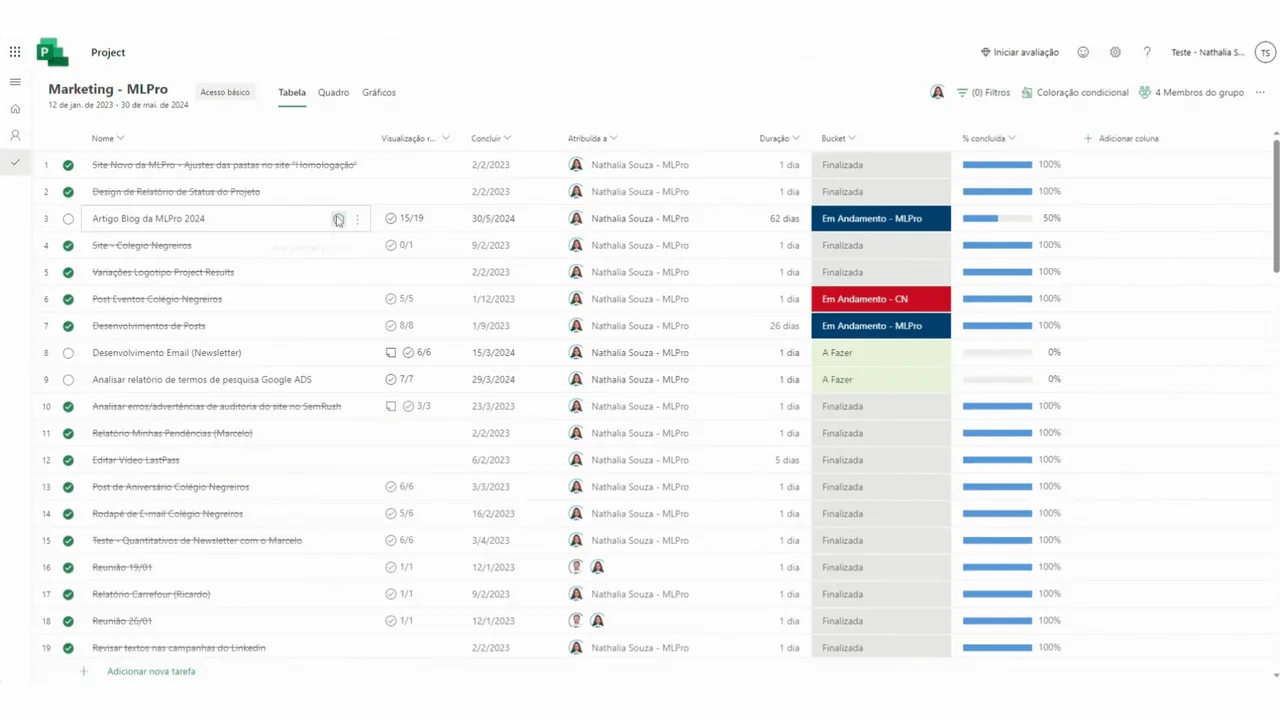
With this feature update, you can now access and edit the same set of features in the Project you own in Planner. This means you can make updates in fields such as task name, start and maturity date, priority, labels, checklists, notes and attachments. For the complete list of what can and cannot be accessed, Check out the description on the Microsoft website
To create a project or use more advanced features such as custom dependencies or fields, you must purchase a Project license.
So, did you like the article? If you are interested and want a presentation of our products, feel free to schedule an appointment with us at the following link: Microsoft PPM Easy Presentation
Original content from the MLPro editorial library, fully preserved and translated for the English website.
