
What you will find here
Read the 2019 launch archive for Microsoft's web-based project planning tool, including task creation, collaboration and Power Platform.
As we announced in the post we published earlier last month, Microsoft officially announced the release of New Project.
The New Project will be called Web Project or simply Project and was designed to be simple and powerful, allowing members of the work teams to work more interactively and collaboratively.
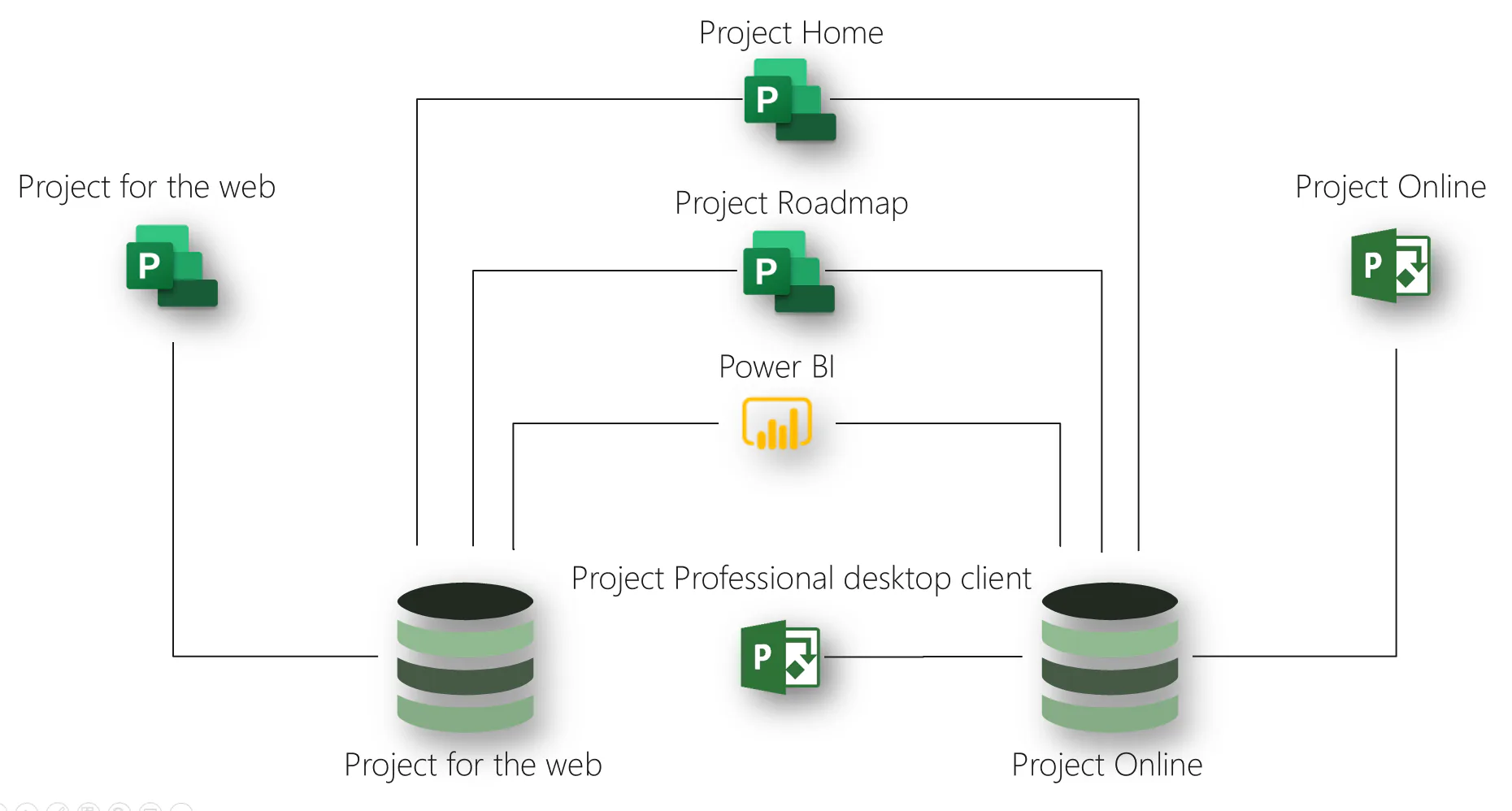
The Web Project it presents a more user-friendly, intuitive navigation and is currently a simplified version of Project Online, and in future it may be the main version of the product. Reinforcing the Web Project does not replace Project Online but adds new features to Microsoft project environment, as shown below:
01Creating a Web Project
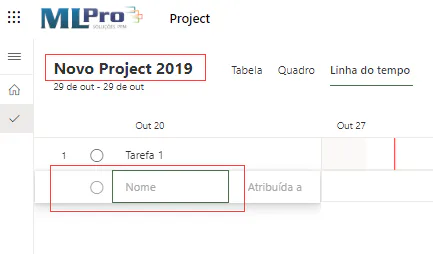
So that you can learn a little more about the appearance of the New Project, we have created a project called New Project 2019 that we describe below.
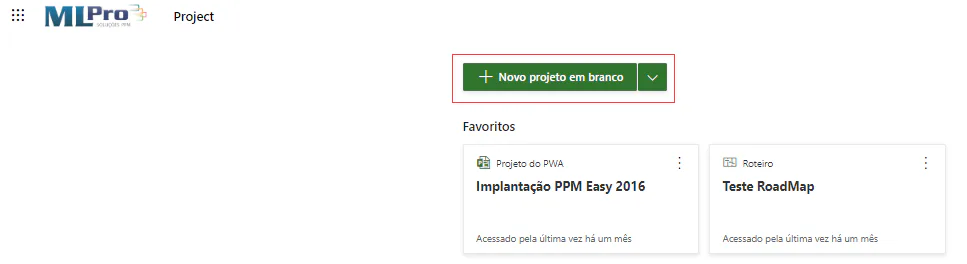
To create a new project, you must have a Project license in Office 365, enter the Project for the Web and then click on new blank project.
Then you can change the name of the project and inform the description of the activities;
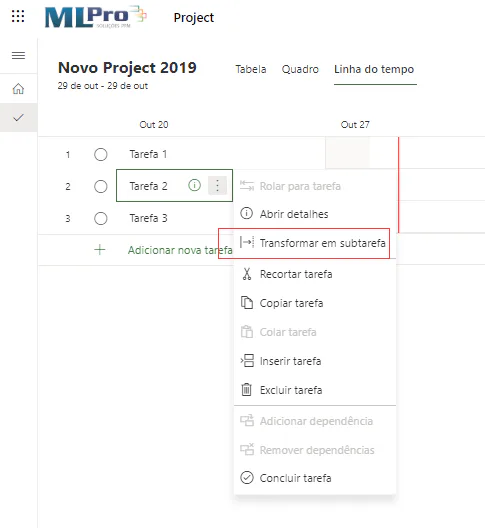
To create a subtask just click on the task and with the right button select turn into subtask:
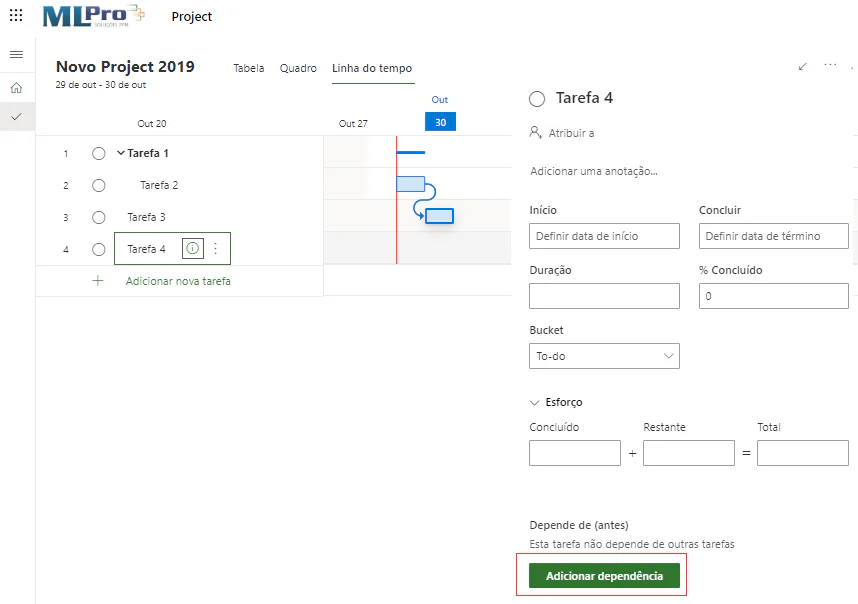
After creating the subtasks you can inform the dependencies between the activities. For this, just click the task and click the add dependency button and then select the task:
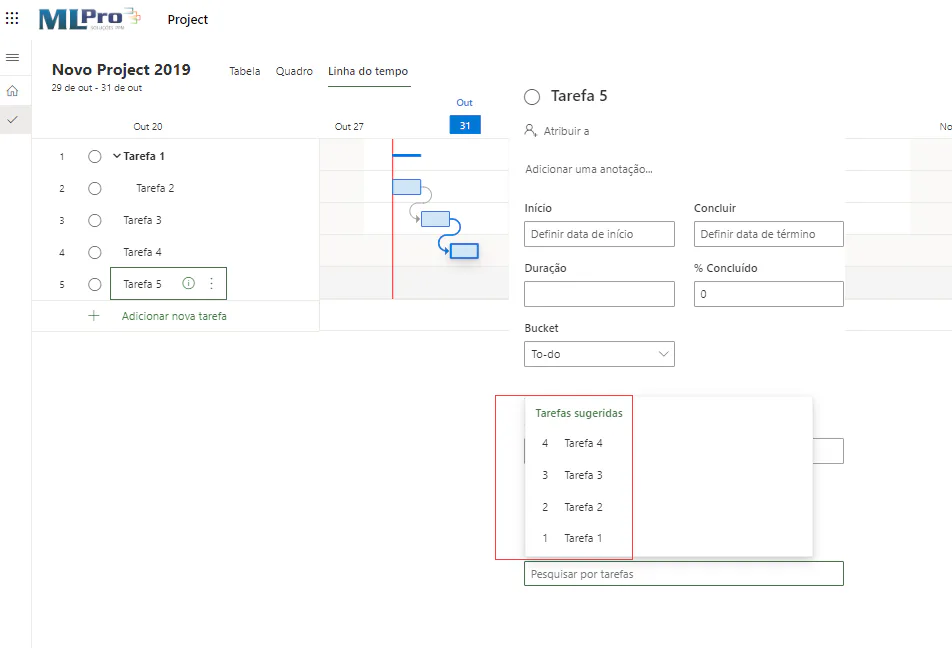
Then, just select the task that wants to associate the dependence of the activity.
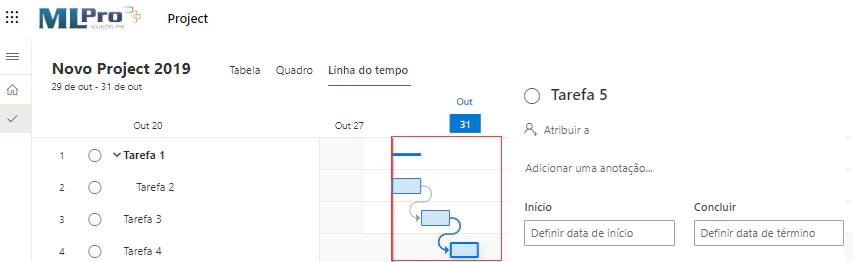
After creating the dependencies, you can view your project information as an example below:
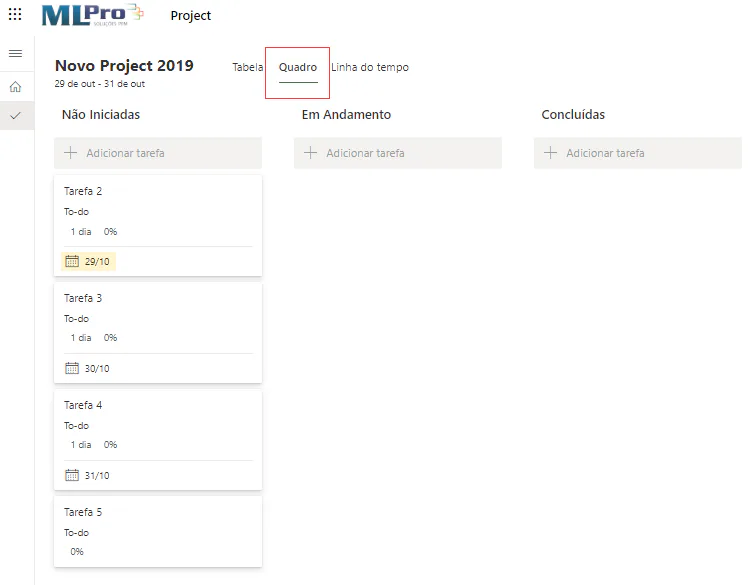
You can check the status of activities by accessing your project framework. Activities are classified as Uninitiated , "On Walk" and "Completed".
02More collaborative and interactive
The New Web Project aims to collaborate with the work teams, facilitate project management and management, and should allow file sharing, chats, meetings, simultaneous task editing, automated scheduling based on effort, duration, resources, and more.
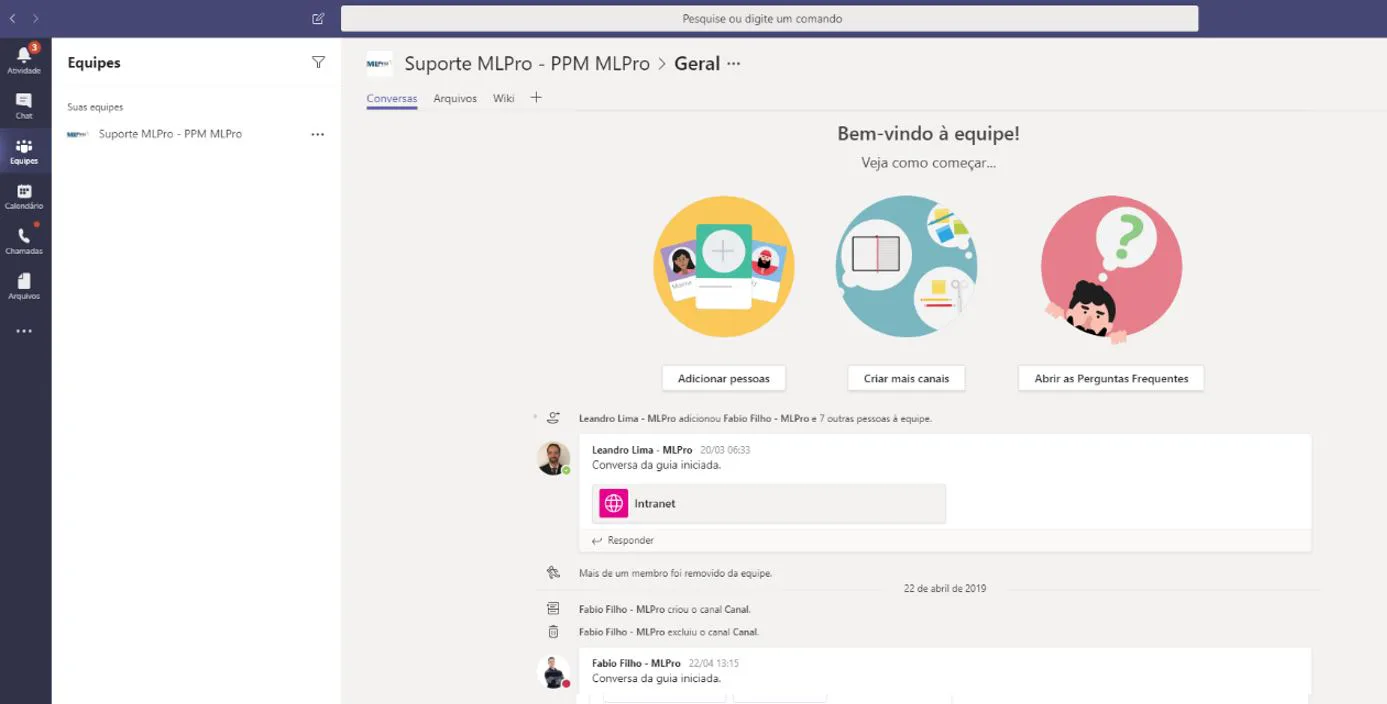
In addition, the New Project has connection to Microsoft 365, allowing teams to save time and have greater productivity, as it allows integration with the Microsoft Teams and Office.
03Microsoft Power Platform
The New Web Project was created on the Microsoft Power Platform that allows you to quickly connect the applications and services you currently use. You can connect the resources of Power BI, Microsoft Flow and PowerApps. With this, you can create customized projects, processes, automated workflows according to the specific need of your company.
We also verified that the New Project provides greater visibility to your projects and tools allowing the creation of information panels in Power BI. With this you can have a Roadmap with a more modern and interactive look.
You can also rely on the reliability of Microsoft Azure's security features, storing your information in the corporate cloud considered to be one of the most reliable in the world.
04Change in signature plans
In addition to the announcement of the New Web Project, Microsoft also announced the creation of a new subscription plan called Project Plan 1. This plan is suitable for teams that need the essential resources of the New Project to manage their projects. This signature is considered the simplest and most ideal way to start using the New Project.
The License of Project Online EssentialIt hasn't changed. The signatures of Project Online Professional and Project Online Premium, have been renamed to Project Plan 3 and Project Plan 5, respectively. Customers who already use Project Online can continue to use it in the same way, regardless of the Project subscription used by your company.
If you already have a Project Online subscription plan, you should receive a notification inviting you to try out the new version of Project for Web.
For more information contact your company's system administrator.
In this article, we brought the preliminary information on the New Web Project but we know that there are other options to be explored in this new version.
To stay up to date or learn more about Microsoft Web Project, please contact us for more information.
#PPM, #consultation, #Microsoft, # Training, # Business management, # Leadership, # Project management, #sp, # Saopaulo, #projectserver, #projectonline, #development, #technology, # Solution, #Businessintelligence.
References:
Original content from the MLPro editorial library, fully preserved and translated for the English website.
