
What you will find here
Learn more about the new features of Microsoft Planner released in December 2024 and the availability of the new Planner for the Web version.
Learn more about the new features of Microsoft Planner released in December 2024 and the availability of the new Planner for the Web version.
01Planner for the Web
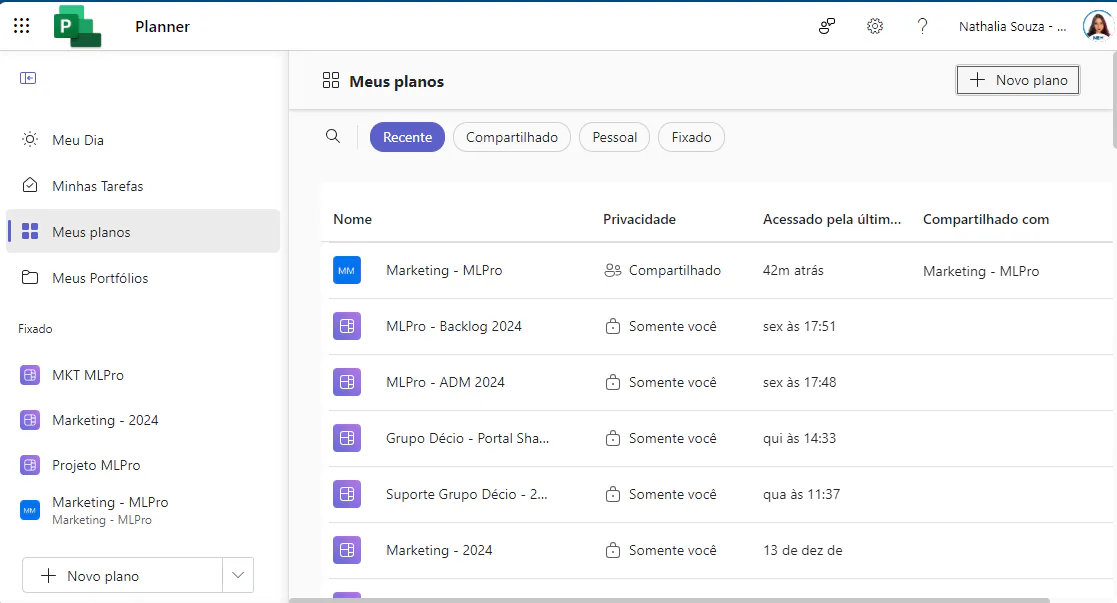
The new Planner for the Web is already available full of features to help you manage all your work on Microsoft To Do, Microsoft Planner and Microsoft Project, taking advantage of the AI features of Microsoft 365 Copilot for Planner (previous version).
02Portfolios
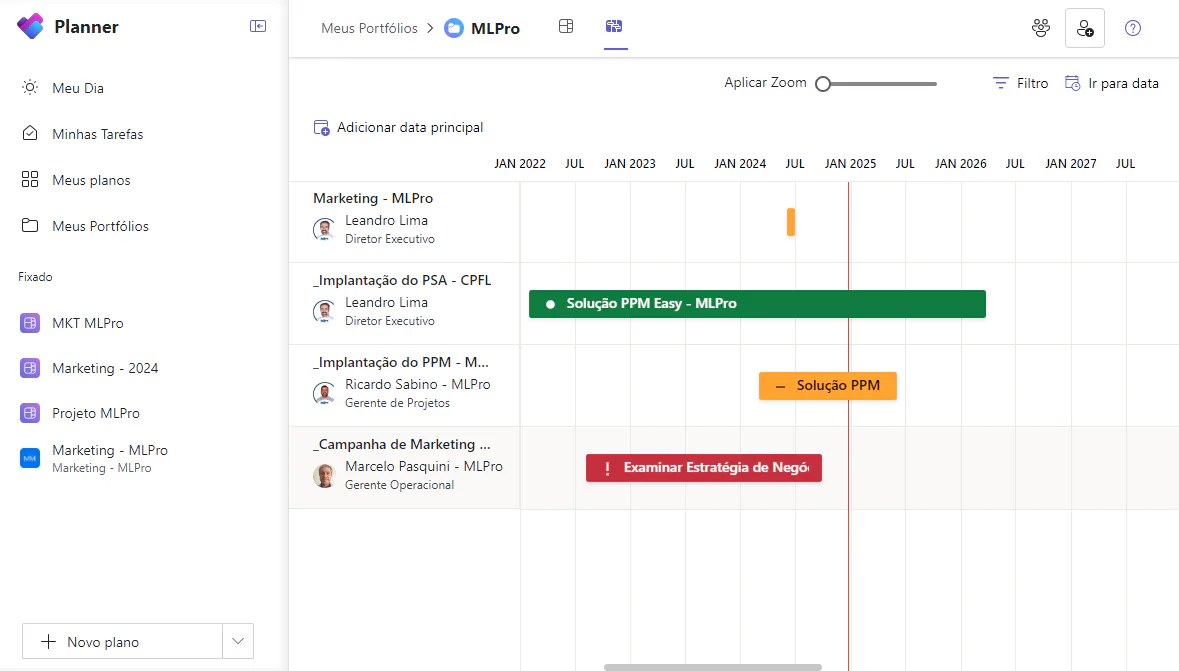
With portfolios, users who have one of the following Planner Plan 1 and Planner and Project Plan 3 or Planner and Project Plan 5 licenses, can now group related plans, allowing them to monitor progress more comprehensively and organize tasks with the Roadmap view.
03Project Operations and Project Online Projects at Planner
You can now view Dynamics 365 Project Operations and Project Online projects in Planner's "My Plans". This update facilitates monitoring of all projects in a single location, making management more efficient.
04Bug fixes
This month, Microsoft highlighted two important corrections. The first is that now the labels associated with the tasks are preserved by copying projects. The second is that the date formats are now adjusted according to the user location settings.
05Soon on Microsoft Planner
Microsoft has already given us a preview of what is to be released in 2025:
- Smart backgrounds: This feature allows you to customize your projects with smart backgrounds, allowing quick project identification.
- Frame View for My Tasks: The frame view in My tasks offers a visual representation of your tasks similar to a kanban frame, facilitating the monitoring of progress and the management of your workload.
- • Additional column customization options: Microsoft intends to allow grid columns in My Tasks and My Day display modes to be reordered or hidden.
And if you are interested and want a presentation of our products, feel free to schedule an appointment with us at the following link: Microsoft PPM Easy Presentation
Original content from the MLPro editorial library, fully preserved and translated for the English website.
