
What you will find here
Explore how Power BI supports project analysis, including portfolio views of priority projects and projects by department.
When we think of managing multiple projects, having access to information quickly, practical and dynamic can make all the difference to identify deviations and especially take corrective actions to adjust the “route” of the projects, directing them according to what was planned.
For this, it is essential that the project manager has access to an agile tool that allows the analysis of the data of his projects.
There are numerous indicators relevant to the management of your company's projects, and in this article, we will bring two graphs that will facilitate the analysis of your project information.
01Priority Projects
We may consider that the resources within the project may be human, material, or even financial resources.
As we know, resources are not always sufficient and for efficient project management it is necessary to plan the allocation of resources according to the priority that they should be implemented.
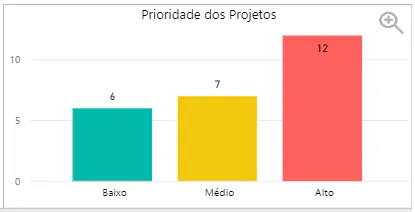
There are some ways to classify projects, one of which is to classify them according to their priorities.
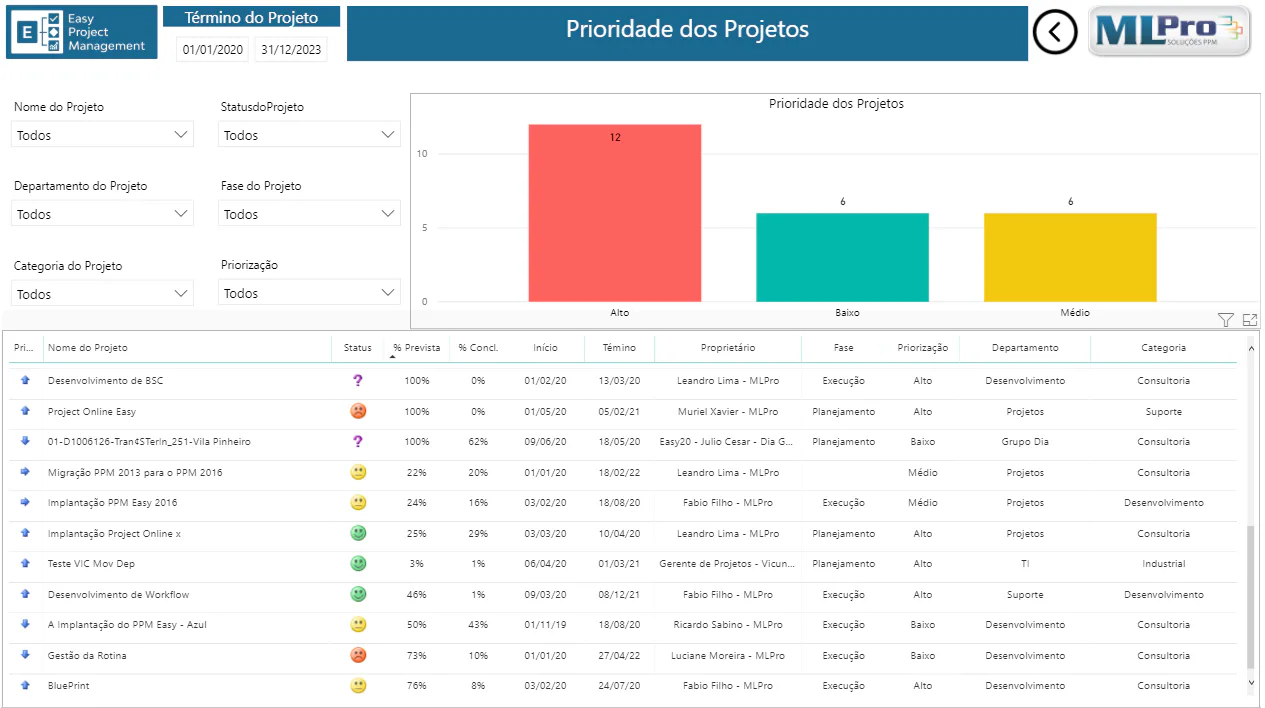
In an organization that has a large number of projects, this classification combined with quantitative analysis of projects will facilitate the visualization of information and the decision-making process.
02Projects by Department
We may have several projects being run simultaneously, and to ensure the financial health of the project, it is important that an analysis be made to verify where the projects are distributed within the company and thus control whether they are within the budget of each area.
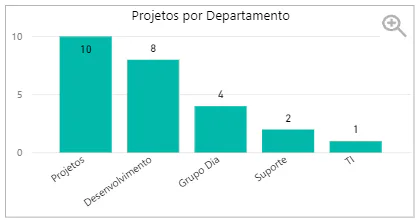
For this, the next graph shows the distribution of projects by departments, thus facilitating the visualization of information to enable a more efficient control of the budget of the cost center of each area.
With the easy visualization of this information, those responsible can have an overview of the company's project map by facilitating and improving project portfolio management.
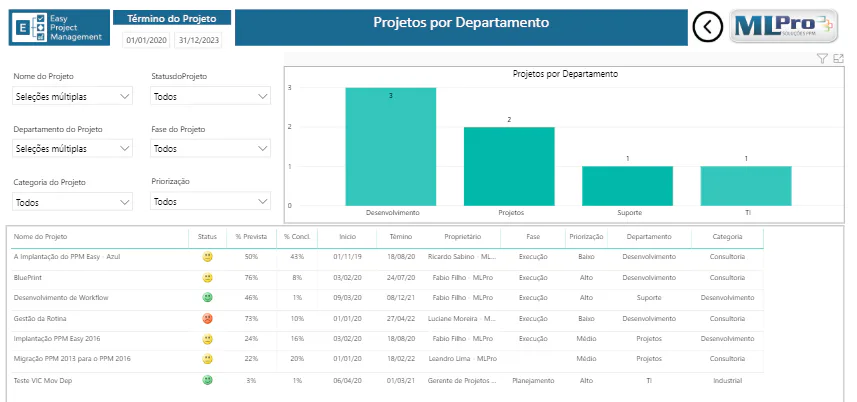
This report allows you to view the Projects by department using the following search filters:
- Project name;
- Project Status;
- Project Department;
- Project Phase;
- Project category;
- Prioritisation;
To learn more about Microsoft Power BI, Microsoft Project Online or how to optimize your company's project management, please contact us.
Original content from the MLPro editorial library, fully preserved and translated for the English website.
