
What you will find here
Explore the MLPro tool described for automating Microsoft PPM migration, including its process and expected benefits.
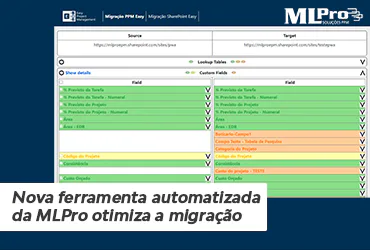
We've spoken several times here on the blog on the advantages of migrating Project Server for Project Online, such as cost reduction, increased safety, updated environment assurance, among others.
Today, however, we will talk about migration itself and the new automated tool of MLPro that optimizes this process and provides greater security and speed.
01How does the migration process work?
Although all versions of Project Server and Project Online are under Microsoft's umbrella, the company does not have a native and reliable solution to migrate between systems.
The company itself recommends that this process be carried out by partners Microsoft Gold Partner as MLPro. After all, it is an activity that requires much preparation and planning.
The migration process is mostly done manually, project by project, analyzing all fields to ensure the reliability of information so that nothing gets lost in the way. This can take much longer depending on the amount and complexity of the projects. And as Benjamin Franklin said, “Time is money.”
Thinking about it, MLPro has developed a tool that will do much of this work in an automated, point-to-point manner, ensuring greater speed and accuracy.
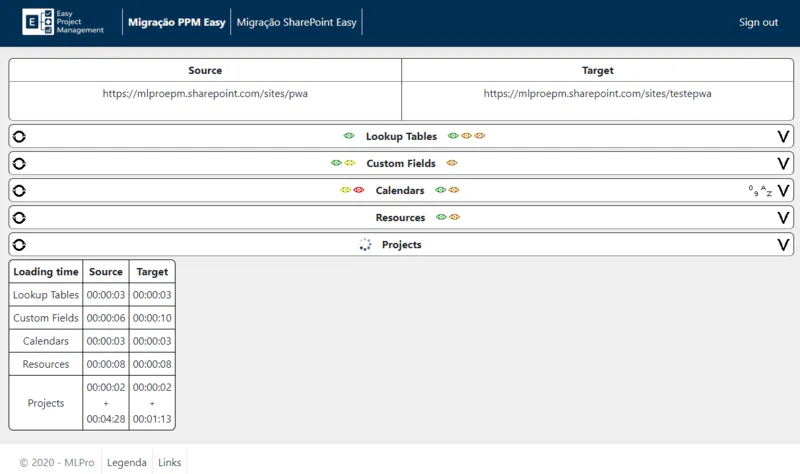
Our tool extracts the main data from Project Server and transfers to Project Online automatically and more efficiently:
- Search Tables
- Custom fields
- Calendars
- Resources
- Projects
02Key benefits of the tool
Time limit: A frequent combination in the area of technology is that of “Big Projects x Short Terms”.
Large companies usually have large amounts of information to be migrated and not always with deadline Comfortable. Projects and resources can reach the home of hundreds or thousands, and migration in these cases usually takes much longer.
By automating this process, the migration time will be shorter and your company will be able to make use of Project Online in a shorter period.
Reliability: Although all the products we cite are owned by Microsoft, it is very common to have incompatibilities when migrating from Project Server to Project Online.
A practical example is the calendars, which in certain cases are automatically recalculated in Project Online and may present inconsistencies at the end date of a given project.Our tool predicts this situation by performing a From > To and previously evaluating future problems. So we have a mapping that allows us to know exactly where a failure occurred and where we should act.
Information integrity: In a migration that contains hundreds of resources, for example, validation is always more complex, having to be done later and using external tools such as Excel or other means.
Now we have the possibility to carry out this validation during the migration process, performing the same process in fewer stages.
In the image below we have an example of the operation:
There is a "pharol" making a comparison between the fields of origin and destination.
- Green - What? successfully migrated items
- Yellow - Items that need revision
- Red - What? Constant items only at source or destination
With this, we continue to work to improve our processes and offer the best products to our customers.
Want to know more about migrating your management system to Project Online and getting a whole range of services to improve productivity in your company? Talk to us.
Original content from the MLPro editorial library, fully preserved and translated for the English website.
