
What you will find here
Review the July 2025 Microsoft Planner updates, including agent email notifications and bulk editing in Grid view.
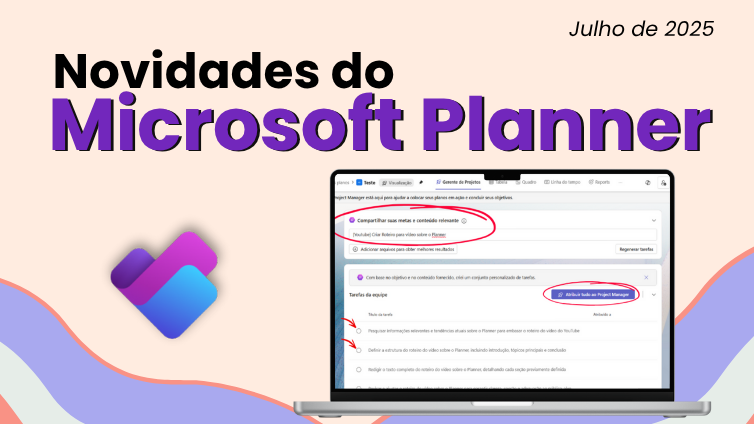
Microsoft brought a series of updates to Planner in July 2025, and MLPro prepared this complete summary so you know exactly what changes and how these news can help your team.
Be you user of Planner or Planner Premium (Project for the Web), these improvements directly impact the daily use of the tool, with more organization, better traceability and increasingly intelligent resources.
01E-mail notifications with Project Manager Agent
Do you want to be warned automatically when a task changes, delays or needs your attention? The new e-mail notifications with Project Manager Agent Makes it possible.
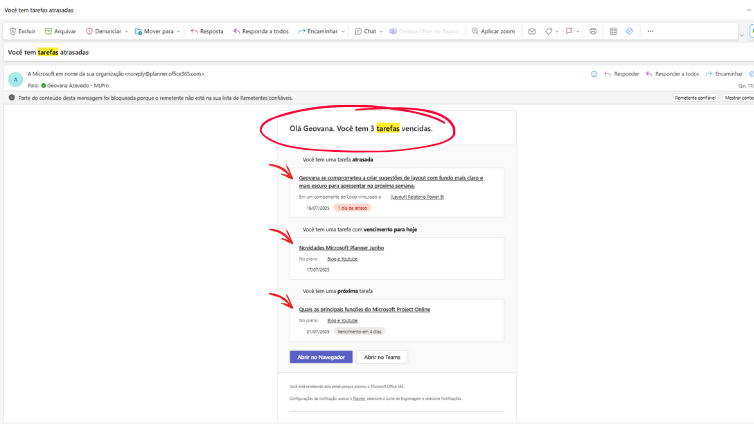
With this novelty, Planner Premium starts working side by side with you, sending automatic updates by email based on project changes. This reduces the chance of delays and improves communication between team members.
It's almost like having one virtual manager Reminds you of what's going on in real time.
02More resources coming up: intelligence, languages and reports
In addition to the changes in the interface, Planner Premium earns a number of features that make the use of the tool more practical and intelligent:
-
Automated reports with
Project Manager Agent
: monitor project performance with reports generated automatically, faster to analyze and decide.
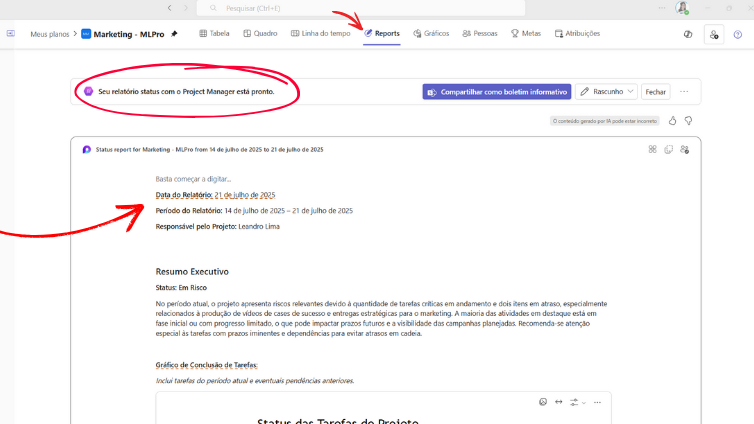
Report generated by Project Manager Agent 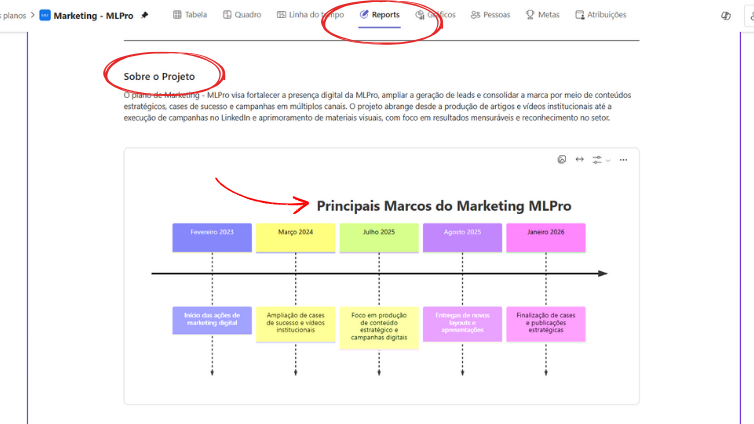
Main milestones of the Plan - Report generated by Project Manager Agent - Compatibility with Copilot: use natural language commands to organize tasks, consult project progress or request automated summaries.
-
Language Expansion: now with expanded support for different languages, facilitating the use in global teams.
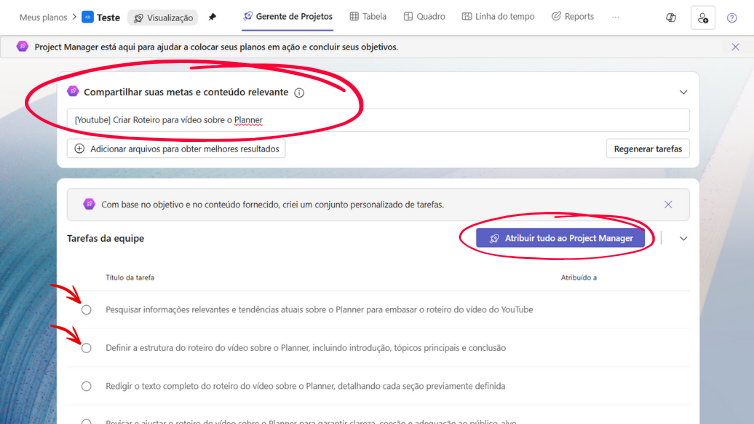
Tasks generated by Project Manager Agent, now in Portuguese.
These functions increase the power of the tool and help managers and teams to gain time, focus and efficiency.
03Mass editing in grid display
The grid view of Planner started to allow mass editing of tasks. This update brings real gains for those who work with many items in planning. Look what's changed:
- Simultaneous updates: edit multiple tasks at the same time, including responsible, dates and status, with just a few clicks.
- Family interface: the column layout reminds Excel, with fluid navigation and keyboard shortcuts.
- More productivity: reduces the time spent with manual updates and improves project control as a whole.
This improvement makes the Planner even more efficient in daily life of teams that deal with demands in volume.
04Why is it worth keeping up with these changes?
These updates are not just technical increments, they improve the way your team works, collaborates and delivers results.
Imagine connecting goals and tasks with few clicks, planning your work cycles more clearly, receiving automatic alerts, and counting on reports and artificial intelligence to make decisions. All this without leaving Planner.
That's why this news matters: they bring technology closer to real productivity.
05Count on MLPro to deploy and evolve your management with Microsoft
A MLPro is national reference in solutions Microsoft for project management and portfolio. We act with tools like Planner, Planner Premium, Project Online , Power BI and the entire Microsoft 365 suite.
With over 20 years of experience and over 75,000 projects supported, we offer:
- Strategic consulting with Microsoft PPM experts.
- Personalized training for teams.
- Technical support and tailor-made deployment.
06Schedule a conversation with us
Do you want to understand how this news can be applied on your team? Schedule a free meeting with MLPro and see how we can help your company work better with Microsoft platform.
Also follow the contents of MLPro:
- MLPro YouTube - tutorials and practical tips.
- Instagram and LinkedIn - news, cases and management insights.
Work with those who understand Microsoft Planner and project management!
Original content from the MLPro editorial library, fully preserved and translated for the English website.
