
What you will find here
Review the March 2025 Microsoft Planner updates, including Grid column ordering and improvements to task views.

Planner has received a new round of updates aimed at making planning more practical, organized and personalized. Among the highlights are improvements in basic and premium plans, with features that increase flexibility in the organization of tasks and optimize the experience of use.
 Play video: YouTube video player
Columns in basic plans
Now it is possible to reorganize columns in Grid view in basic plans. Before available only in premium plans, this feature allows you to adjust the order of columns according to the priority of your work. To reorder:
- Click and drag column headers to the new position.
- Or use shortcuts: Ctrl + Shift + < or Ctrl + Shift + >
This adjustment is useful to adapt the plan to its optimal workflow, with more control over how the information is displayed.
Full display of the maturity dates in the Table
The Frame display with grouping by maturity date now displays all date categories, like today, tomorrow, this week, next week and future , even if there are no tasks assigned to them. This change offers a broader view of the available deadlines and facilitates early planning.
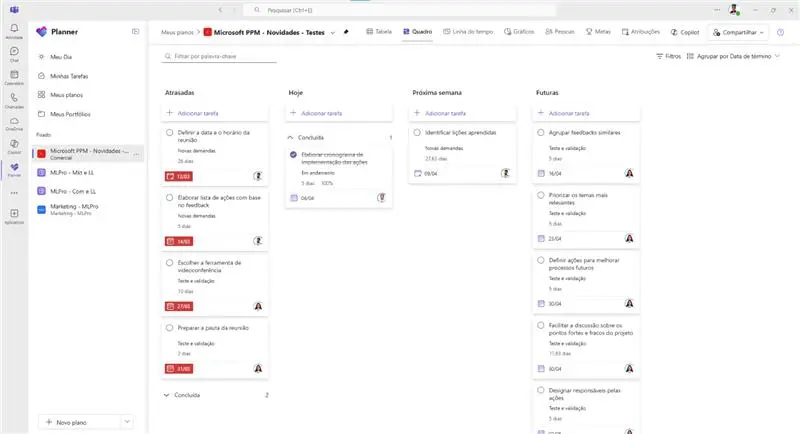
Persistent filters in premium plans
In premium plans, the applied filters now remain active between sessions. This means that when you leave and return to Planner, the filters remain configured according to the last view.
Fixed standard view for basic plans
Fixed a problem that changed the initial view of the basic plans. Now, when opening a basic plan, the default display will be correctly viewing the Frame.
And if you are interested and want a presentation of our products, feel free to schedule an appointment with us at the following link:Microsoft PPM Easy Presentation
Original content from the MLPro editorial library, fully preserved and translated for the English website.
