
What you will find here
Review the April 2025 Microsoft Planner updates, including Project Manager Agent notifications and interface customization.
The April 2025 update of Microsoft Planner brings practical improvements for more efficient and productive task management. Among the highlights is the public viewing of the real-time notifications of Project Manager agent, in addition to new interface customization options. Check out the details below.
 Play video: YouTube video player
Real-time notifications of Project Manager agent
Real-time notifications Project Manager agent are now available in public preview in New Planner Microsoft Teams. With this feature, you and your team receive immediate updates when a task assigned to Project Manager agent is completed and ready for review, or when it is necessary to provide information to continue the work.
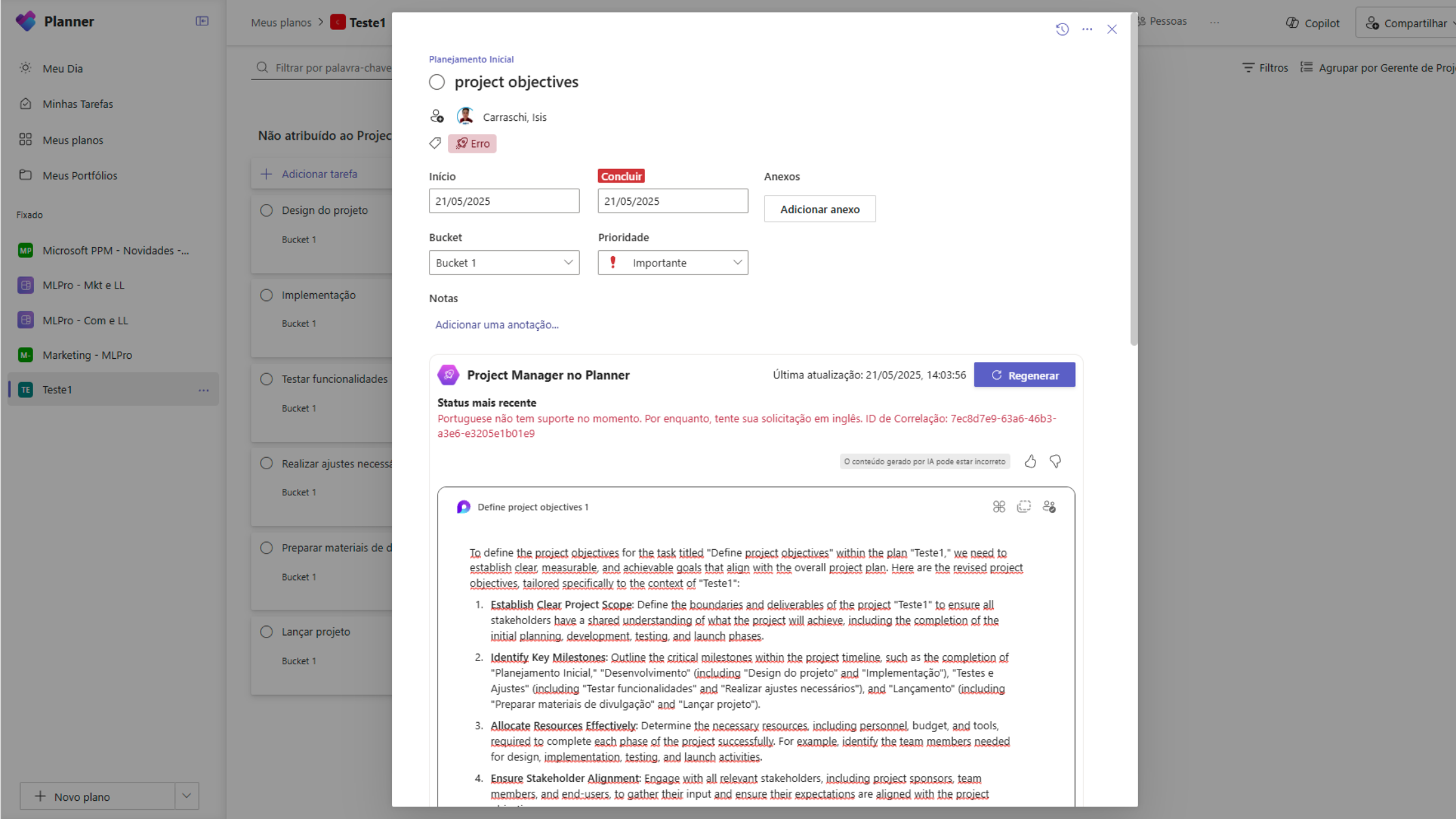
* Project Manager agent works only in English
These notifications help keep the team aligned, increase individual responsibility and support deadlines, even with changes in priority. The feature is enabled by default, but can be adjusted in Teams settings. To use the features of Project Manager agent, you need to have a license from Microsoft 365 Copilot.
Hide columns in My Day and My Tasks
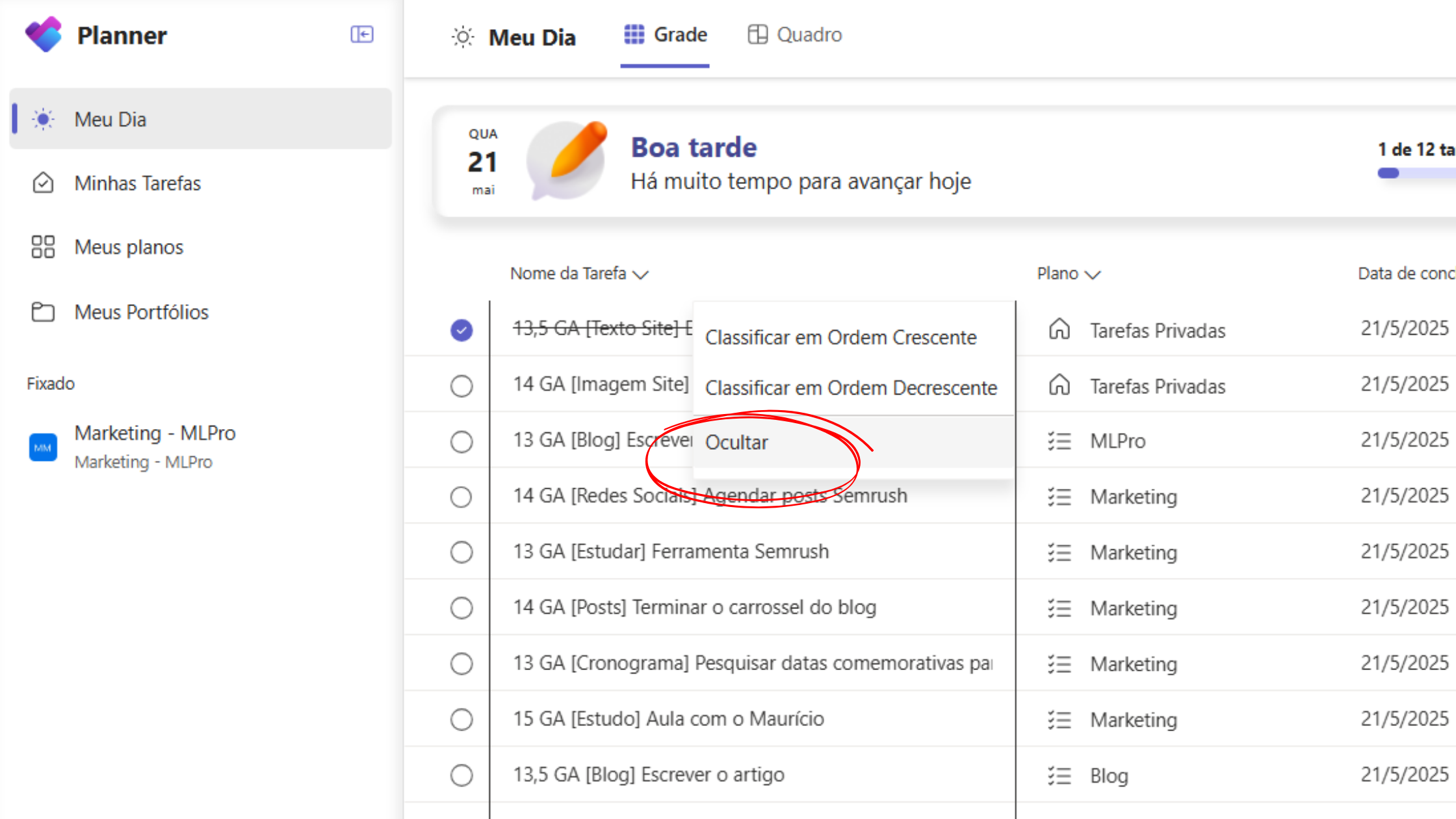
Now it is possible to hide columns in the task grid displayed in the sections My Day and My Tasks. Configuration is maintained even when accessing from other devices, eliminating the need for recurring adjustments. Combined with the option to reorganize columns, released the previous month, this feature offers more control over which information to view, allowing focus on the most relevant data.
Plan management in non-standard environments
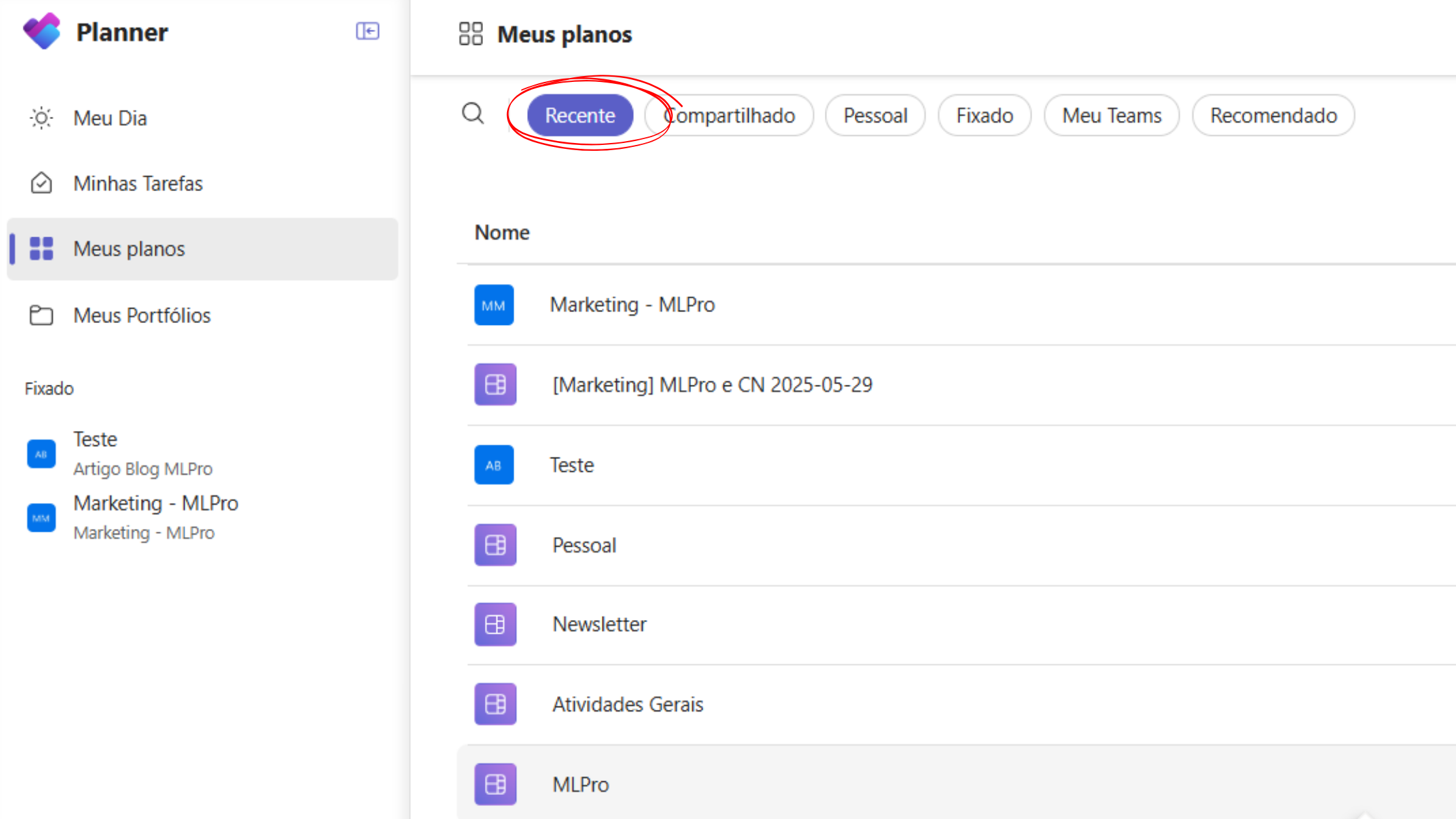
Planner now allows you to view and manage plans created in environments other than the standard directly through the interface. The plans recently accessed in these environments also appear in the section Recent. When selecting a plan, it will be opened directly in Planner. It is possible to verify which environment the plane belongs to by positioning the cursor over its name in the section Recent.
And if you are interested and want a presentation of our products, feel free to schedule an appointment with us at the following link: Microsoft PPM Easy presentation.
Original content from the MLPro editorial library, fully preserved and translated for the English website.
