
What you will find here
Learn what Microsoft Project does and how its scheduling, resource planning and tracking features support project management.
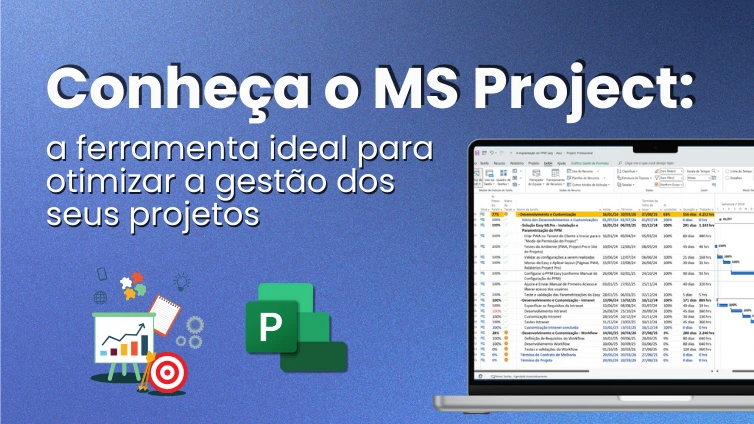
Find out what is Microsoft Project, how it works in practice and why this software has become essential for professional project management. Have you ever wondered? what is Microsoft Project and why do so many companies use this tool to manage their projects?
Microsoft Project is a complete software designed to help teams plan, track and control their activities. It can transform the way you organize the work, from resource allocation to progress monitoring. In this article, we will explore how MS Project can be the key to optimizing the management of your projects and how it stands out from other tools available in the market.
What is Microsoft Project and what is it for?
Microsoft Project is a project management tool that facilitates the organization of tasks, deadlines and resources. It is used to plan, monitor and control all aspects of a project, from task distribution to budget control. With it, you can create detailed schedules, assign responsibilities and track the progress of each activity in real time. All of this helps ensure that projects are delivered on time and within the budget, making management much more efficient and predictable.
Understanding Microsoft's Planning Tool Proposal
MS Project is designed to be a complete solution for those who need it manage complex projects. It helps create a detailed plan, set goals, resources and deadlines. In addition, it allows viewing the progress of each task with graphics and reports. With MS Project, it makes it easier to control the progress of the work, ensuring that everyone in the team is aligned and aware of their responsibilities.
When to use MS Project in professional management?
Microsoft Project is ideal for projects involving various stages and people. If your company needs to control schedules, budgets and resources in detail, this tool is perfect. It is especially useful in large or complex projects such as construction, IT and events. In addition, MS Project is critical when you need to ensure that all parts of the project are well integrated and functioning efficiently.
Project's main benefits for companies and teams
Microsoft Project offers many benefits to companies that seek to manage their projects more efficiently. With it, the team can plan, execute and control the tasks more organizedly. The tool helps identify possible problems before they become major challenges. One of the biggest advantages is that it allows a clear view of the progress of the project, which facilitates the monitoring of deadlines and budgets. In addition, MS Project is perfect for coordinating teams, as all information is centered in one place, avoiding errors and confusion. When used correctly, it can transform the way projects are delivered, ensuring greater agility and less unforeseen.
Organization and efficiency in planning
Microsoft Project stands out for helping plan every detail of a project, from small tasks to big milestones. It allows you to create detailed schedules by setting the start and end dates of each activity. The tool also helps predict possible delays and deviations, offering solutions to minimize problems in the future, bringing more organization to the teams, since everyone knows what needs to be done and when. Efficiency in planning is the key to reducing costs and improving delivery of results on time.
Integrated management of people and resources
Managing human and material resources is one of the biggest challenges in projects. MS Project helps keep everything under control by allowing integrated management of people and resources. You can assign specific tasks to team members and follow each other's working time, avoiding overload or lack of activity. In addition, the tool helps to plan the use of resources, such as equipment and materials, to ensure that nothing is missing at the right time. The result? A more fluid and efficient work, with less waste and more results.
Other practical advantages of Microsoft Project
The MS Project is not just for big projects. There are several reasons for using the tool, even to plan a simple renovation in your home. His flexibility is one of the biggest strengths. Another benefit is that the Project helps predict problems before they actually happen. With simulations and risk analysis, you can adjust the plan and avoid headaches in the front. Want some more? The tool even distributes tasks better among team members. So no one gets overwhelmed and productivity increases naturally. In the end, the Project is like a good Copiloto: always helping you make the best decisions and reach your destination without surprises.
How to use Microsoft Project?
Now that you know what is Microsoft ProjectNothing better than learning to use it in practice. In fact, this process can be simple if you understand its main features. To begin with, it is important to create a project and set the schedule. Then it is necessary to add the tasks, assign resources and track progress over time. MS Project provides a visual interface, with graphics and tables, that help monitor the progress of activities and identify problems. In addition, it has functions to create detailed reports on project performance. It's a powerful tool, but the key is not to get overwhelmed with so many options. Start with the basics, and gradually you will discover how to take advantage of all its features.
Main features to get started
Microsoft Project has some essential features for those who are starting. The first is the creation of a schedule, where you can enter the tasks and set deadlines. Another important function is the allocation of resources, such as people and materials, to tasks. The tool also allows you to visualize the progress of the project with Gantt graphics, which show the progress of the activities clearly. These resources make project management simpler and more organized, allowing you to follow everything closely.
Basic tutorial to create your first schedule
To create your first schedule in Microsoft Project, do the following:
- Start by opening the program and creating a new project;
- Add tasks and define the duration of each task;
- Then connect the tasks to each other, indicating the order in which they should be done;
- Assign resources as team members or materials to each task;
- Finally, define the beginning and end of each activity, adjusting as needed.
Is it worth investing in Microsoft Project?
If you understand, definitely, what is Microsoft Project and how to implement it in practice, now comes the most important moment: how to know if it is worth making this investment? If you want more control, organization and efficiency in project management, Microsoft Project is worth a lot. It helps to plan better, predict risks and deliver results with less stress. For companies that want to grow safely, it's a smart choice. Now, if you want to make sure you get the best of the tool, MLPro can help you. We are experts in Microsoft Project Online, Project for the Web, PPM and EPM. We have implemented solutions in more than 250 companies and support more than 75,000 projects. With over 20 years of experience, we offer consulting, training, support and fully customized solutions. Our team is certified by Microsoft at the highest level of competence, Gold Partner. And if you are interested and want a presentation of our products, feel free to schedule an appointment with us at the following link: Microsoft PPM Easy Presentation
Original content from the MLPro editorial library, fully preserved and translated for the English website.
