
What you will find here
Review the July 2024 Microsoft Planner in Teams updates in this article from the MLPro archive.
Last month Microsoft shared some updates from the Planner application to Microsoft Teams. These features and new features will improve your experience in task management and coordination of team initiatives. Check out the news below:
- Copy Project Link
- Open Task Plan
- Persistent Filters and Classification
- Enhanced Attributed Task Card on Viva Connections
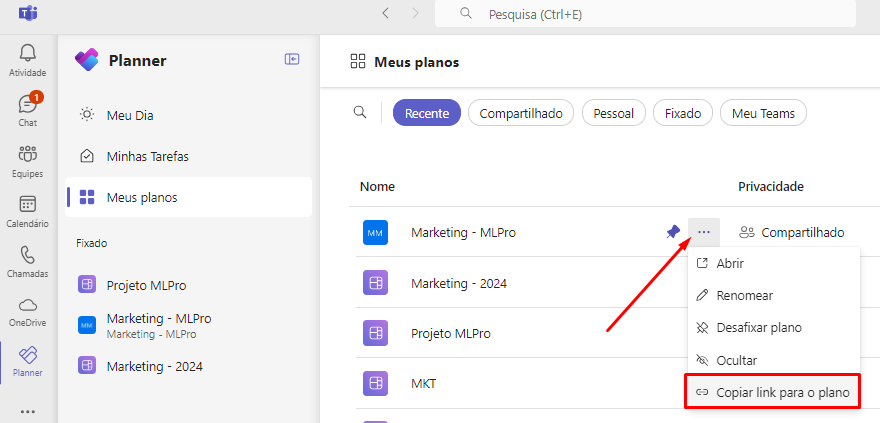
Now, it's easier to share your projects with the team. With the new "Copy link to plan" feature, you can generate a direct link and distribute it with one click. To use this option, just access the floating menu of a plane in the section "My plans" and select "Copy link to plan".
In response to a demand from users, Microsoft introduced a practical way to visualize the project associated with a specific task. When viewing the details of a task in "My Tasks", you can now quickly navigate to the full project by clicking on the project name located at the top of the task card.
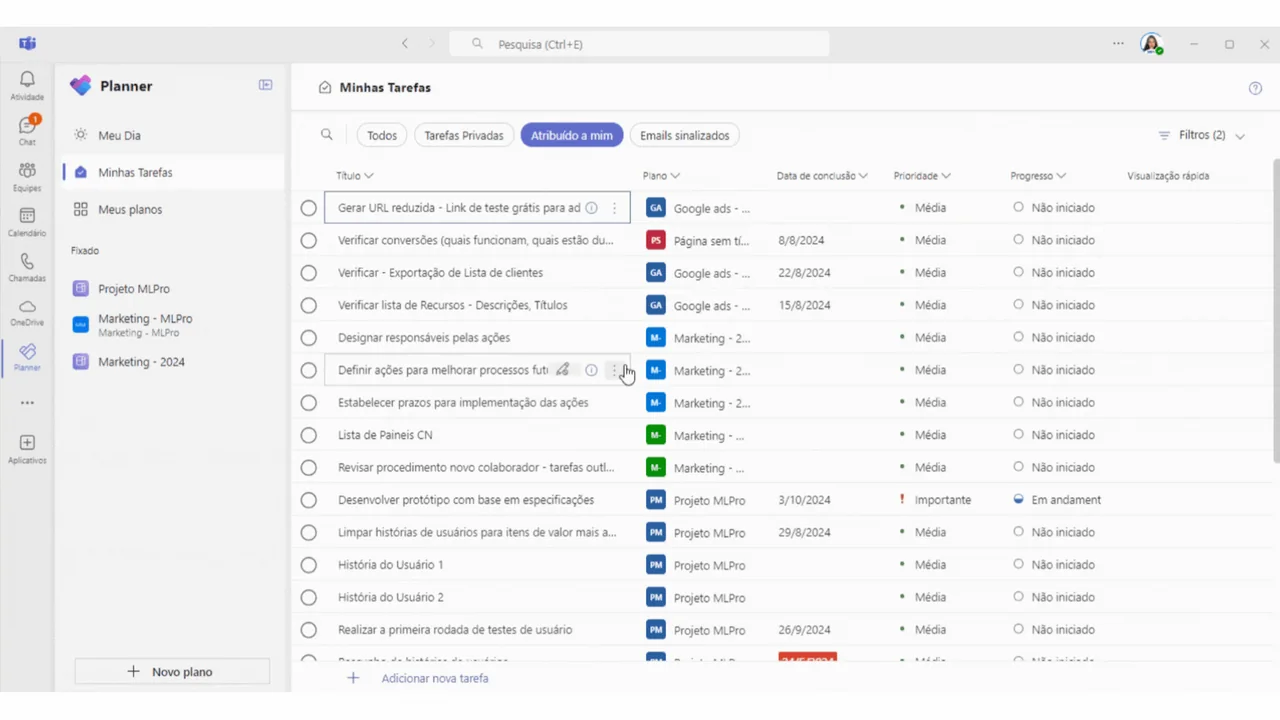
Microsoft has improved filter and rating functionality in Planner. Now, your filtering and sorting preferences will be remembered, facilitating work continuity exactly where you left off, every time you reopen a project.
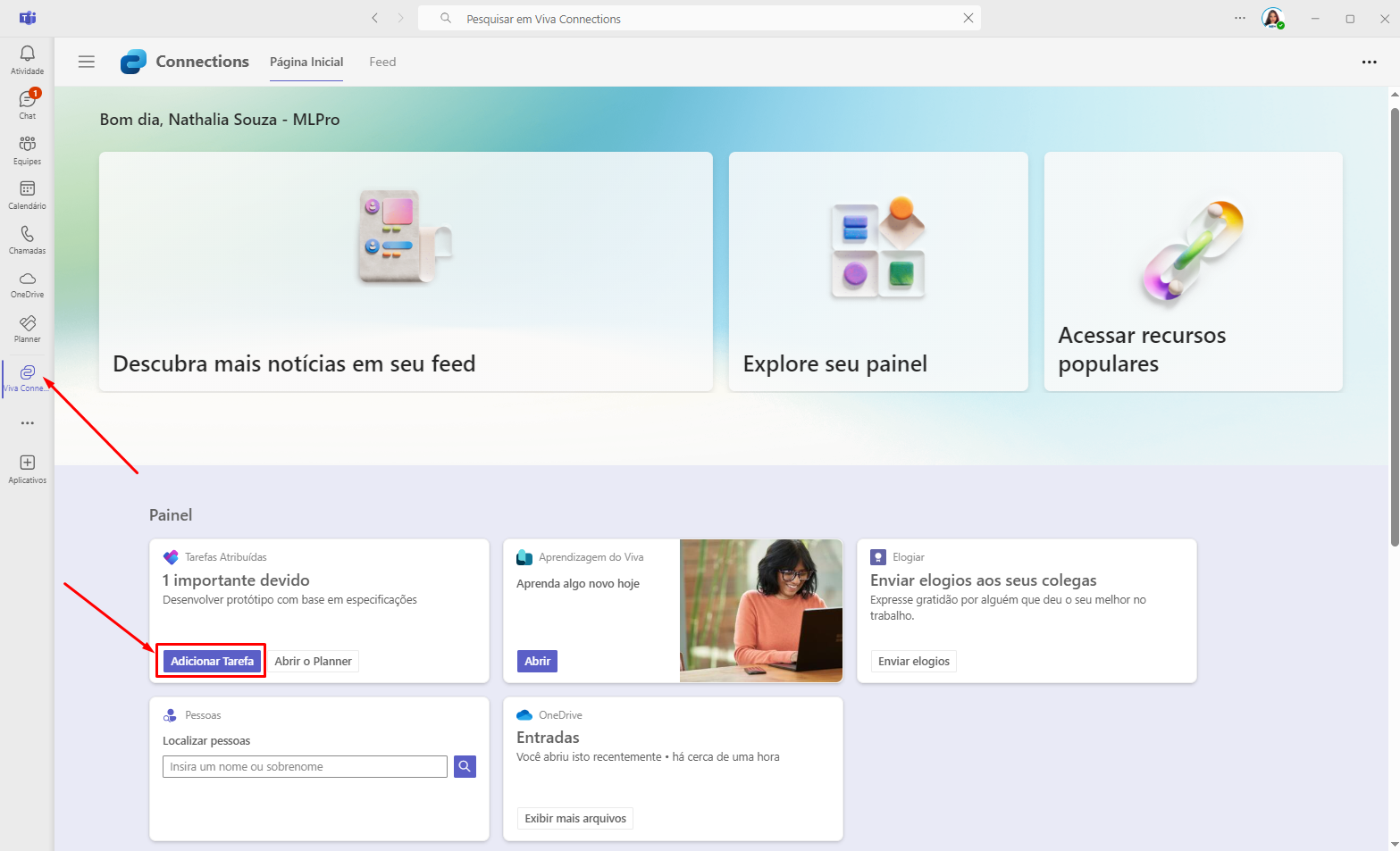
The card "Attributed Tasks"on the panel of Viva Connections You got an update. The new button "Add Task" allows quick task creation, which will be automatically synchronized with Planner. The card continues to display the number of tasks assigned to you and now includes a "Open Planner" button, providing direct access to the full application for a more detailed and managerial view of the tasks.
And if you are interested and want a presentation of our products, feel free to schedule an appointment with us on the button below:

Original content from the MLPro editorial library, fully preserved and translated for the English website.
