
What you will find here
Review the October 2024 Microsoft Planner in Teams updates, including the project templates described in the article.
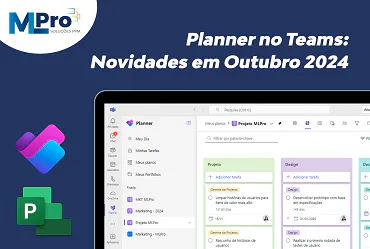
The last month marked the launch of the new Planner for the Web. This feature will be launched for all customers in the coming weeks. With the new Planner, you can manage all your work on Microsoft To Do, Microsoft Planner and Microsoft Project in one place, including Copilot Artificial Intelligence for Planner (previous version).
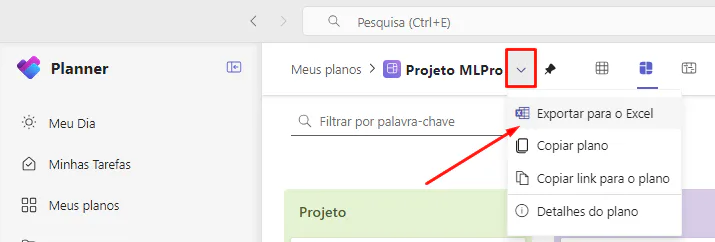
Export your projects to Excel
View, analyze and share the data by exporting them to Excel. To take advantage of this feature, go to the drop-down menu in the header of any Project and select 'Export to Excel'.
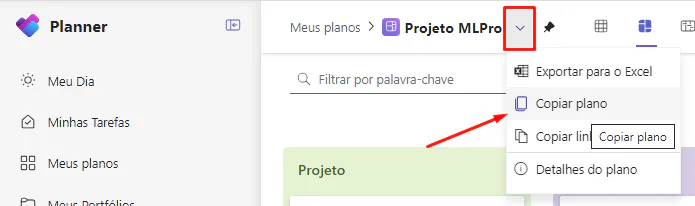
Copy Plan (Project)
Double your Projects now is easier than ever! Simply select 'Copy Flat' from the drop-down menu of any project header. All project tasks will be copied. Basic Planner allows you to choose to include priority, dates, descriptions, checklists and labels, while Planner Premium now allows you to include attachments.
Access tasks created in Teams meetings
Now your tasks created in Microsoft Loop meeting notes also appear on your to-do list. Learn how to add a to-do list to a meeting and then display the to-do list in Planner.
New Project Templates
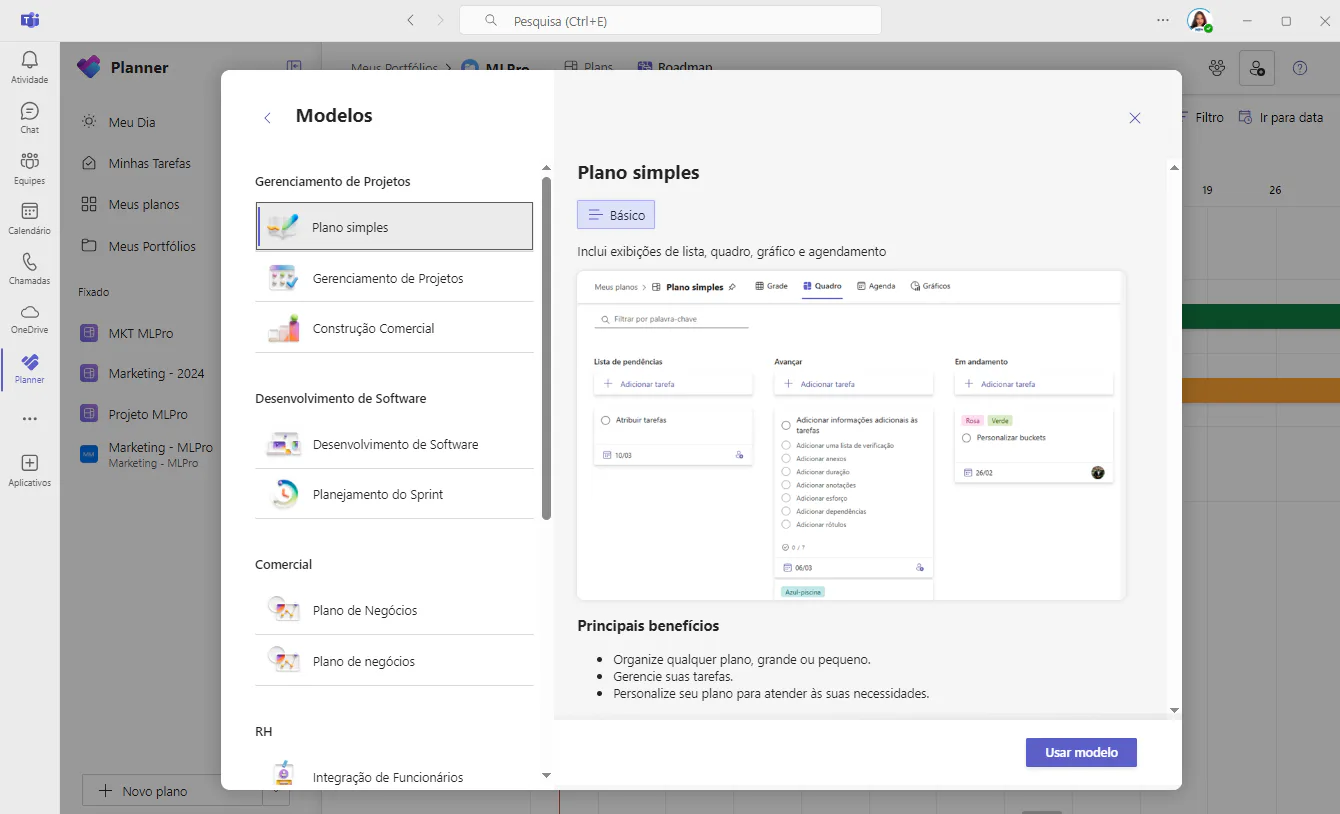
Microsoft is launching new project models. To access these models, select the "+ New Plan" button in the Planner app and then "See all models".
My Portfolio
Now you can also get a view of your Project Portfolio within Planner!
In “My Portfolio” you can select your portfolio and get an overview of the projects in one place. It is possible to view which manager of each project, progress, start/end date and status.
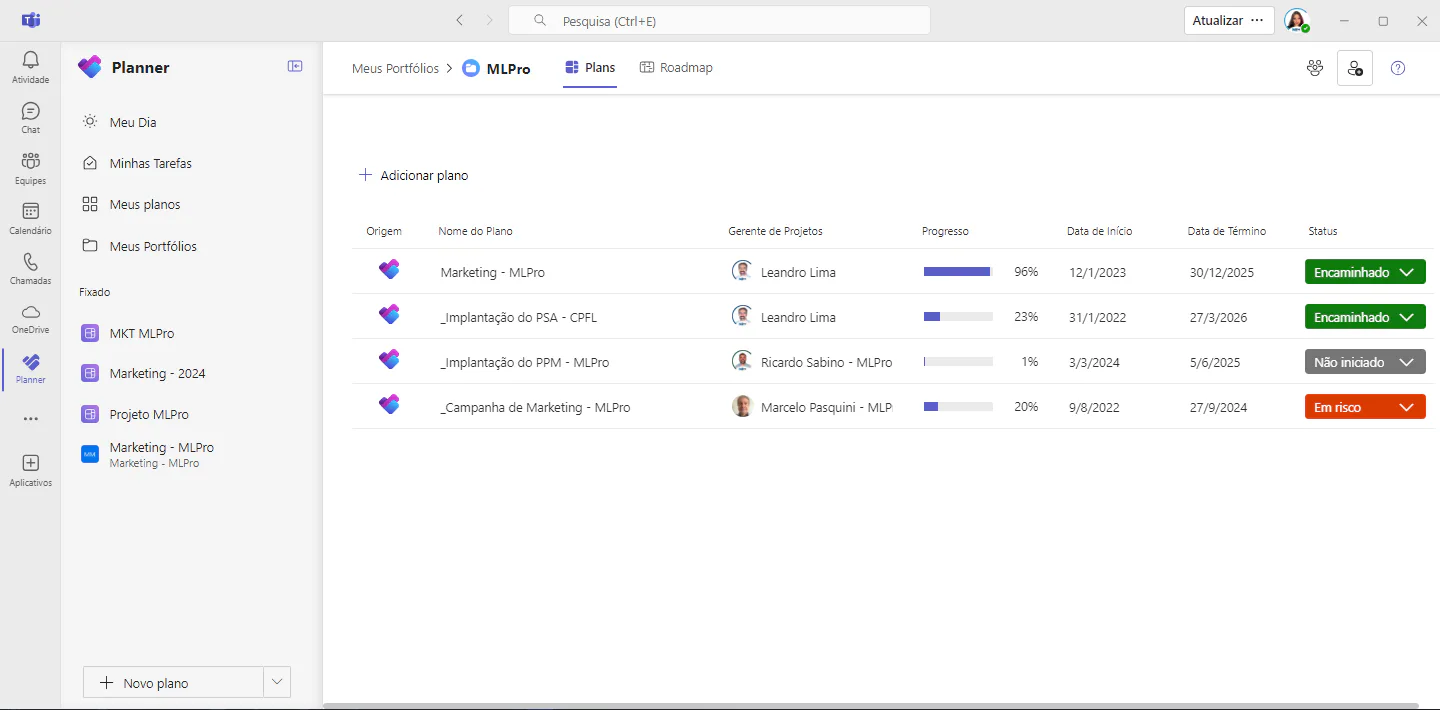
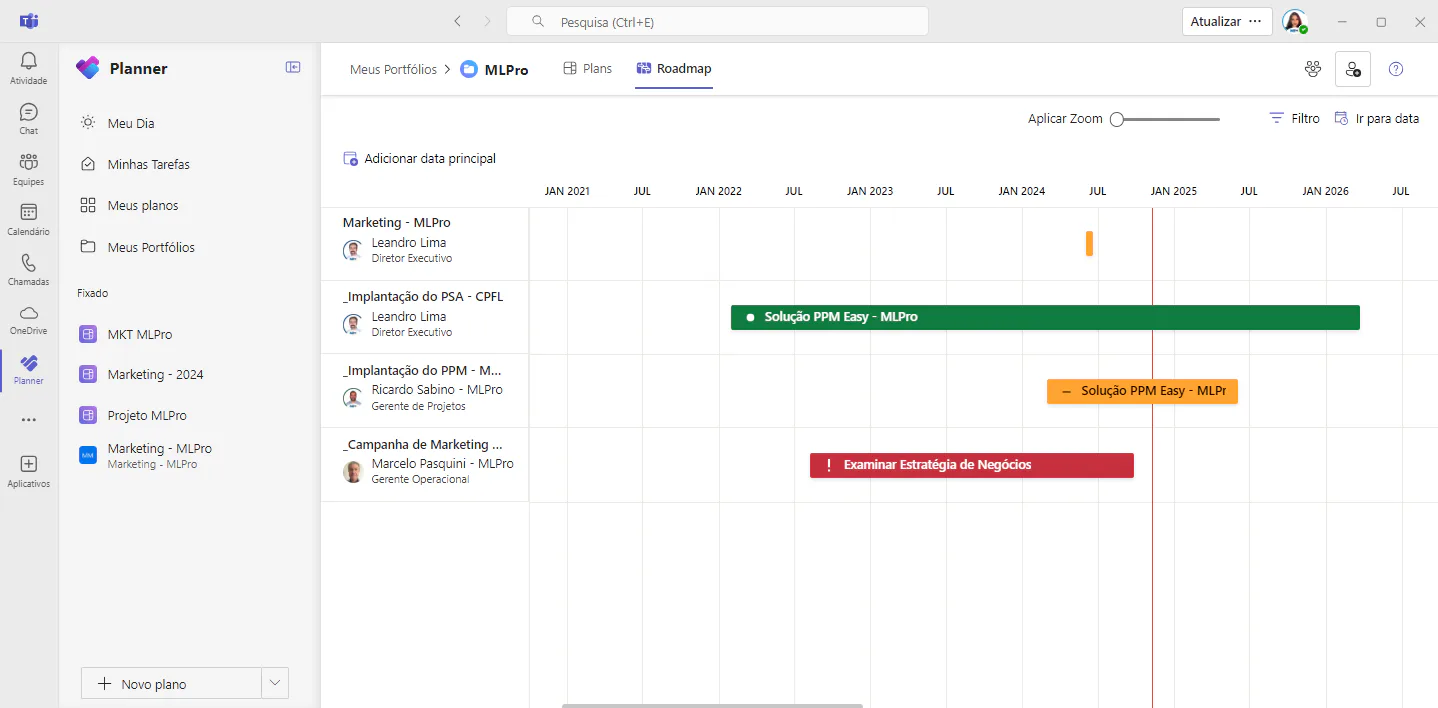
You can also get a view of Roadmap of projects included in your portfolio:
If you are interested and want a product presentation, please schedule an appointment with us at the following link: Microsoft PPM Easy Presentation.
Original content from the MLPro editorial library, fully preserved and translated for the English website.
