
What you will find here
In this article, we will compare the features of Microsoft Planner and Microsoft Project Online that are tools used by companies to control their projects.
With the constant evolution of technologies and work tools, we need to be more and more attentive to the tools available to facilitate our daily lives. When we talk about project management this situation also applies, because companies need to constantly follow existing tools and compare whether they meet their needs.
In this article, we will compare the features of Microsoft Planner and Microsoft Project Online that are tools used by companies to control their projects.
01 What is Microsoft Planner
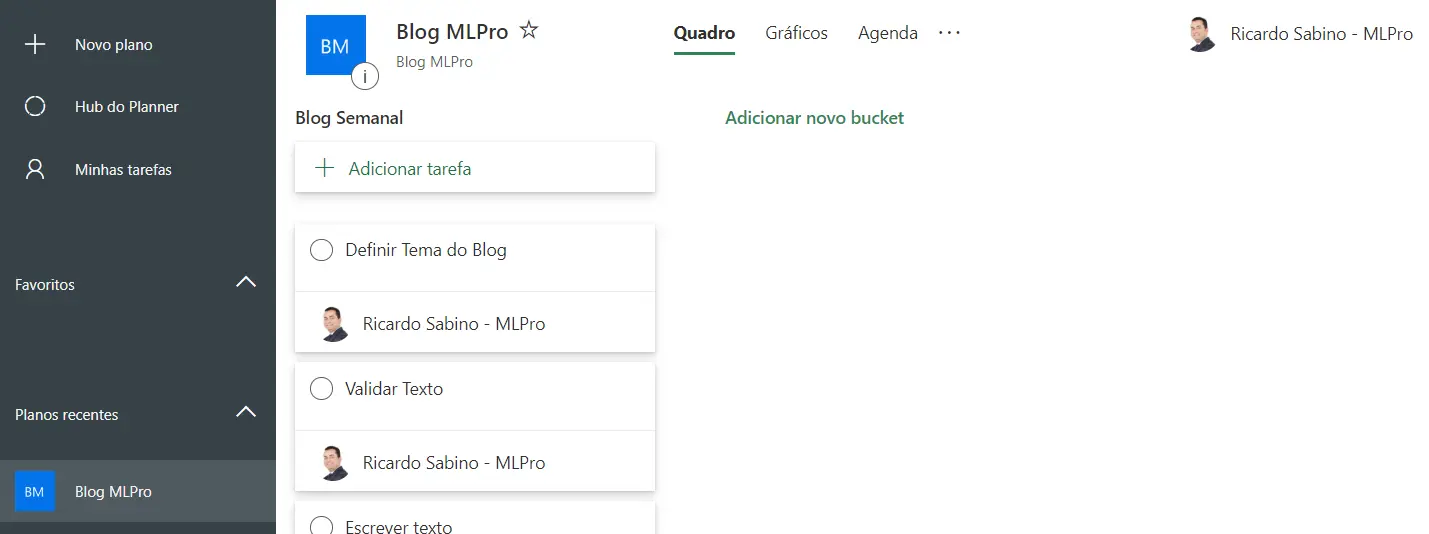
First, let's talk about Microsoft Planner which is a simple and intuitive interface tool used for organizing, planning and structuring projects. It is used to manage the tasks and work of the team. Because it is simpler, it has no resources for customization.
Planner allows the creation of service plans, delegating tasks and file sharing, and these activities are controlled via email notification.
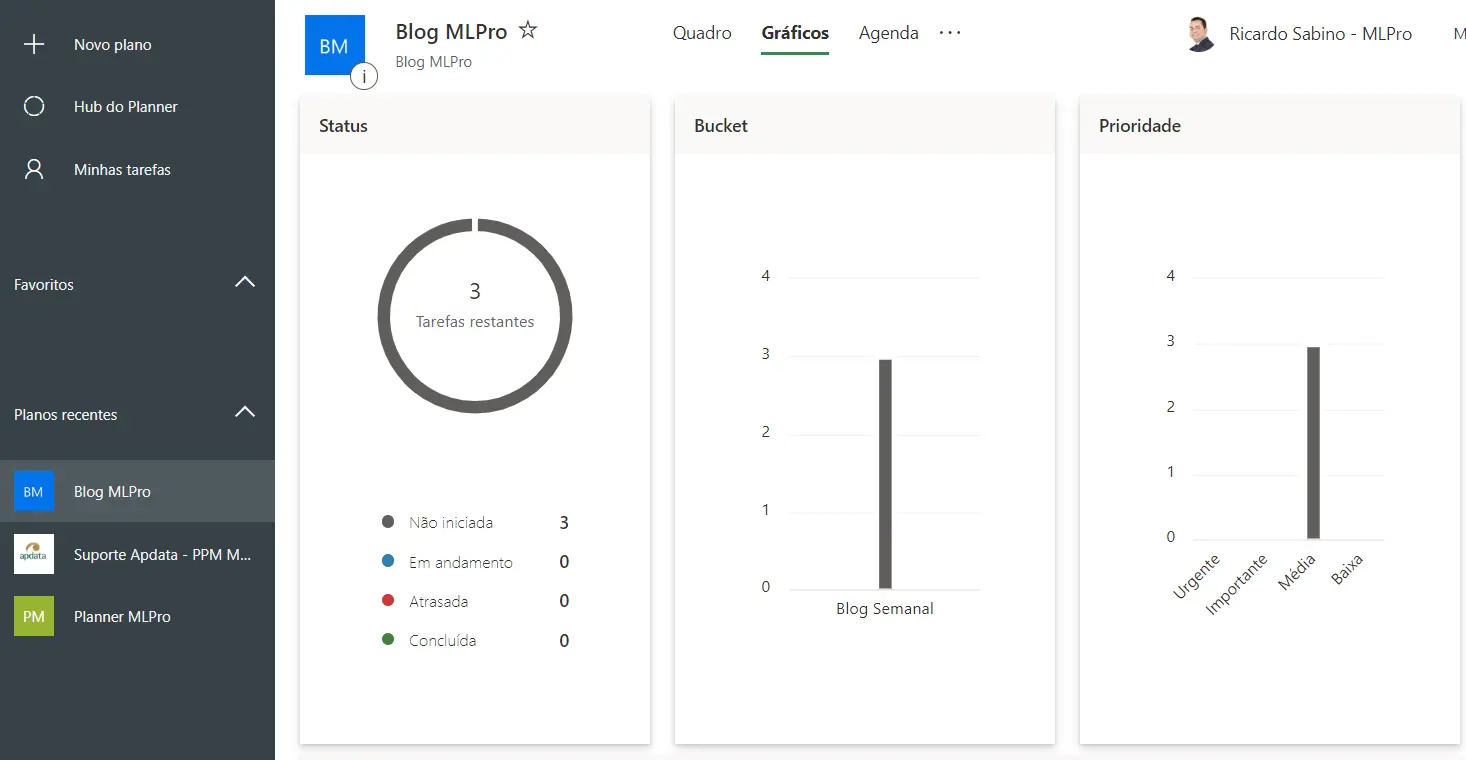
In addition, Microsoft Planner has circular charts that represent the status of tasks, as well as graphs to monitor the amount of tasks and view priorities.
02 What Microsoft Project Online is
Project Online is more suitable for project management or company project portfolio, as it has much more resources than Planner. Generally, Project Online is used by companies that have a higher level of project management where management culture is already widely incorporated into the company.
It has much more resources and the possibility of customization, allowing the management of projects via Microsoft Project Online to be much more complete and effective.
03Comparing the two tools
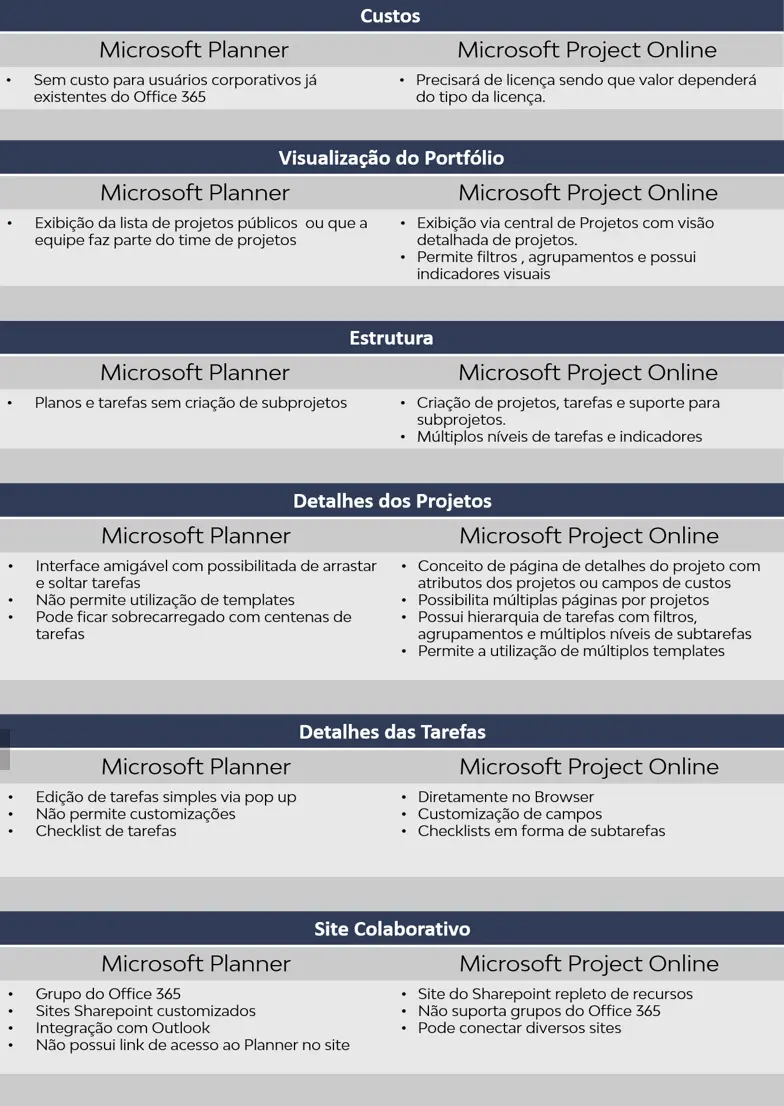
Now that we have presented the two tools, we can compare them so you can analyze the main differences.
This comparison of the two tools was performed taking into account:
- costs;
- Portfolio view;
- structure;
- Project Details;
- Task Details;
- Collaborative Site;
To facilitate the visualization of the information, the table below is prepared:
04Concluding
As you could see, each of the tools has characteristics and particularities and we cannot say which is the most suitable for your company, because this choice depends on other factors such as the current time of the company, maturity in project management, degree of complexity of the projects among others.
For some people, Microsoft Planner has a more user-friendly interface but does not have fundamental resources for effective project control.
The Project Online, on the other hand, is considered more complete with several possibilities of parameterizations, allowing a number of customizations that we recommend to be performed by a specialized consultancy.
To learn more about Planner, customization possibilities of Project Online or PPM solutions contact us.
Original content from the MLPro editorial library, fully preserved and translated for the English website.
