
What you will find here
Learn how to create and use a baseline in Planner Premium to compare planned work with the current project schedule.
A baseline is now available in the new premium plans of Microsoft Planner. With the feature, users can capture the state of a plan at a specific time. It serves as a reference point against which the current progress of the project is compared. As your project evolves, consulting this Baseline helps determine whether you are on the right track or whether adjustments are needed.
All users of Project Plan 3 and superior can take advantage of this feature by starting the new Planner application in Teams and continuing with the following steps:
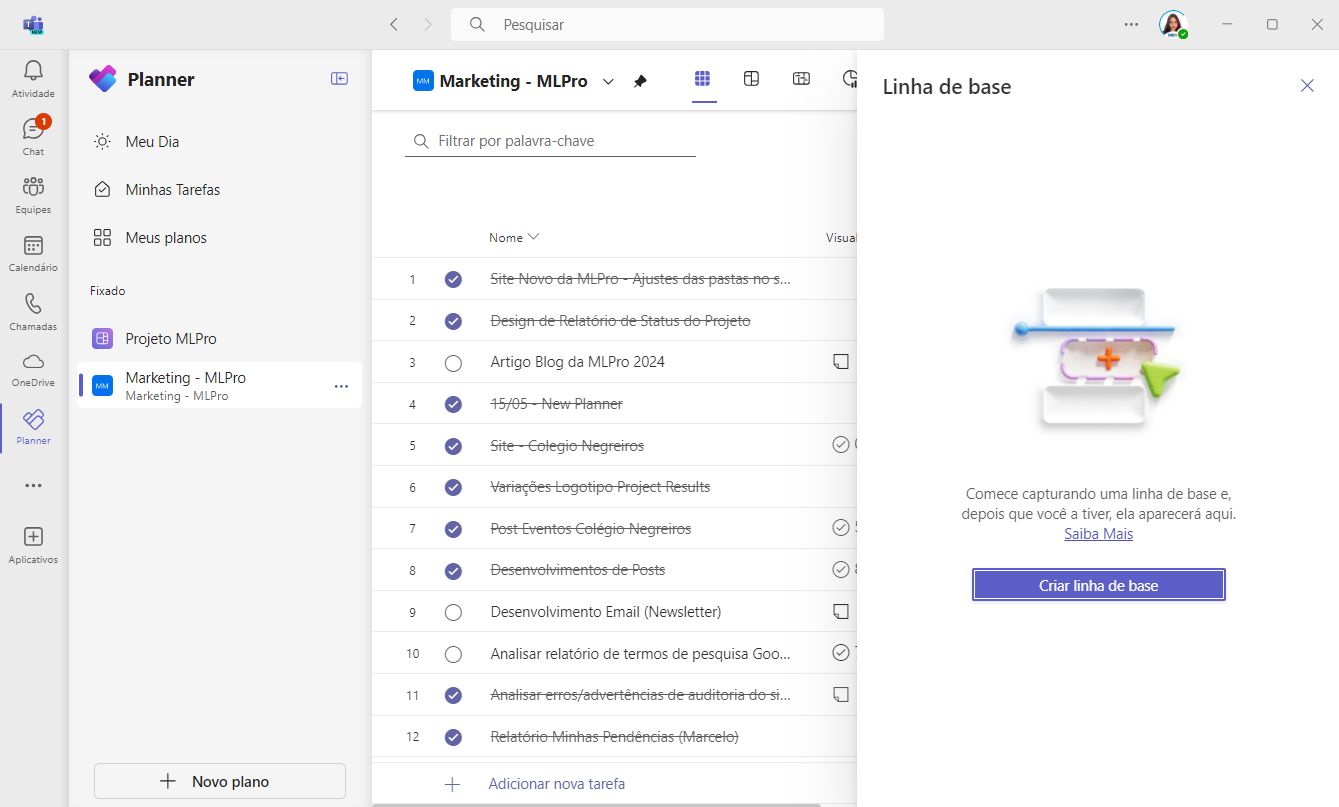
01Defining your baseline
If you haven't set a baseline yet, just navigate to the Baseline button and select "Create baseline".

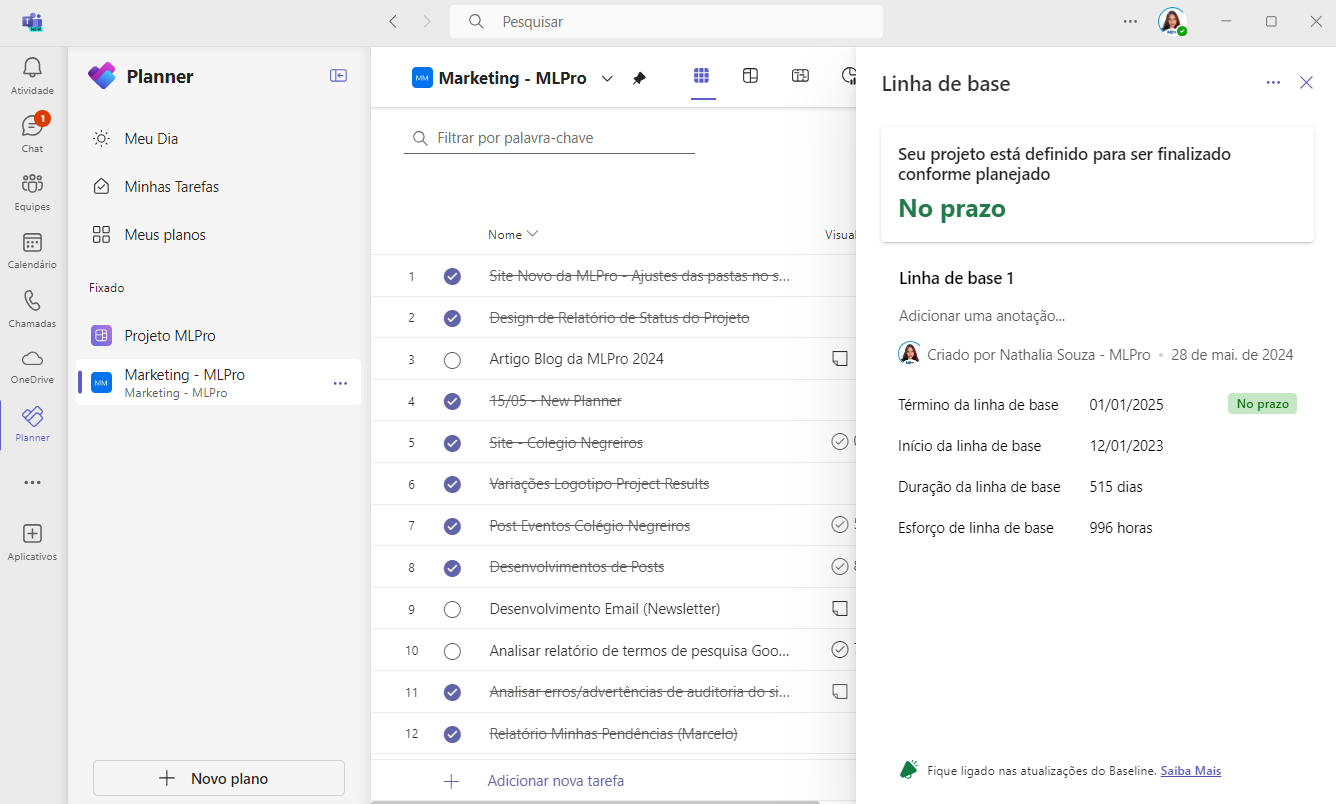
02Monitoring progress
Return to this baseline at any time to evaluate the status of your project, ensuring that you are advancing as planned.
Learn more about this topic in Microsoft's official blog: Click to access..
So, did you like the article? If you are interested and want a presentation of our products, feel free to schedule an appointment with us at the following link: Microsoft PPM Easy Presentation
Original content from the MLPro editorial library, fully preserved and translated for the English website.
