
What you will find here
Follow the archived Project Server 2013 procedure for renaming projects and handling differences between connected and local files.
There is a difference to rename projects that are connected to the server and projects that are not.
When a project is renamed without it being connected to the server, the change occurs smoothly. However, when the intention is to rename a project connected to the server it is necessary to follow a few steps:
First, by PWA:
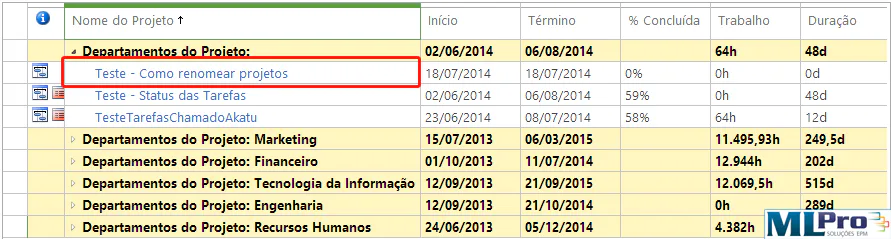
Navigate to PWA > Project Center and click on the project you want to rename:
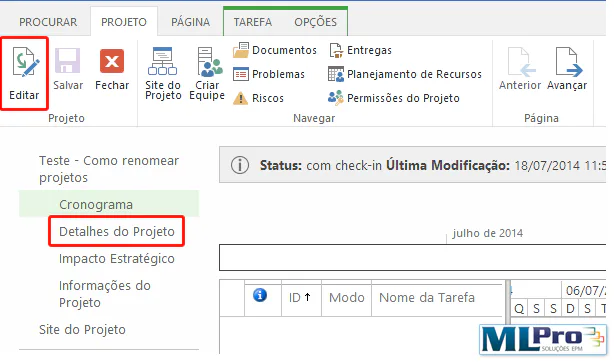
Check if the project is in editable mode if you are not clicking "Edit" within the Project tab. Then click "Project Details":
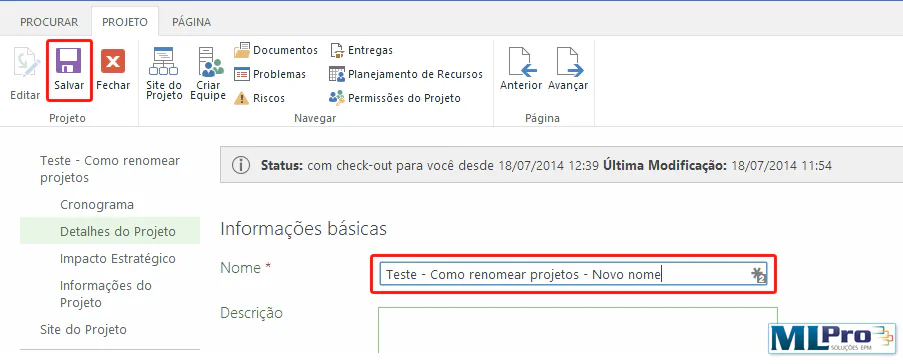
Enter the new project name and then save:
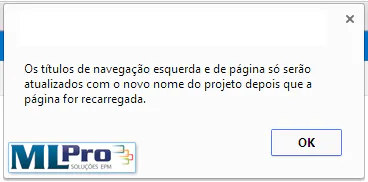
A warning will appear, click Ok:
Once done, reload the page and see the change.
Now for Project Professional:
To begin with, open the Project connected to the PWA you are working on;
Click File > Open > PWA name > Search
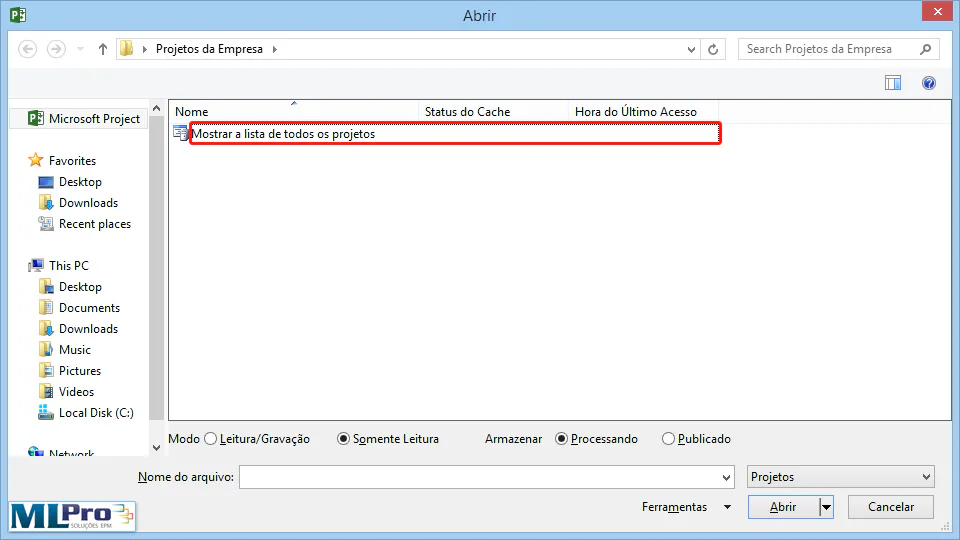
Open the dialog box below, click Show list of all projects:
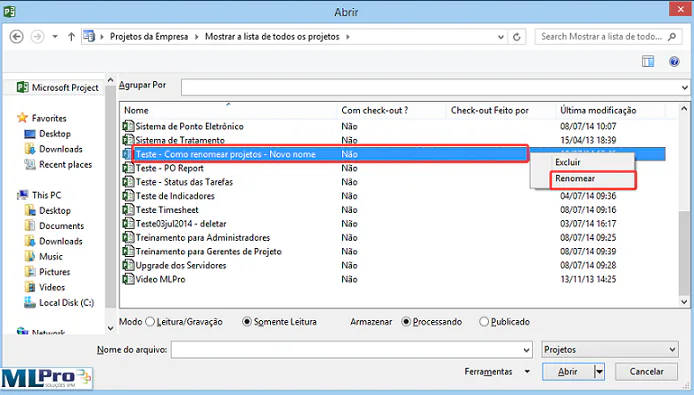
Right-click on the project you want to rename and select Rename:
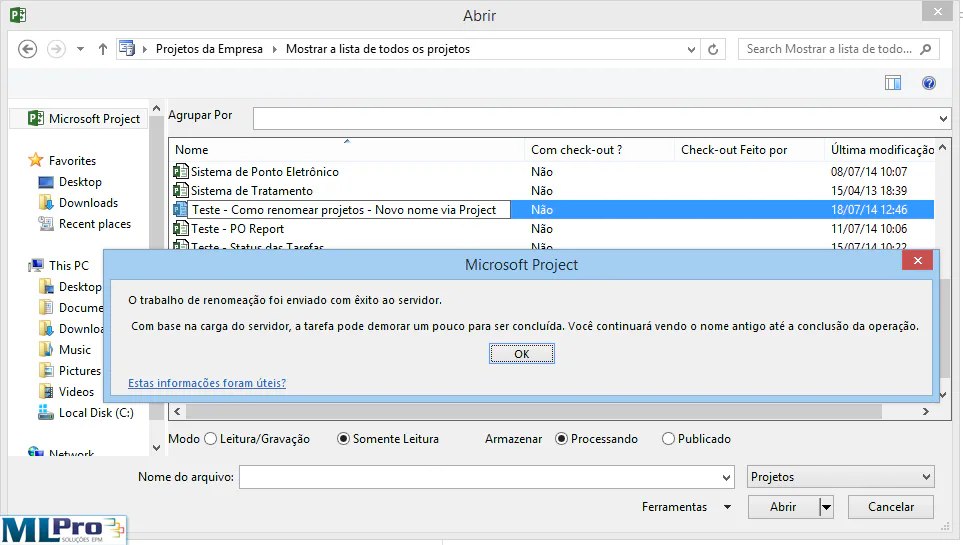
Rename, press Enter and a warning will appear. Press OK. After that, close the dialog box and open again for the change to take effect:
Rename the Project website:
If you use the Project Site functionality, you may want to change the name of the Project Site as well, otherwise the Project Site will be named after you.
First step:
Browse the Project website:
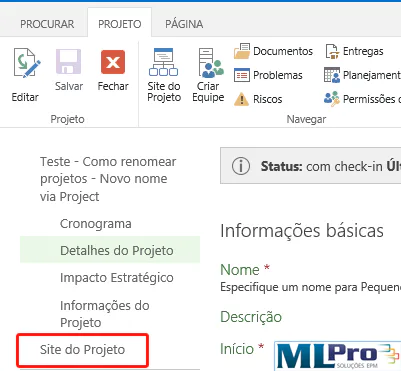
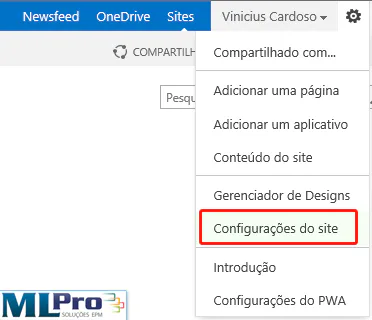
Go to the top menu and click Settings > Site Settings:
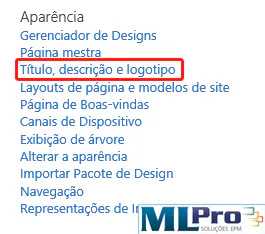
Browse to Appearance > Title, description and logo:
Change the name of the site to the same project name and, if desired, change the URL of the site.
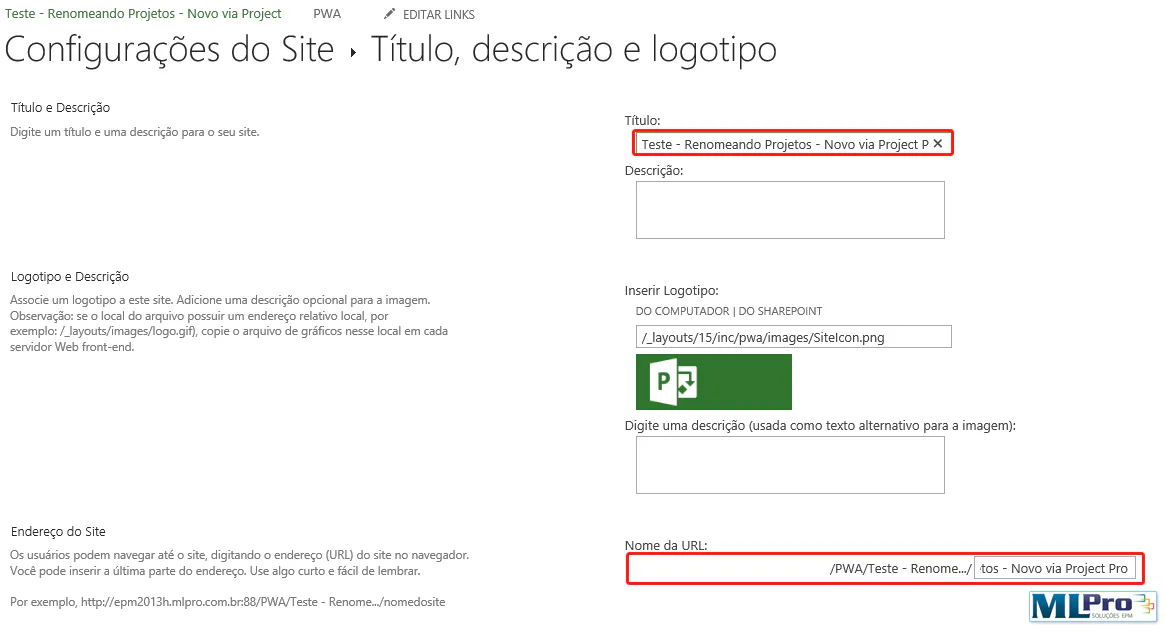
Press Ok.
Second Step (for when the URL is also renamed):
If you have edited the URL name in the previous step, you will not be able to access the Project Site by Project Center. To fix this error, follow the steps below:
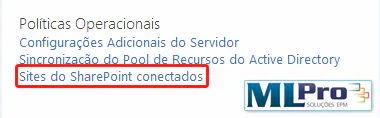
Enter Server Settings > Connected SharePoint Websites:
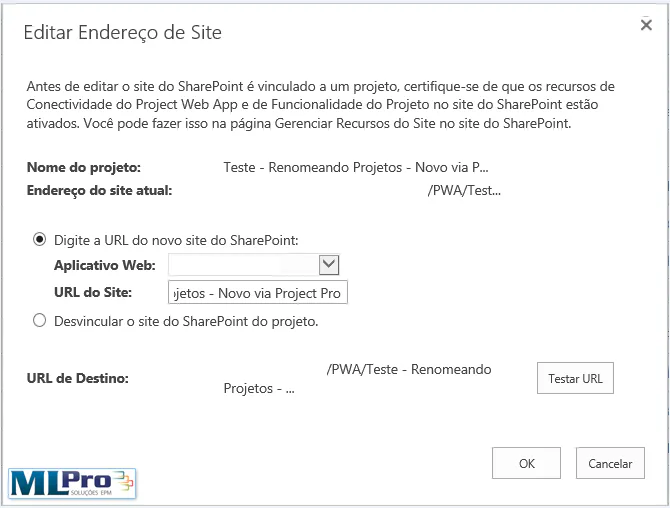
Look for the Project you are moving on and click on the same line, so it enables editing at the top of the table, click Edit Site Address:

Change the URL and click test to check that there are no errors, and then click OK:
Original content from the MLPro editorial library, fully preserved and translated for the English website.
