
What you will find here
Microsoft Project is a robust solution for project management, but other Microsoft 365 tools can further enhance its use. Look what they are!
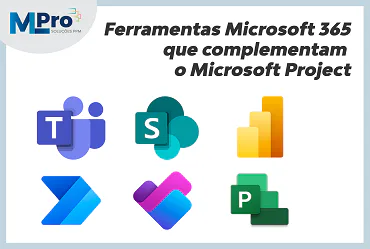
Microsoft Project is a robust solution for project management, but other Microsoft 365 tools can further enhance its use. Look what they are!
Microsoft Project is widely used for project planning and control, but its efficiency can be expanded with the use of others tools in Microsoft 365. From collaboration to task automation, some applications can complement the Project and make management even more effective.
01Why integrate other tools with Microsoft Project?
Have you ever stopped to think that you could save time and increase your productivity with just a few integrations?
The truth is, by adding others Microsoft 365 tools to Microsoft Project, you expand your functionality and create a more dynamic environment for project management.
The result? More collaboration, less confusion and a task control that will make your team more organized.
How to complement features and optimize processes
By integrating Microsoft Project with other Microsoft 365 tools, you automate tasks, improve communication, and effectively centralize information.
The Microsoft Teams, for example, facilitates real-time messaging, while the Power BI brings detailed analysis of the progress of the projects. SharePoint helps keep documents organized and accessible to all team members.
These integrations not only optimize processes, but also help make faster and better decisions. Imagine not having to search for that lost document on multiple platforms - all in the same place at the right time!
Benefits of integration within the Microsoft 365 ecosystem
Integrating Microsoft Project with Microsoft 365 tools offers a number of advantages that you cannot ignore. Shall we check some of them?
- Greater collaboration: Teams and SharePoint make communication flow effortlessly and keep everything stored in an organized manner;
- Efficiency: Power Automate does the repetitive work for you, leaving your team focused on the really important tasks;
- Accurate analytics: Power BI brings super intuitive visual reports, so you can make decisions based on concrete data;
- Easy access: all integrated, all in one place, without wasting time with multiple accesses;
- Improved security: data control with Microsoft security solutions to ensure that your information is protected;
- Escalability: tools grow with your company, adapting to the new needs that arise along the way.
02Microsoft 365 tools that enhance Microsoft Project
Microsoft 365 offers several tools that, when integrated into Microsoft Project, can perform miracles for managing your project. They make the process more agile, more collaborative and, of course, more efficient.
Microsoft Teams: real-time collaboration and communication
Is communication on your team flowing as it should? Microsoft Teams is the ideal tool to keep everyone connected, whether for fast messages, calls or online meetings.
Integrated with Microsoft Project, it ensures that everyone is updated and aligned with the progress of the project, which can be a watershed when the deadline is tight.
Teams organize everything in a simple way, so communication is efficient without looking like a mess.
SharePoint: document centralization and file management
How many times have you wasted time searching for a specific document within your project? Wouldn't it be great to have everything organized in one place?
The SharePoint does just that: it centralizes all the project documents and files, allowing your team to access everything you need with a simple click.
By integrating it into Microsoft Project, you ensure that the documents are always up-to-date and secure, with a control of versions and access permissions that make management quieter.
Power BI: personalised data analysis and visual reports
How about turning raw numbers and data into nice, easy-to-understand graphics? O Power BI allows you to visualize the progress of your project in a simple and visual way.
By integrating with Microsoft Project, Power BI brings valuable insights into performance, identifying trends and helping decision making in an agile way.
No longer is it necessary to get lost in confusing spreadsheets - let Power BI do the heavy lifting and see your project from a whole new angle.
Planner: follow-up of complementary tasks
You know those little tasks that come up on a daily basis, but that are fundamental to the success of the project? O Microsoft Planner is the solution to follow these complementary tasks.
While Microsoft Project manages the planning of large deliveries, Planner organizes the small activities that make all the difference. The integration between the two tools ensures that nothing is forgotten and that everyone knows exactly what needs to be done every moment.
Power Automate: workflow automation for more efficiency
Who never got tired of performing repetitive tasks? Power Automate is the ideal tool to resolve this, as it allows you to automate simple processes within Microsoft Project, such as status update or sending notifications about deadlines.
What do you think about leaving manual tasks for automation and releasing more time for strategic work?
03How to implement these tools in your company?
Now that you know all these amazing tools, maybe you're wondering where to start. Don't worry, the implementation of these solutions can be simple, as long as you follow the right step by step.
Steps towards efficient integration
- Evaluate the company's needs: first of all, understand the processes that most need improvement with the integration of Microsoft 365 and Microsoft Project;
- Define the appropriate tools: choose the tools that meet your goals and complement the use of the Project;
- Configure the tools: customize each tool to ensure fluid and efficient integration;
- Train the team. Don't let anyone get lost. Make sure everyone knows how to use the tools properly;
- Monitor progress: follow the evolution of integration and adjust the processes as needed;
- Automate workflows: use Power Automate to reduce manual workload and increase productivity;
- Strengthen communication: Constant communication in Microsoft Teams is key to keeping the team aligned and motivated.
Tips to train the team and optimize the use of Microsoft 365
Training is essential to ensure that the team makes the most of the tools. Organize practical and engaging sessions, and encourage functionality exploration. A touch of humor is never too much - making training interactive and interesting will make everyone feel more engaged.
If anyone has doubts, always have an expert around to help. The idea is to make sure the team feels comfortable with the tools, making them powerful allies for the day to day.
04Want to optimize the management of your projects?
At MLPro, we have over 20 years of experience in Project and Portfolio Management (PPM) and Enterprise Project Management (EPM) solutions. If you want to implement Microsoft Project and others Microsoft 365 tools efficiently, we have the right solution for you!
Don't waste any more time on inefficient processes. Get in touch and request a demonstration. We are ready to help you achieve impacting results.
Feel free to schedule an appointment with us at the following link: Microsoft PPM Easy Presentation.
Original content from the MLPro editorial library, fully preserved and translated for the English website.
