
What you will find here
Understand the transition to the unified Microsoft Planner and how the article describes bringing task and project planning together.
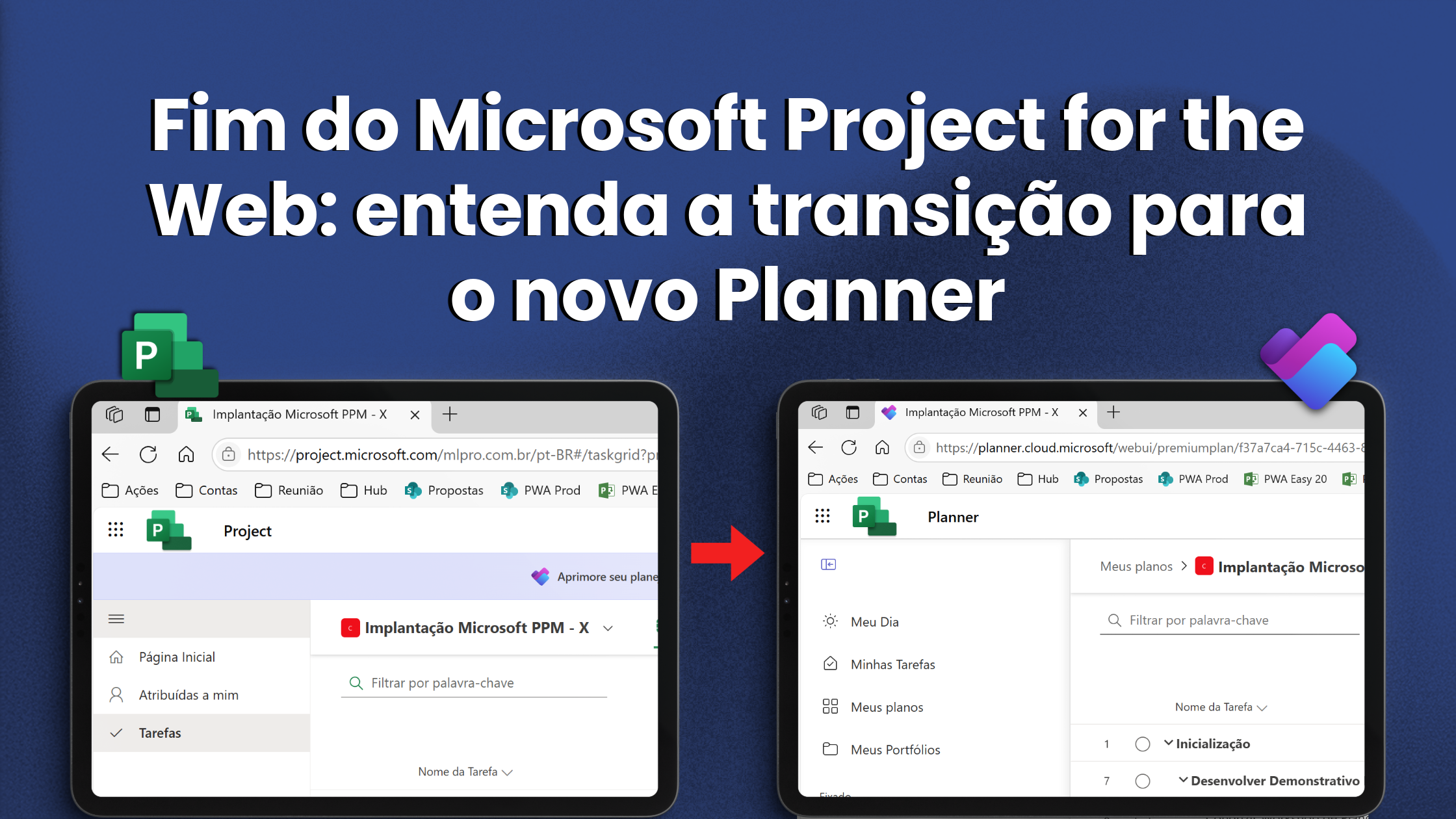
The Microsoft Planner Gets a new lead. Understand how the transition from Microsoft Project for the Web to the new Planner can impact your company and how to prepare for this change.
Microsoft has announced a significant reformulation in its portfolio of project management solutions. O Microsoft Project for the Web will be discontinued and its features will be incorporated into the new Microsoft Planner. The proposal is to offer a more integrated, modern and efficient experience, focusing on a single tool the essential resources for the managing tasks, projects and portfolios, with improved scalability and usability. This change represents an important evolution for companies that seek more productivity and visibility in their operations.
 Play video: YouTube video player
What changes with the transition to the new Microsoft Planner?
The new Planner is designed to be Microsoft's ultimate solution for managing tasks and projects. It unites the capabilities of To Do, Planner and Project for the Web, allowing a unique journey of work, from simple lists of personal tasks to large corporate programs. All of this with artificial intelligence support through Microsoft Copilot, which promises to transform the way professionals plan, accompany and deliver projects.
Main changes:
- Unified experience: Combining To Do, Planner and Project for the Web, the new Planner eliminates tool fragmentation and simplifies user journey.
- Copilot for Planner: With generic AI, Copilot helps to create plans, identify priorities, monitor status and automate routine tasks.
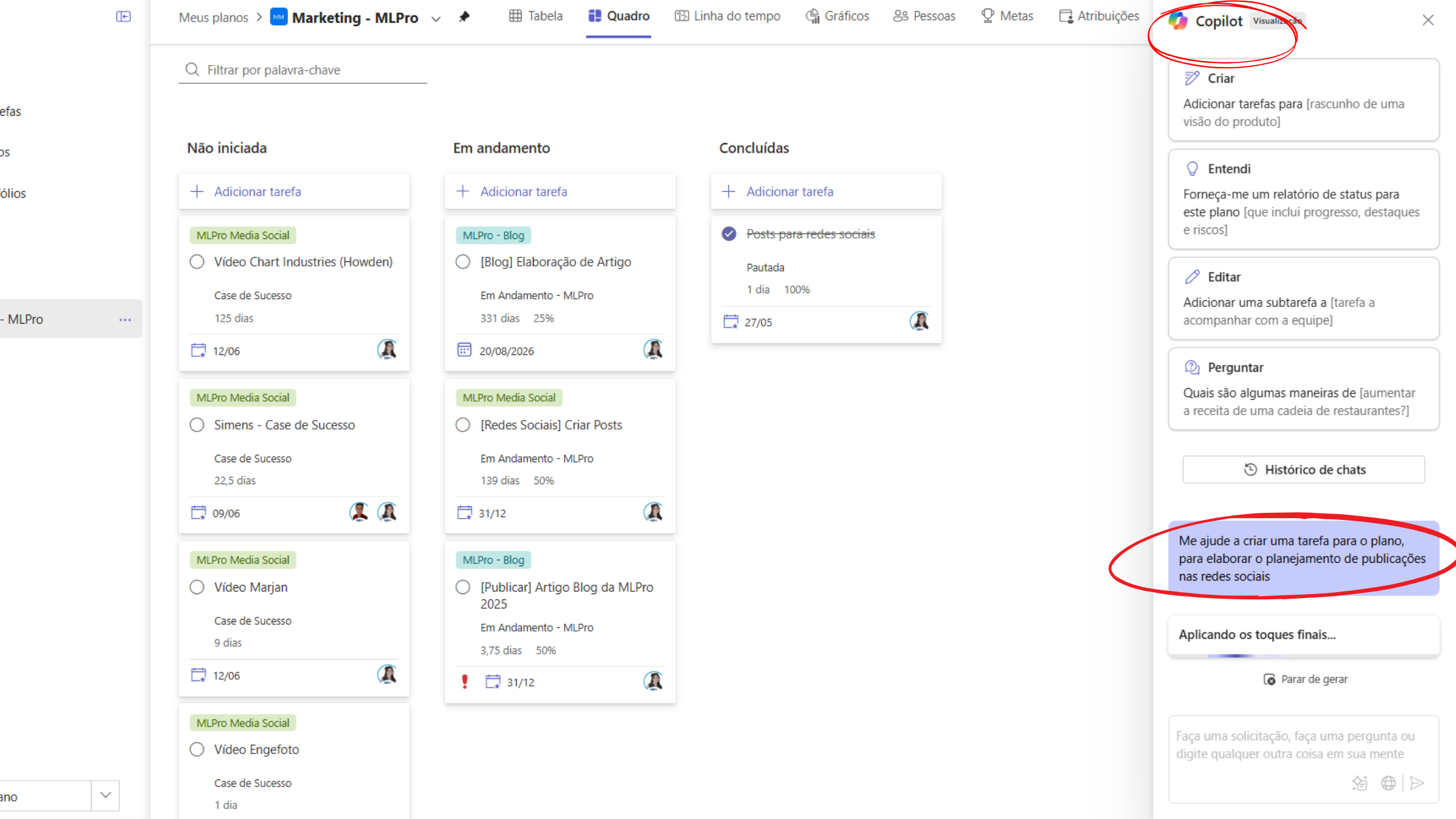
- Flexible views: Allows tracking by different formats like lists, frames Kanban, schedules (Gantt), calendar and sprints, adapting to the various working methodologies.
- Business scalability: The new platform is suitable for both individual tasks and strategic portfolio management, with more advanced levels of permission and control.
- Native integration with Microsoft 365: The entire structure is integrated into the Microsoft ecosystem, with emphasis on interoperability with Teams, Outlook, Viva Goals and Power Platform.
Transition schedule
The transition will take place in two main phases over 2025:
- Between April and September 2025: Launch of Planner's new experience on Microsoft Teams, replacing the “Tasks by Planner and To Do” app. This change is already underway and brings a renewed interface, with access to the new features.
- August 2025: Availability of the new Planner web version, which will completely replace Project for the Web. The expectation is that all features are already integrated in this phase, ensuring continuity and evolution of existing projects.
During the transition process, current users of Project for the Web will continue with normal access to the platform. Microsoft has reported that there will be no immediate impact on the data and no additional licenses will be charged for the use of the new Planner.
Benefits of the new Microsoft Planner for your company
The new approach of Microsoft aims to simplify the project management and bring more intelligence to the decision-making process. With the centralization of the tools and the insertion of Copilot, the new Planner offers significant gains in productivity, collaboration and visibility.
Among the main benefits for companies and project management teams are:
- Centralisation of information: A single working environment for all tasks, plans and schedules, reducing rework and communication failures.
- Improved collaboration: Real-time updates, smart notifications and integration with Microsoft Teams facilitate group work.
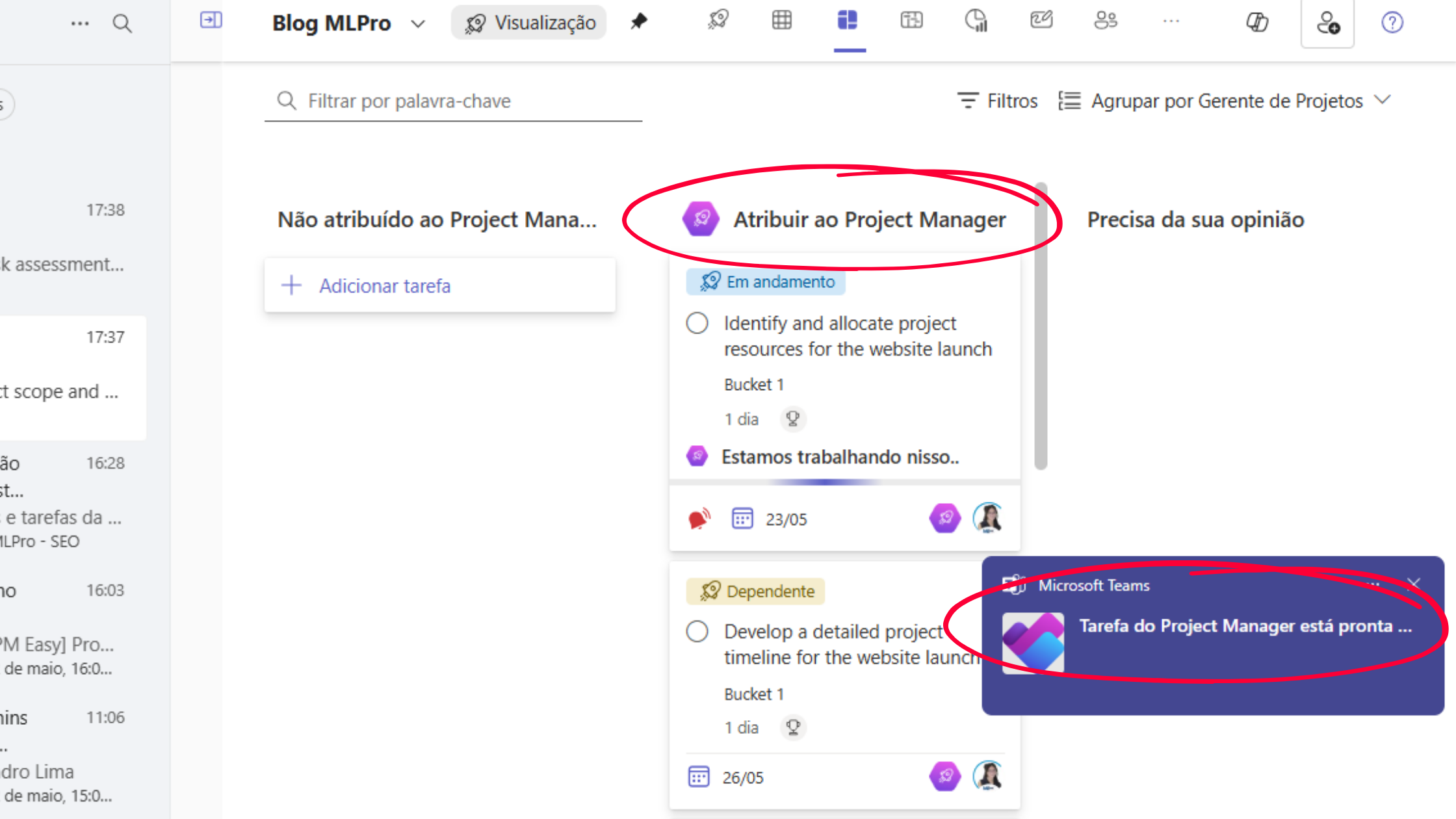
- Operational efficiency: Automatizations with AI and easy-to-use visual resources allow greater control and agility in daily life.
- Strategic visibility: Advanced metrics and reports help monitor deliveries, risks and dependencies more accurately.
- Methodological flexibility: Support for various work approaches, such as agile, traditional and hybrid, with freedom to adapt according to project or team.
How MLPro can assist in transition
Adapting to a new tool, even when it brings clear improvements, can represent a challenge. Therefore, relying on the support of experts during this process is essential to ensure an efficient transition, without loss of productivity or unnecessary risks.
Na MLPro, we closely monitor the evolution of Microsoft solutions for project management and we are ready to support your company at all stages of change. We offer:
- Custom consulting: Evaluation of the current scenario of your organization and migration planning aligned with your strategic objectives.
- Structured deployment: Configuration and integration of the new Planner with the rest of the Microsoft 365 environment, including Teams and Power BI.
- Practical training: Training teams to make the most of new features and use the platform efficiently.
- Technical and functional support: Continuous follow-up to solve doubts, process evolution and support of the solution on a daily basis.
Are you prepared for this change?
The transition from Project for the Web for the new Microsoft Planner it is not just a tool replacement, but a change of approach in how projects are managed within Microsoft. With a more robust, intelligent and integrated platform, your company can raise the level of project management and achieve better results with more predictability and control.
If you want to ensure that your company makes the most of the new Microsoft Planner, with more control, integration and efficiency in project management, this is the time to act. A MLPro is an expert in solutions Microsoft for project management including Planner, Project for the Web, Project Online, PPM and EPM. With more than 20 years We have already supported more than 250 customers and 75,000 projects, offering consulting, training and tailor-made support. Our team is Microsoft certified and is ready to help your team adapt safely and quickly. Do you want to know how to apply these changes in practice? Schedule presentation with MLPro.
Original content from the MLPro editorial library, fully preserved and translated for the English website.
