
What you will find here
Planner Premium is great for the schedule, but not for every project. See the limits and when the case calls for Project and a portfolio layer.
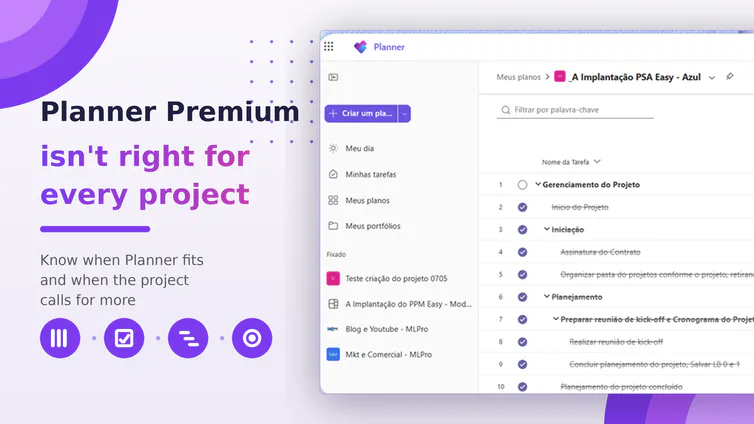
The retirement of Project Online, set for September 30, 2026, pushed many companies to standardize all management in Planner Premium. The intent is good, but a blind decision usually creates rework. Planner Premium is excellent, yet it is not the single answer for every type of project.
The confusion comes from treating the tool as a solution for everything. Planner Premium organizes execution very well at the operational level, with tasks, progress tracking and team visibility. When the scenario grows in complexity, with multiple projects and strategic priorities, the tool's natural limits start to show.
There is also a point that almost no one discusses in this choice: the portfolio layer. A portfolio is not the sum of tasks, but a system of decisions that leadership needs to see. No scheduling tool, on its own, delivers that consolidated view in full.
In this article, you will understand where Planner Premium stops serving, when the project calls for Microsoft Project, how to keep a hybrid environment in Microsoft 365 and why the portfolio decision is separate from the scheduling tool choice.
It helps to separate two layers first. Schedule management handles the timeline, with activities, dependencies and dates. Portfolio management drives the set of projects, with prioritization, risk and executive visibility. Features like status indicators and reports support these layers but do not replace them.
01Summary: when each tool fits
| Alert signal | What to observe | Recommended tool |
|---|---|---|
| Volume | Thousands of active tasks in the same plan | Microsoft Project |
| Complexity | Many dependencies and strict sequencing | Microsoft Project |
| Rigor | Baseline and fine variance control | Microsoft Project |
| Team profile | Short cycles, Kanban and iterative delivery | Planner Premium |
| Executive view | Leadership asks about the set of projects | Portfolio layer (PSA Easy) |
Prefer to follow the topic visually? Watch the subject explained in practice.
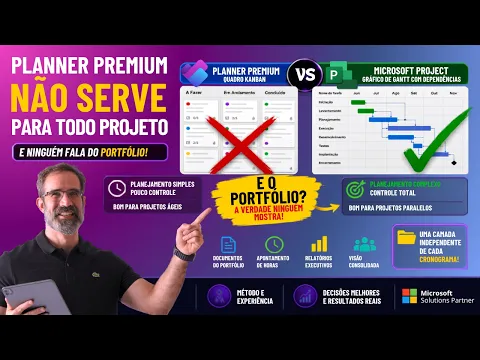 Play video: Planner Premium is not for every project: choosing between Planner, Project and portfolio
01. Where Planner Premium stops serving
Planner Premium was designed for the time layer and for agile collaboration. It delivers the essentials of execution, but four signals show when the project calls for another approach. Watch the project, not the preference for the tool.
- Volume: plans with thousands of active tasks become impractical well before any technical ceiling.
- Complexity: projects with strong interdependency and strict sequencing call for Microsoft Project.
- Tracking rigor: baseline and fine variance control call for Project, even with a few hundred activities.
- Team profile: teams in short cycles and Kanban get the most from Planner Premium. The mistake is using the same mold for everything.
02. The limits that shape the choice
Microsoft Planner has a limit of 3,000 active tasks per plan, according to Microsoft documentation. An active task is one that is not yet completed. This number helps size the project before deciding where it will live.
Beyond volume, Planner Premium adds features that basic Planner does not have, such as advanced dependencies, timeline, custom fields, goals and sprints. Other operational limits for links and resources per project exist, however as Microsoft updates these tools, resources and limitations change often.
03. The hybrid environment: Planner and Project together
Managing projects does not force the company to pick a single tool. You can keep a hybrid environment, with agile projects in Microsoft Planner and waterfall projects in Microsoft Project, always within the same Microsoft 365 ecosystem.
You can even bring both schedule types into one portfolio, choosing the source by the type of work. The choice between Planner and Project is a decision about the time layer, not about the full management of the project.
04. And no one talks about the portfolio
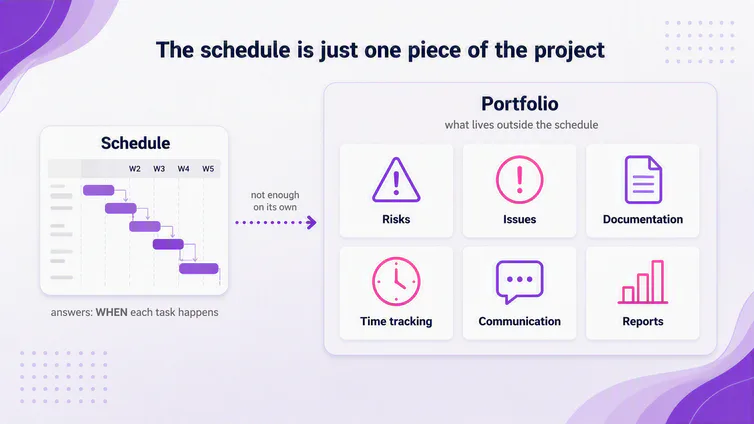
Here is the point that rarely comes up: neither tool, on its own, delivers the portfolio view that leadership asks for. Risk, issues, documentation, time tracking and executive reports live outside the schedule.
In practice, Planner Premium and Microsoft Project feed Dataverse. Power BI reads Dataverse and generates the executive report. This architecture is what turns isolated schedules into consolidated information for decisions.
05. How PSA Easy consolidates the project and the portfolio
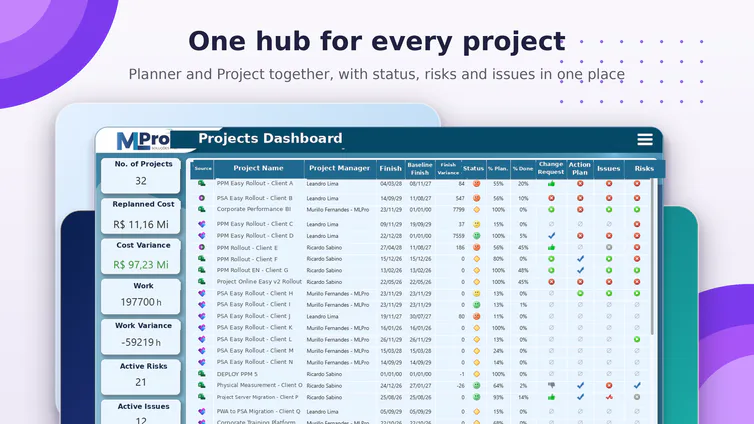
PSA Easy is MLPro's solution to bring together, in a single environment, everything the schedule does not cover. It consolidates a project hub, schedule, documentation, risk, issues, time tracking and management reports, with indicators that signal the status of each area.
PSA Easy uses Planner Premium as its base and also accepts Microsoft Project files, including hybrid cases. So choosing the scheduling tool remains the easy decision, while the portfolio layer sustains the governance of the whole.
06. Are you managing tasks or the portfolio?
To move from task control to portfolio view, assess three questions before standardizing your routine on a single tool:
- Measure the size: how many active tasks will the project have? In the thousands, Planner Premium is not the place.
- Measure the rigor: is there mandatory sequencing, baseline and variance control? If so, the path is Microsoft Project.
- Measure the view leadership asks for: if the question is about the set of projects, you need a portfolio layer, regardless of the scheduling tool.
08Frequently asked questions
Is Planner Premium right for every type of project?
No. It handles agile and smaller-volume projects very well. Scenarios with thousands of tasks, strict sequencing or close executive oversight call for Microsoft Project or a portfolio layer.
What is the Microsoft Planner task limit?
Microsoft documentation indicates a limit of 3,000 active tasks per plan. An active task is one that has not been completed yet.
Do I need to migrate everything to a single tool?
No. You can keep a hybrid environment, with agile projects in Microsoft Planner and waterfall projects in Microsoft Project, within the same Microsoft 365 ecosystem.
How do I get portfolio visibility?
Portfolio visibility is a decision separate from the scheduling choice. A layer like PSA Easy consolidates risk, issues, documentation and executive reports in one place.
09Continue your journey
- Related article: Project Online retirement: what happens on September 30 and how to move forward
- YouTube channel: follow new content about project management, PMO and portfolio
10About MLPro
MLPro specializes in PPM solutions within the Microsoft ecosystem, with more than 20 years of experience. We help companies structure project, portfolio and demand management with method, integration and clarity, from the schedule to the executive decision.
Want to pick the right tool for each project and gain portfolio visibility? Book a conversation with MLPro.
