
What you will find here
Project Online will be retired in 2026. Learn why the service will be removed, main dates and how to migrate to Planner Premium or Project Server SE.
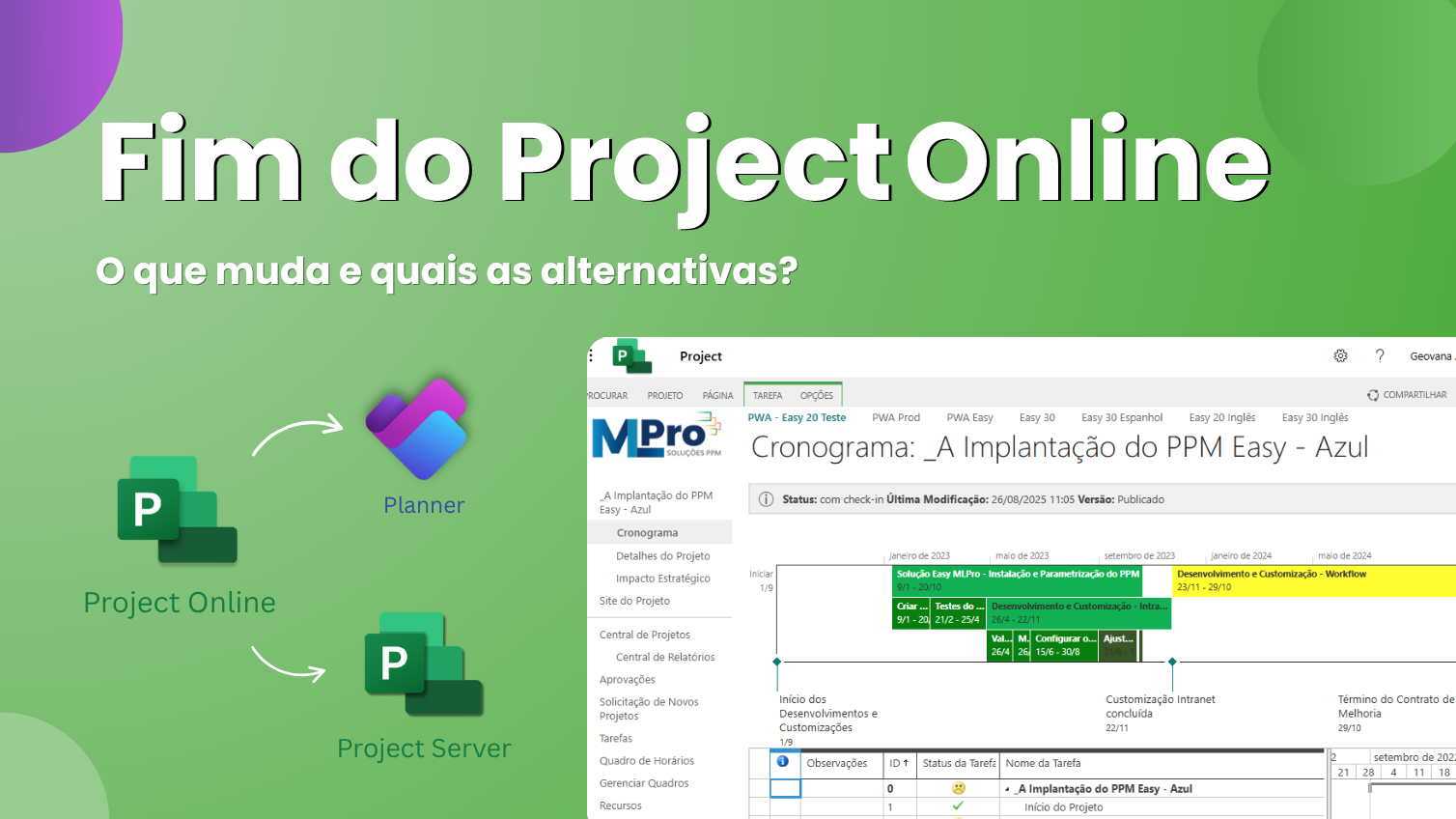
After more than a decade helping teams plan and track projects, Microsoft announced the retirement of Project Online. The platform will be withdrawn on September 30, 2026. This change affects only the Project Online, Desktop Project, Project Server, Basic Planner and Premuim Planner are available and will not be discontinued. Although its current environment continues to function until the date of withdrawal, the novelty requires immediate attention from whom manages projects and portfolios in companies of all sizes.
 Play video: End of Project Online
Many organizations in Brazil use Project Online for their schedules, resources and reports. Retirement has no immediate impact on flows, but if nothing is done by 2026, projects and data stored in the tool will no longer be accessible. This article explains why Microsoft is making this change, what relevant dates and which transition paths are available. Our goal is to help managers plan migration in advance and seize opportunities that arise with modern solutions like Planner Premium with PSA Easy, which is part of Power Platform.
01Why is Project Online being retired?
Project Online was created at a time when cloud collaboration tools were still in the early stages. Although it has met the needs of many teams well, its legacy architecture limits integration with modern Microsoft solutions. With the advance of Microsoft 365 Copilot, Project Manager agent and artificial intelligence capabilities, Microsoft has decided to focus on more intuitive, scalable and integrated platforms. This movement includes discontinuing old SharePoint tools Online in 2026 and prioritize investments in Planner and new project management experiences.
In other words, retirement is not just the end of a product, but the beginning of a new approach. Planner's unified solutions and Project Plan 3 and Plan 5 licenses unite task, project and portfolio management in a single environment, with intelligent automation, dashboards in Power BI, Teams and SharePoint integrations, and workflows via Power Automate.
02Important dates and changes in practice
Microsoft has set a schedule for the withdrawal of Project Online:
- October 1, 2025 - end of sales: from this date, new customers will no longer be able to buy licenses exclusively from Project Online.
- September 30, 2026 - official retirement: Project Online will be disabled and will no longer be available.
- No immediate impact: By 2026, current customers can continue using Project Online without interruptions.
- Other tools continue: Project desktop remains available and will not be affected; Project Server remains active; Planner brings together Project for the Web (Premium), Microsoft 365 basic Planner and To Do.
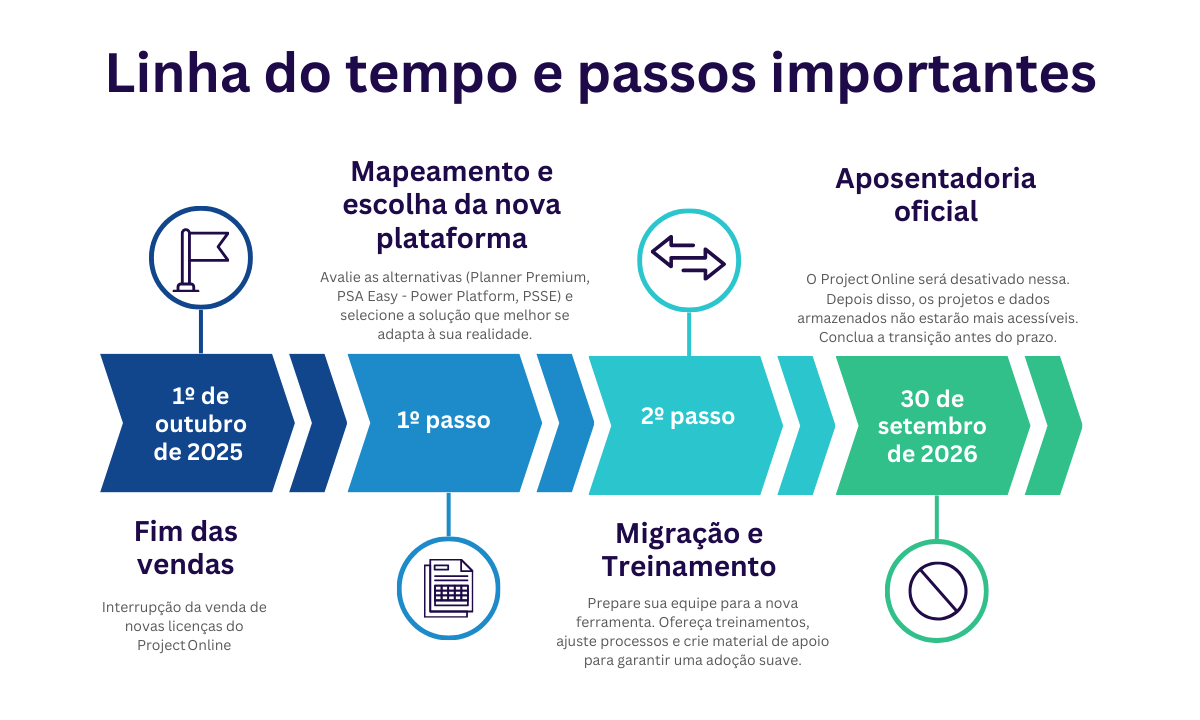
These dates are global and also valid for Brazil. So even if you don't feel urgent right now, planning the transition in the coming months is essential to ensure continuity and avoid data loss.
03Transition options: Which path to follow
Microsoft points out three main migration routes, depending on the maturity level of its project management:
Option 1: Planner Premium + Power Plataform
The Planner Premium (before called Project for the Web) combines tasks, schedules and portfolios in a single environment and is already included in Project Plan 3 and Plan 5 licenses. Main resources:
- Portfolios, baselines and dependencies: follow multiple projects, identify impacts and build schedules with interactive Gantt.
- Native automation: use Power Automate and Accelerator to automate approvals, notifications and reports.
- Integration with Copilot and Project Manager Agent: the AI suggests tasks, generates status reports and performs activities in context, allowing to plan and react quickly.
- Unique job vision: Gather basic Planner, Premium and To Do jobs in one place, facilitating collaboration in Microsoft Teams and SharePoint.
Customers who already have Project Online and Plan 3 or Plan 5 licenses can start using Planner Premium immediately.
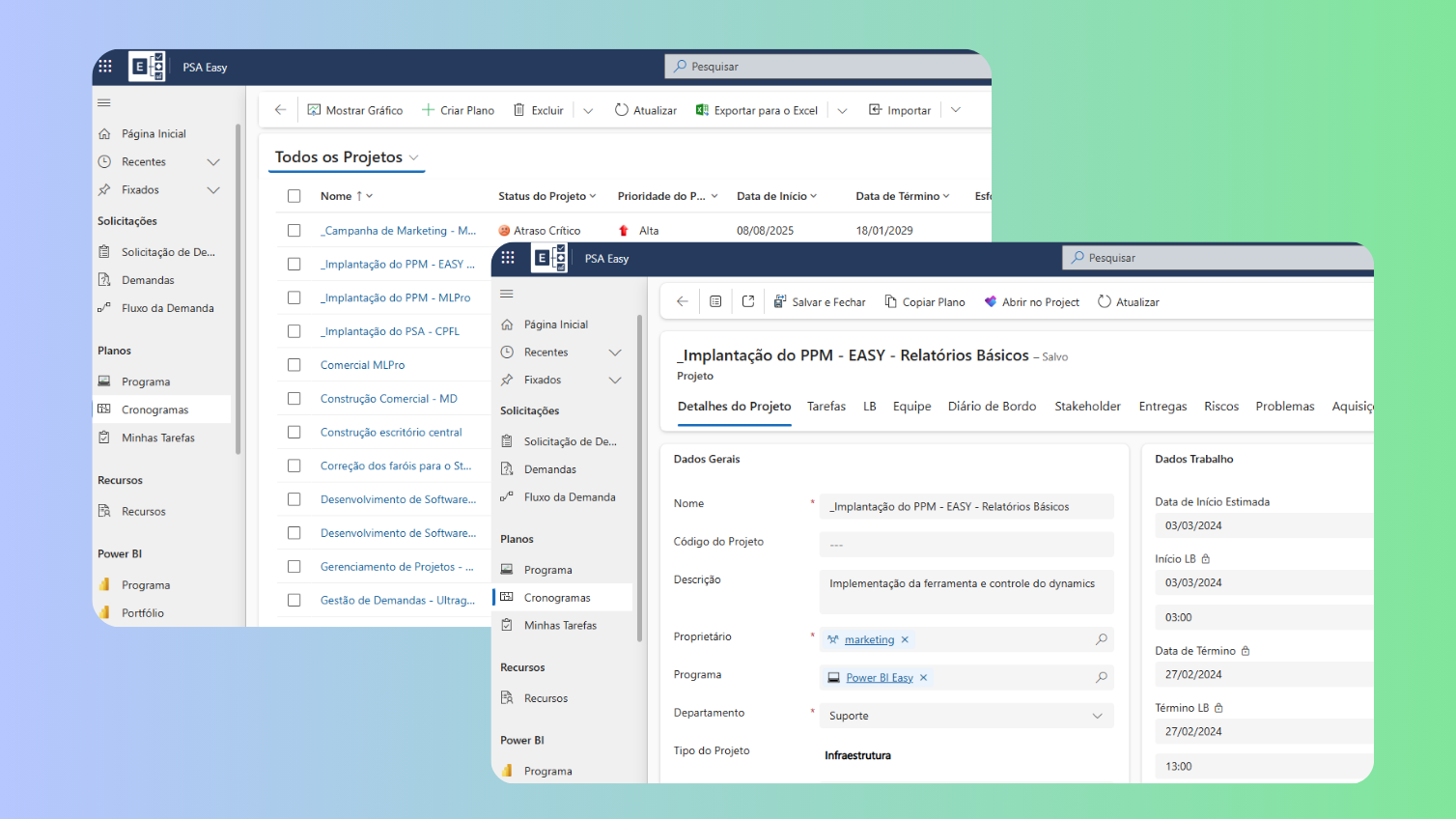
For the project portfolio view, similar to Project Online we recommend the implementation of our PSA Easy solution that is deployed in Dataverse with Power Plataform.
Option 2: Project Server Subscription Edition
For a customer who for some reason is prevented from migrating to PSA Easy, and accuracy maintaining some functionality of Project Online, Project Server Subscription Edition may be an option. This on-premises solution is built on the latest technology of SharePoint Server.
04How to prepare for deactivation of Project Online
Even if the deactivation occurs automatically and without the need for administrative action, it is prudent to organize immediately. It is recommended that:
- Notify users and update internal documentation on changes.
- Evaluate alternatives (Planner Premium, Project Server SE, PSA Easy) and choose the one that best suits your maturity and needs.
- Plan Project Online data migration to the new platform in advance and run backups ahead of time.
- Review licensing: Customers with Project Plan 3 or Plan 5 licenses already have access to Planner Premium. Evaluate whether your contract includes such plans or whether new licences are needed.
- Establish test schedule: Set pilot environments to validate flows, customizations and integrations with Power BI, SharePoint and Teams.
- Empower teams: take advantage of training users in new tools. Our series of articles on Planner and Project provides one step by step to start, check out: How to organize your tasks with Microsoft Planner? and Project Plan 3, Plan 5 or Planner: Which Microsoft license to choose?

05Frequently asked questions about Project Online retirement
To facilitate understanding, we summarize the main doubts that arise about withdrawal:
- Which products will be deactivated? Only Project Online. Project desktop, Project Server Subscription Edition and Planner (basic and premium) will not be affected.
- What are the key dates? End of sales on October 1, 2025; deactivation on September 30, 2026.
- Can I create new PWA sites? Nope. From April 2026, existing customers will not be able to create new Project Online environments.
- What happens to my projects after the date? After September 30, 2026, you will not have access to the projects or data in Project Online; it is essential to migrate and backup before that.
- Why is Microsoft retiring Project Online? Due to ancient architecture, which prevents the advancement of modern and intelligent experiences.
- What licenses include Planner Premium? Plan 1, Plan 3 and Plan 5 licenses; Basic Planner is part of Microsoft 365 E3 and E5 subscriptions.
- What is Project Manager Agent? It is an AI wizard that automates the creation of tasks, status reports and execution, working on all Planner views.
- Project Server 2016 and 2019: will be in extended support on July 14, 2026; it is recommended to update to Project Server Subscription Edition.
06Ready to migrate from Project Online? Talk to MLPro and do it safely
A MLPro is Microsoft certified partner and reference in PPM solutions in Brazil. With over two decades of expertise and over 75,000 supported projects, we help organizations implement and evolve tools such as Project Online, Project Professional, Planner Premium, Project Server Subscription Edition and Dynamics 365 Project Operations. Our work goes beyond technology: we design management processes aligned with the company's strategy, ensuring efficiency, visibility and results.
What we offer:
- Deployment and migration to Planner Premium, Project Server SE and Dynamics 365 Project Operations.
- Customization of flows and integrations with SharePoint Online, Power BI, Power Automate and Teams.
- Practical training for users and managers, with methodologies that facilitate the adoption of new tools.
- Specialized support in licensing, data governance and secure migration of schedules and portfolios.
- Post-implantation monitoring, with metrics and performance panels in Power BI to monitor results.
With the retirement of Project Online, MLPro is ready to guide its transition. Our team analyzes your current environment, defines the optimal migration route (Planner Premium, Project Server SE or Dynamics 365), plans data transfer and empowers your team to use the new features with confidence.
07The future of project management begins now
The withdrawal of Project Online marks a turning point for more modern, integrated and intelligent solutions. Planning this transition in advance avoids disruptions and makes room to take advantage of resources such as automation via Project Manager agent, dashboards with Power BI and real-time collaboration with Planner Premium.
Do you need to migrate safely? MLPro can help from choosing the most appropriate license to data migration, customizing the solution, and training users. Click here and schedule a free conversation to understand how we can support your company on this modernization journey.
Learn more in www.MLPro.com.br
Original content from the MLPro editorial library, fully preserved and translated for the English website.
