
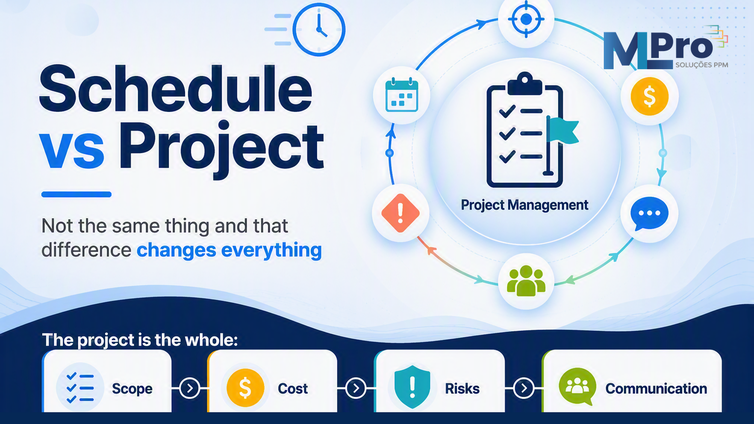
Many companies believe that managing projects means building a tidy schedule and tracking dates. The schedule matters, but it answers a single question: when each activity will be done. Mistaking that part for the whole is one of the errors that most undermines results in organizations.
Running a project goes far beyond time. It involves scope, cost, risk, quality, communication and stakeholders. When attention stays only on the schedule, a project can look on time on paper and still blow the budget, drift out of scope or be caught off guard by risks that no one mapped.
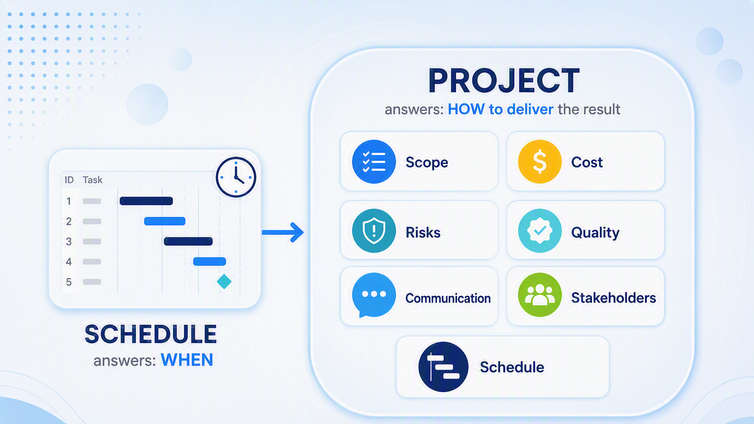
Schedule management looks after the timeline. Project management drives the agreed result, from start to closure. The schedule is one piece inside that machine, not the whole machine. Understanding this boundary changes how the PMO organizes information, sets priorities and supports decisions.
In this article, you will understand what the schedule really covers, what belongs to project management, and how to consolidate risk, change and communication.
It helps to separate two layers first. The traditional structure of project management organizes phases and knowledge areas, such as scope, schedule, cost, risk and communication. The tool's complementary features, such as status indicators, project logs and executive dashboards, support that structure but do not replace it. The schedule belongs to one of those areas, not all of them.
Prefer to follow the concept visually? Watch the topic explained in practice.
 Play video: Schedule management is not project management
01. The schedule: what it truly answers
The schedule is the time layer. It gathers the list of activities, the sequencing between them, the dependencies, the durations and the start and finish dates. It also lets you save a baseline to compare planned against actual throughout project execution.
When the team works the schedule, it follows the timeline, the activity groupings and the Kanban board, with columns for what is in progress and what comes next. All of this is essential, but it always answers the same central question: when the work will be done.
02. Project management: the result, not just the date
Managing the project means driving the result agreed with the client or leadership. That includes the schedule, but adds other areas that decide whether the delivery actually happens. The project moves through initiation, planning, execution, monitoring and control and, finally, closure, until it is complete.
Those phases are not the schedule. A project can advance a phase while some initiation and planning activities still coexist. That is why it is best to record phases outside the schedule, so the team sees the real stage of the project without mixing time control with control of the whole.
03. What lives outside the schedule
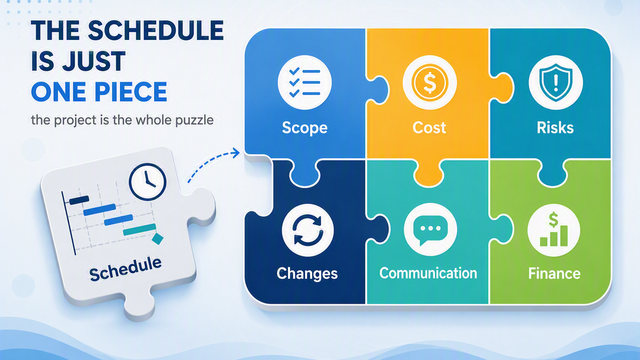
A large part of project management happens off the timeline. These are pieces of information the schedule does not solve on its own and that, when left loose, turn into costly surprises. Organizing them in a structured place creates a standard for the company and brings leadership closer to what truly guides decisions.
Risks and issues
Risks are threats that may affect the project and must be identified before they become issues. Good control uses a status indicator: if the risk is not updated, it turns red and demands attention. Recording issues also feeds the lessons learned at the closing meeting, preventing the same error from repeating.
Procurement and changes
Everything acquired in the project deserves its own tracking, with follow-up on each item's stage. Changes follow the same logic. When a change affects deadline or budget, it goes through a change request and, when needed, formal approval before the baseline is updated.
A simple example makes the idea stick. If a project planned for ten months now needs twelve, the manager should not just move the dates. The correct path is to record the change request, inform leadership and only then save a new baseline, preserving the history of what was agreed.
Communication, stakeholders and finance
Stakeholders are everyone who influences the project, directly or indirectly. Registering them ensures they are informed and held accountable at the right moment. The communication matrix defines who receives each piece of information and how often, including automatic project progress updates.
Finance closes the picture. It tracks how much was planned and how much was actually spent in each period, based on the project baseline. The schedule shows the time, but this control shows whether the delivery fits the planned budget.
04. Planner or Project: the hybrid schedule environment
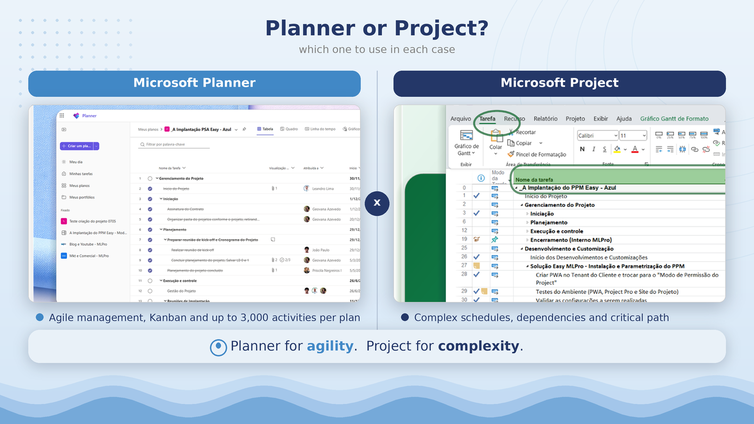
Managing projects does not force the company to pick a single scheduling tool. You can keep a hybrid environment, in which more agile projects use Microsoft Planner and more traditional, waterfall projects stay in Microsoft Project, always within the same Microsoft 365 ecosystem.
Project size and rigor help you decide. Microsoft Planner has a limit of 3,000 active tasks per plan, according to Microsoft documentation. Microsoft Project handles larger schedules and also cases with strict sequencing or close leadership oversight, even with just a few hundred activities.
Features such as the Kanban board, buckets and timeline belong to the Microsoft Planner and Planner Premium experience. Choosing one tool over the other remains a decision about the schedule, that is, about the time layer, and not about the full management of the project.
05. How PSA Easy consolidates the whole project
PSA Easy is MLPro's solution to bring together, in a single environment, everything the schedule does not cover. In it, each project has a hub with risks, issues, procurement, change requests, action plans, communication matrix, stakeholders and financial control, with indicators that signal the status of each area.
The connection between these elements reduces rework. When you register a risk, the record already links the responsible stakeholder. A feature like the project log keeps the project history in a structured place. This way, teams and leaders see the whole project, not just the dates.
06. Are you doing schedule management or project management?
To move from date tracking to true project management, assess three points before changing your routine:
- Separate the layers: list what is schedule, tied to time, and what is project, tied to scope, cost, risk and quality.
- Choose the right tool: use Microsoft Planner for the agile schedule and Microsoft Project for complexity and greater rigor.
- Consolidate the whole: centralize risks, issues, documents and executive reports, for example with PSA Easy, so leadership sees the full project.
Frequently asked questions
- Are a schedule and a project the same thing?
No. The schedule organizes activities, dependencies and dates. The project includes the schedule and also scope, cost, risk, quality, communication and stakeholders. The schedule is one part of the project.
- Is a nice-looking schedule already managing the project?
No. Without control of scope, risk, cost and communication, the schedule ages and loses touch with reality. A project can look on time while facing unrecorded problems.
- Should I use Microsoft Planner or Microsoft Project?
It depends on the project. Microsoft Planner favors agility and smaller projects. Microsoft Project handles larger schedules and scenarios with strict sequencing or close leadership oversight.
Continue your journey
- Related article: Project Online retirement: what happens on September 30 and how to move forward.
- YouTube channel: follow new content about project management, PMO and portfolio.
About MLPro
MLPro specializes in PPM solutions within the Microsoft ecosystem, with more than 20 years of experience. We help companies structure project, portfolio and demand management with method, integration and clarity, from the schedule to the executive decision.
Want to move from schedule management to real project management? Book a conversation with MLPro.
