
What you will find here
Explore the security topics discussed for Project Online, including encryption, authentication, monitoring and governance.
Managing projects requires dealing with strategic information, critical deadlines and distributed teams. So make sure safety and reliability is not optional: it is essential.
The Microsoft Project Online, hosted in Microsoft 365 and integrated with SharePoint Online, offers exactly that. Each data from your project, schedules, attachments and indicators is protected by a world-renowned corporate security infrastructure.
By choosing Project Online, your company not only organizes projects better, but also keeps all strategic information secure in the cloud, with governance and traceability.
01Security at all stages of your projects
Microsoft Project Online leverages all protection from SharePoint Online, offering security layers that accompany the complete data cycle. Among the resources that guarantee this protection are:
- Encryption in transit and at rest: protects all data stored and trafficked in the cloud with advanced standards like AES256, preventing unauthorized accesses.
-
Secure authentication with Microsoft Authenticator ID Protection: in addition to the MFA, the system automatically identifies suspicious logins, blocking dangerous attempts before causing risks.
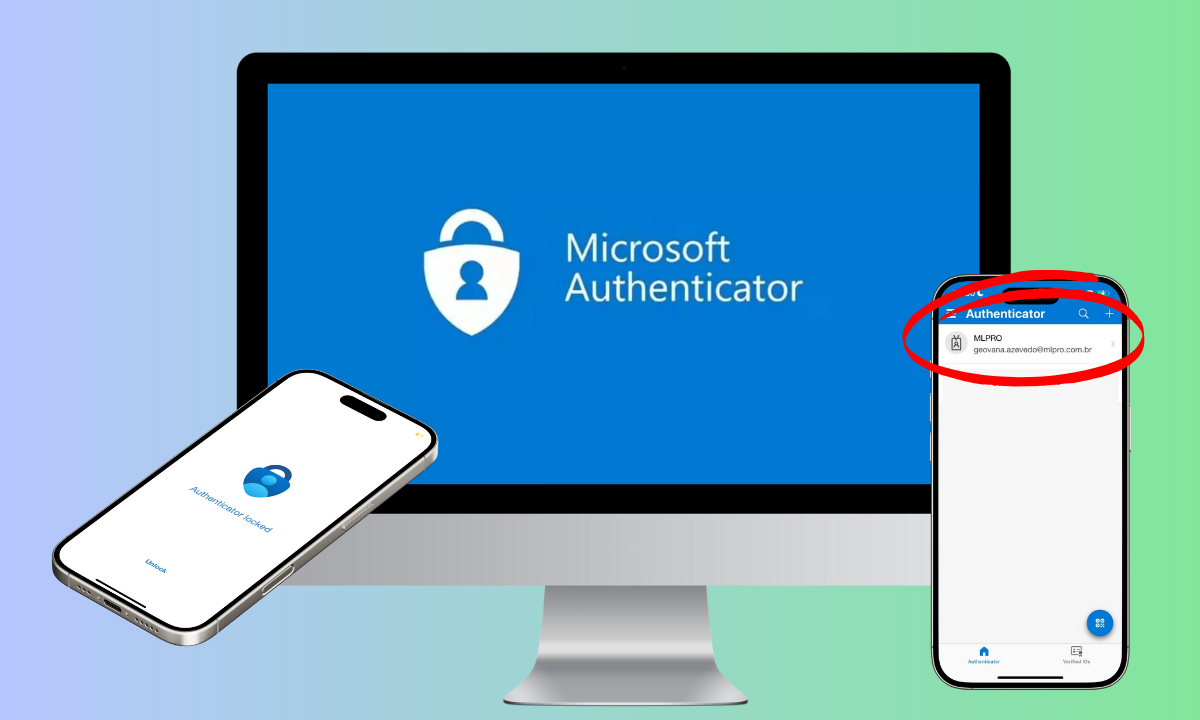
Two-step authentication with Microsoft Authenticator enabled. - Continuous monitoring and audit: the environment is monitored 24 hours a day, with activity records and security alerts that preserve data integrity.
These layers ensure that Project Online is a reliable environment for managing corporate projects, allowing your team to work smoothly.
02Extra layer of defense with Microsoft Defend
The Microsoft Defender, integrated into the Microsoft 365 Security Center (Defender XDR), adds an advanced layer of protection for environments using the Microsoft Project Online, SharePoint Online and others Microsoft 365 tools .
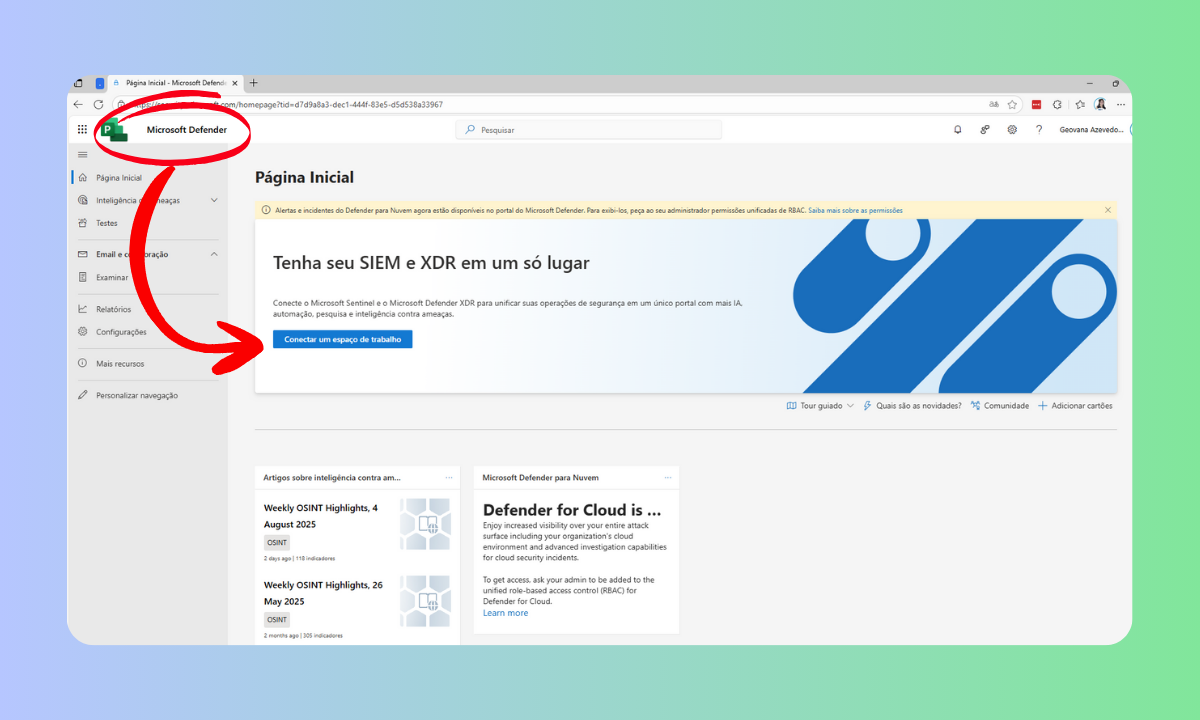
With it, your company has resources for detection, response and intelligent prevention, such as:
-
Active threat protection:
Block malware, malicious links and suspicious attachments with features like Safe Links and Safe Attachments, before they even reach their users.
-
Full monitoring and reporting:
The unified Defender panel allows you to view real-time security alerts, track incident history, and generate detailed reports that provide full visibility over the environment.
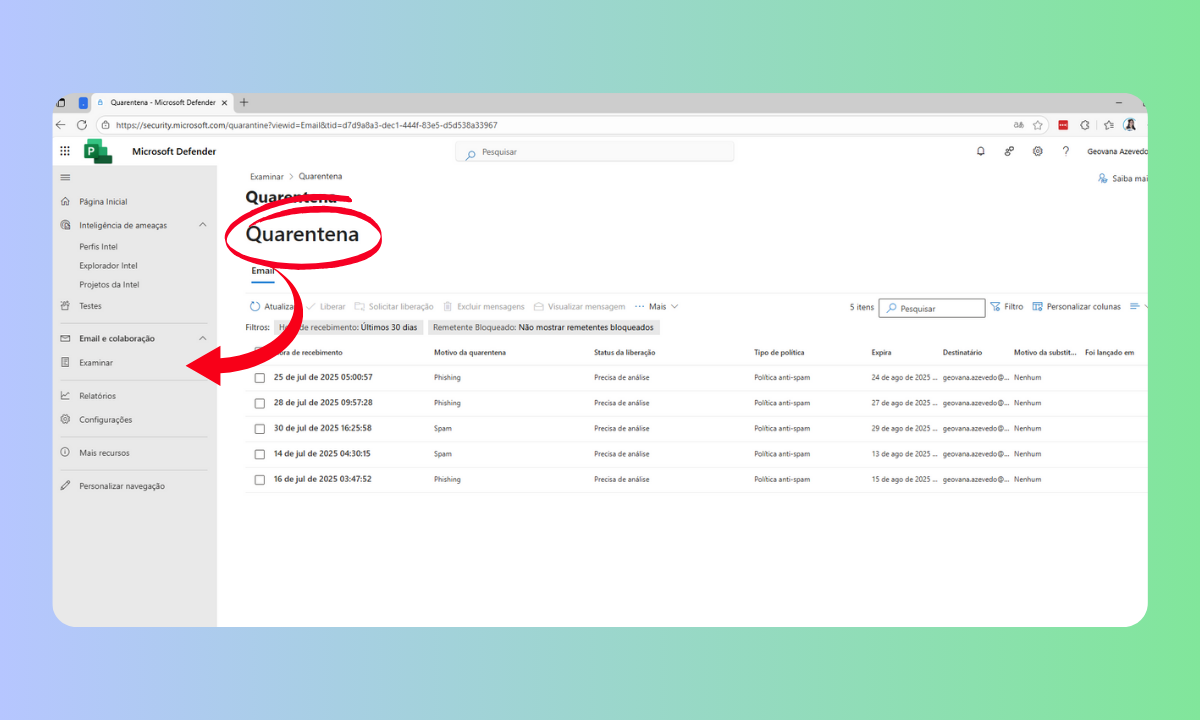
By clicking examine you have access to full monitoring. 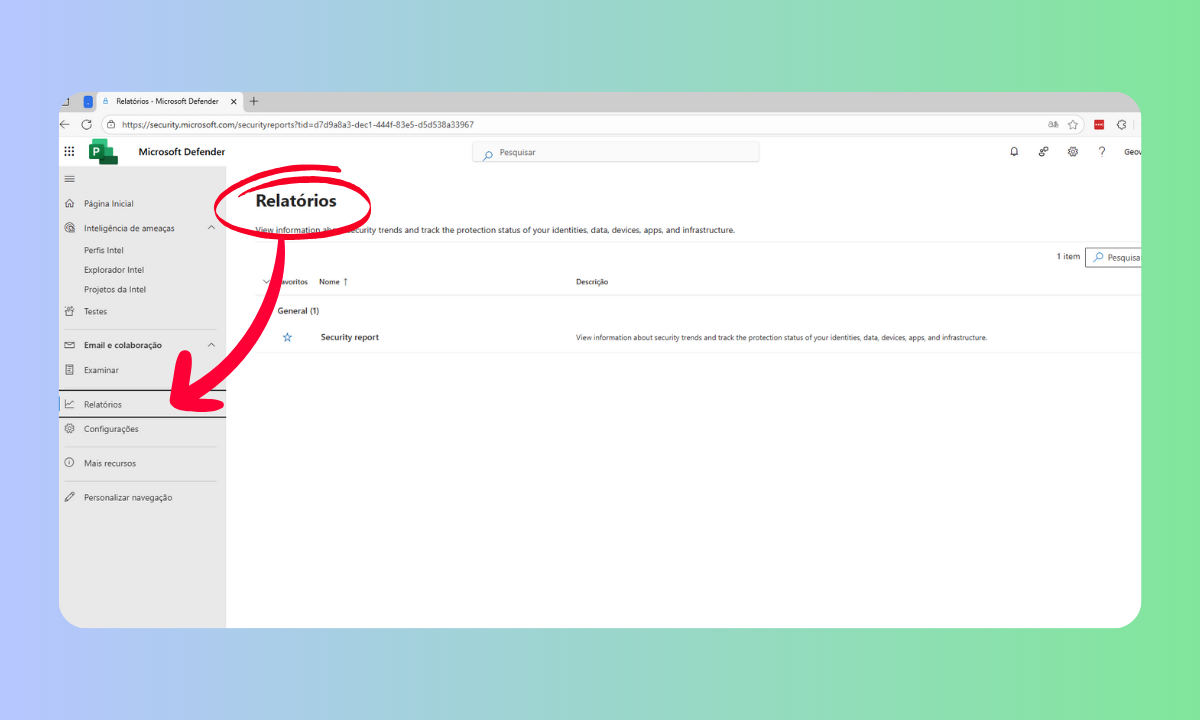
The reports tab allows you to analyze your security information in visual format. -
Advanced testing and hunting:
In addition to automatically detecting threats, Defender enables proactive investigations (Threat Hunting) and execution of security simulations, allowing your team to identify vulnerable points before problems occur.
-
Smart automated response:
With Self-Investigation and Author-Research, the system acts quickly to neutralize risks, reducing the impact of incidents and increasing the reliability of the project management
This feature set makes Microsoft Defend a strategic ally in corporate data protection.
03Fast recovery and guaranteed availability
In project management, losing information is not an option. Therefore, Project Online provides high availability and reliable recovery through SharePoint Online, which supports the platform:
- Data is hosted in redundant data centers, ensuring continuity even in the face of physical failures.
- Recycle Bin in two stages, with retention up to 93 days, protects against accidental exclusions.
- Additional backups for 14 days after definitive deletion allow you to restore collections of complete websites through Microsoft support.
-
Version control and library restoration enables you to return files to previous versions or recover content within 30 days.
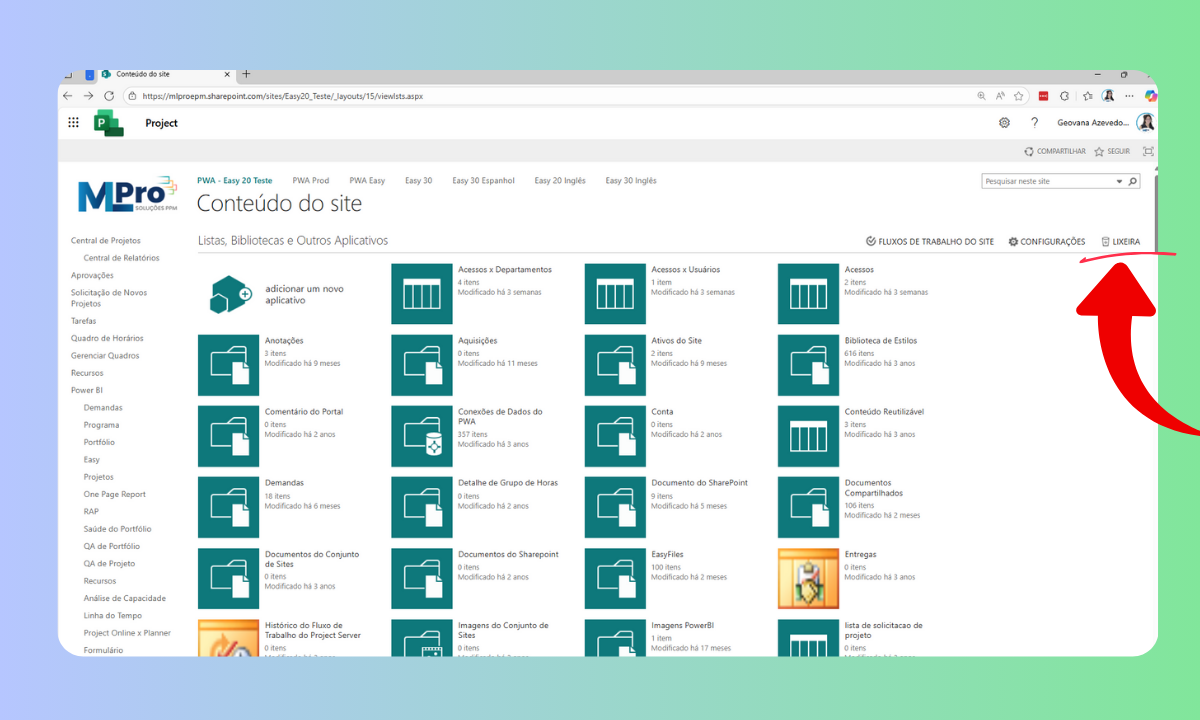
By clicking on the content of the site, you will have access to the wastebin of the site in question. 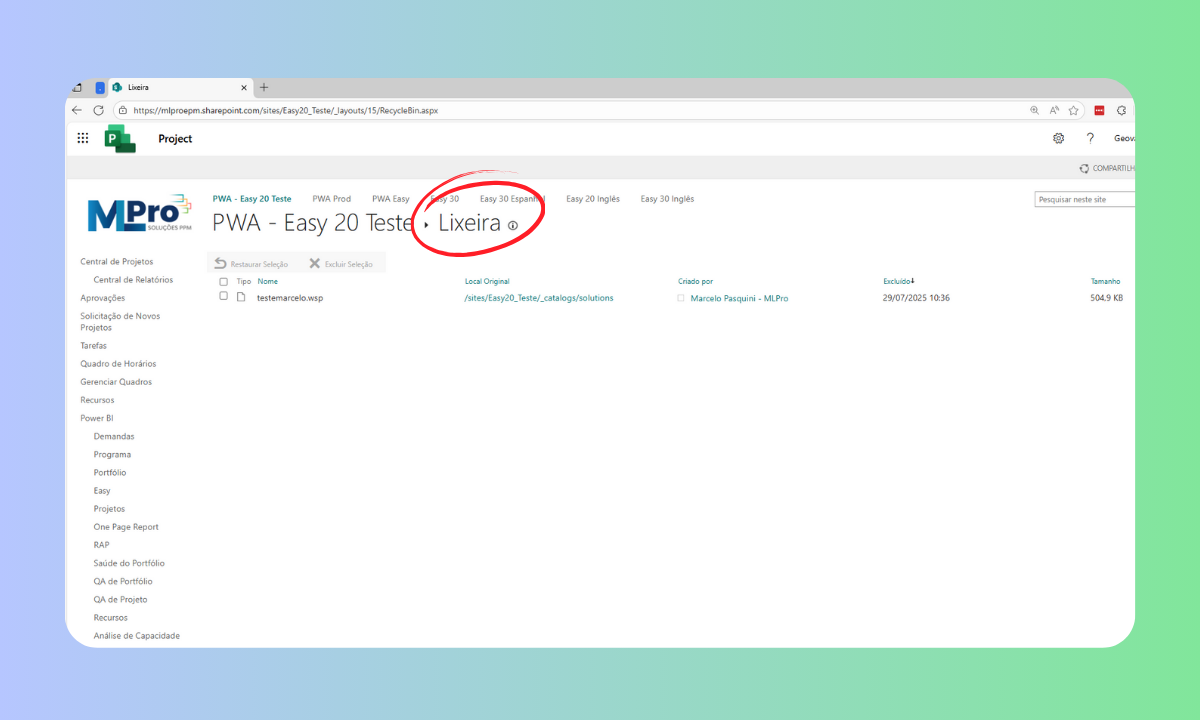
In the recycle bin environment you can recover deleted content as quoted above and thus do not lose your information.
These features ensure that your projects are always accessible and recoverable, even in unexpected scenarios.
04Compliance management and enhanced governance
More than protecting, Project Online helps your company keep data organized and auditable, taking into account major international safety standards such as ISO 27001, SOC and GDPR.
Retention policies and version control allow strategic files to remain preserved for as long as necessary, reinforcing corporate governance.
For those who also use the Microsoft Planner to organize operational tasks, integration with Project Online keeps all data within the same safe ecosystem of Microsoft 365, providing tranquility and standardization in information protection.
05MLPro transforms security into productivity
Adopt Microsoft Project Online it is more than implementing a management tool: it is ensuring that your projects and strategic information are protected at each stage.
A MLProwith over 20 years of experience and over 75,000 projects supported, helps companies deploy and optimize Project Online so that your team enjoys all the security and efficiency of Microsoft platform.
If you seek safe, efficient and future-ready project management, click here and book a free presentation with MLPro and find out how to turn your projects into results with Microsoft Project Online.
Original content from the MLPro editorial library, fully preserved and translated for the English website.
