
What you will find here
Learn how to adapt a Microsoft Project schedule to each team by organizing tasks, deadlines and resources around its workflow.
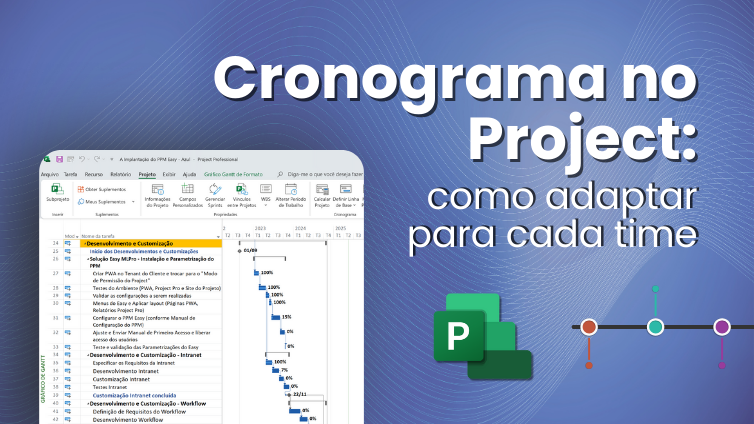
Find out how to customize schedule Microsoft Project according to the needs of different teams and projects. Organizing a project schedule is essential for any team.
And use the schedule Microsoft Project It can make all the difference on this mission. But know that it's no use having a perfect schedule on paper if he doesn't talk to the reality of the team. Each team has their way of working, their needs and their own rhythm. This is where the importance of adapting the schedule for each case comes in. And no need to despair, Microsoft Project is a powerful tool to customize planning in a practical and efficient way. It helps to adjust tasks, deadlines and resources according to what each team really needs. Throughout this text, we will show how adapting the Microsoft Project schedule can make your projects more organized, predictable and, above all, easier to play on a daily basis.
Why adapt the schedule to different teams?
Each team is unique. This means that forcing everyone to follow the same path can lead to more confusion than solution. No schedule Microsoft Project, we can create tailored planning to respect these differences. This adaptation is essential to keep the workflow organized and so that everyone knows exactly what they need to do, at the right pace.
Variations in methodologies and processes
Not every team works the same way. Some use agile methodologies, others prefer the traditional cascade. There are still those who mix everything. These variations directly impact how the schedule should be assembled. If we do not consider these differences, planning becomes a collection of deadlines that make no sense to everyone. Using the Microsoft Project schedule allows you to adjust the details for each reality, ensuring that the project advances more naturally and without running over.
Risks of a standardized schedule in different areas
Trying to push an equal schedule for different teams is asking the project to have problems. Each area has its own rhythms, priorities and levels of complexity. If planning does not respect this, delays, rework and even discouragement begin to arise. A standardized schedule may seem organized at first, but in practice it creates barriers to delivering results. One of indispensable tools in project management It's the schedule. Thus, with the schedule Microsoft Project, we managed to avoid these traps by adjusting what is necessary for each sector.
Benefits of customization for engagement, predictability and efficiency
When the schedule is thought of in a custom way, the team feels part of the project. This generates more engagement and commitment to deliveries. In addition, predictability increases. We know more clearly what to expect from each phase, avoiding unpleasant surprises. Efficiency also rises, as tasks and deadlines respect the real dynamics of each team. O schedule Microsoft Project It helps to conquer all of this, making planning smarter and more connected with who really makes the work happen.
How Microsoft Project facilitates schedule customization
Organizing projects doesn't have to be a puzzle. With Microsoft Project, creating a custom schedule is much simpler. It offers tools that help build tailored planning for each team, respecting the differences in tasks, deadlines and resources. So the project fits into the actual routine of who will work on it, not the other way around.
Creation of schedules with specific tasks
Each project has tasks that only make sense within that context. And that's where Microsoft Project gets the spotlight. It allows you to create totally custom to-do lists. It is possible to include specific stages of each area, determine dependencies between activities and also define deadlines adjusted to reality. No generic schedules, more confusing than helping. The best thing is that all of this can be done in a very visual way. So the team understands what they need to do right away. A clear and detailed schedule increases the chances of success of the project and still avoids rework.
Allocation of resources according to workload
Another advantage of Microsoft Project is the ease to intelligently distribute resources. You can assign people, equipment or materials according to the workload of each. If someone's already overloaded, the system will let you know. Thus, the manager can better balance tasks without leaving anyone stuck. In addition, this control helps avoid delays and improves the planning of the entire team. Instead of creating unrealistic expectations, the schedule is more on the ground, respecting the time and capacity of each one. That makes all the difference to the final delivery.
Good practices to adapt schedules in the Project efficiently
Customizing schedules in Microsoft Project can look complicated. But with some good practices, the process becomes much quieter and more efficient. The secret is to understand the routine of each team, use intelligent models and integrate everything so that planning flows naturally. Let's see how we do that in practice?
Diagnosis of routine and flow of each team
Before going out on a schedule, it is essential to understand how each team works. It sounds basic, but a lot of people skip that stage. The ideal is to make a simple diagnosis: mapping the activities, the most productive hours and the main bottlenecks. Each team has its own rhythm. To ignore that is to ask the schedule to become a beautiful and useless ornament. When planning respects people's real day to day, engagement increases and deliveries happen with much more fluidity.
Use of models as a base, with sector adjustments
No one needs to reinvent the wheel every time they set up a new schedule. Using models ready as a starting point is a great practice. In Microsoft Project, there are several templates that can serve as a base. The tip is to adapt these models to each sector. Small adjustments make all the difference. Thus, the schedule maintains an organized structure, but without losing the customization that each team needs. It's the perfect balance between practicality and efficiency.
Integration with Microsoft tools for planning timing
Good timing is living schedule, always aligned with the reality of the project. For that, integrate Project with other Microsoft toolsLike Teams and SharePoint, it's fundamental. This connection facilitates communication between teams, keeps everyone up to date and avoids unpleasant surprises on the way. When everyone sees the same scenario in real time, planning gains strength and risks of error fall dramatically.
Get to know MLPro solutions
Adapting the schedule for each team makes all the difference in the success of the projects. With Microsoft Project, it makes it easier to customize tasks, distribute resources and integrate everything with other tools. Following good practice, planning becomes clearer, more organized and more efficient. If you want to take this step and take your projects management to another level, count on MLPro. We have complete solutions to help your company grow with security and agility.
And if you are interested and want a presentation of our products, feel free to schedule an appointment with us at the following link: Microsoft PPM Easy Presentation
Original content from the MLPro editorial library, fully preserved and translated for the English website.
