
What you will find here
A practical view of the new artificial intelligence, collaboration and governance that are changing planning in Microsoft 365.
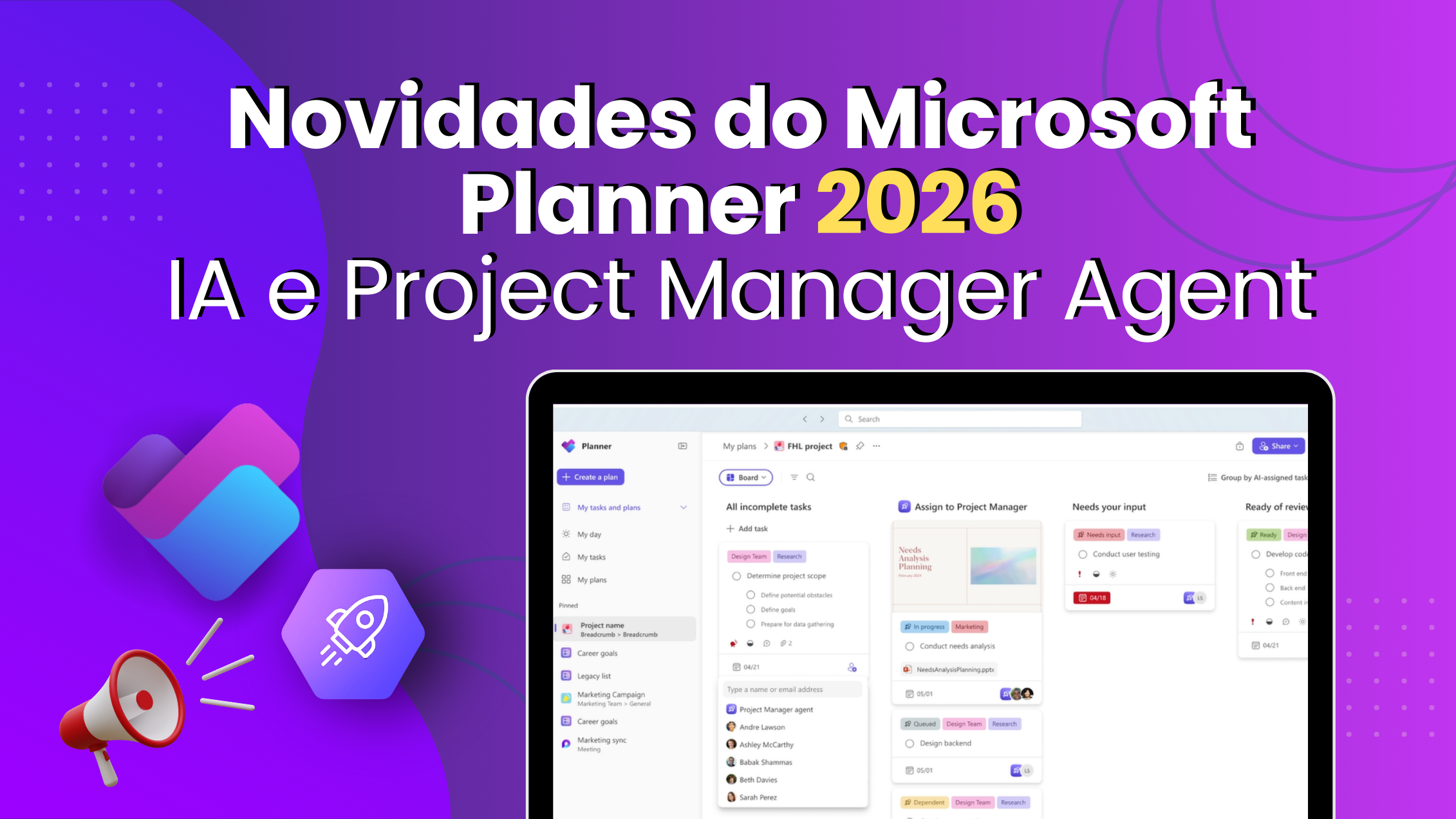
Planner 2026: how the AI and new protections will transform your management
The year is ending, and discussions about management tools for 2026 have already begun. Companies, PMOs and project managers seek modern solutions to organize tasks, harness artificial intelligence and maintain information security. Microsoft has just announced the next chapter of Microsoft Planner, with resources that integrate planning and AI in Teams, reinforce the compliance and replace the Project Online.
In this article, we will show what is coming in 2026, from intelligent agents who turn conversations into plans to advanced protection features, and how your organization can prepare itself now. You will learn why to migrate to the Planner Premium It's the natural path for those coming out of Project Online and how to MLPro can help at each stage of this process. Follow until the end to find out how to start 2026 with the house tidy and projects under control.
01Unified Planner: a new start for companies and PMOs
In 2024, Microsoft took the first step to unify To Do, basic Planner and Project for the Web in a single experiment. This modern platform, which is already available today in Teams and on the web, eliminates fragmentation and centralizes tasks and projects of different teams. For those who manage portfolios or follow complex schedules, change offers a unique vision, with less rework and more collaboration.
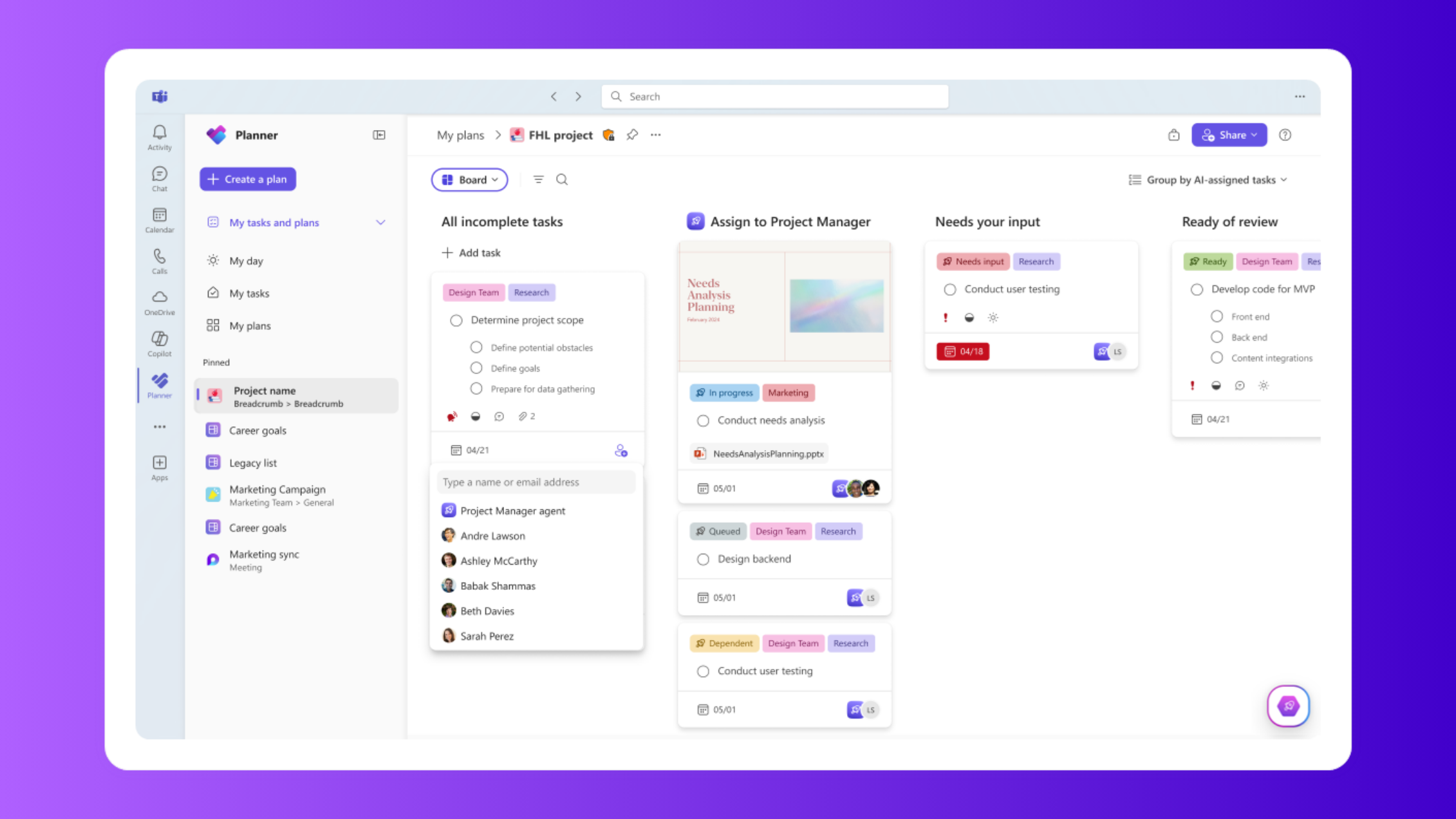
From this foundation, the company has been adding layers of artificial intelligence. O Project Manager Agent (PMA) is the protagonist: it creates tasks, assigns responsibilities and organizes schedules directly at Teams meetings. In short, what was previously recorded in emails or papers becomes a living plan. This feature integration prepares the ground for the news that arrives in 2026.
AI at meetings: turn conversations into plans
Can you imagine ending a meeting with a plan ready and shared? With Facilitator and Project Manager AgentThat's a reality. The Facilitator listens to the participants, detects intentions and captures decisions. Meanwhile, the PMA structures the tasks, defines responsible and deadlines and creates documents summarizing the meeting. In the end, these artifacts are published in Planner and Teams chat, aligning all involved and preventing actions from getting lost in the mailboxes.
In addition to increasing productivity, AI helps maintain consistency in decision history. The documents generated serve as a reference for stakeholders and can be linked to tasks in Planner, reinforcing the sense of responsibility between teams and PMOs. This type of automation shows how Planner advances to become a management assistant, not just a list of tasks.
Teams as hub: Channel Agent and workback plans
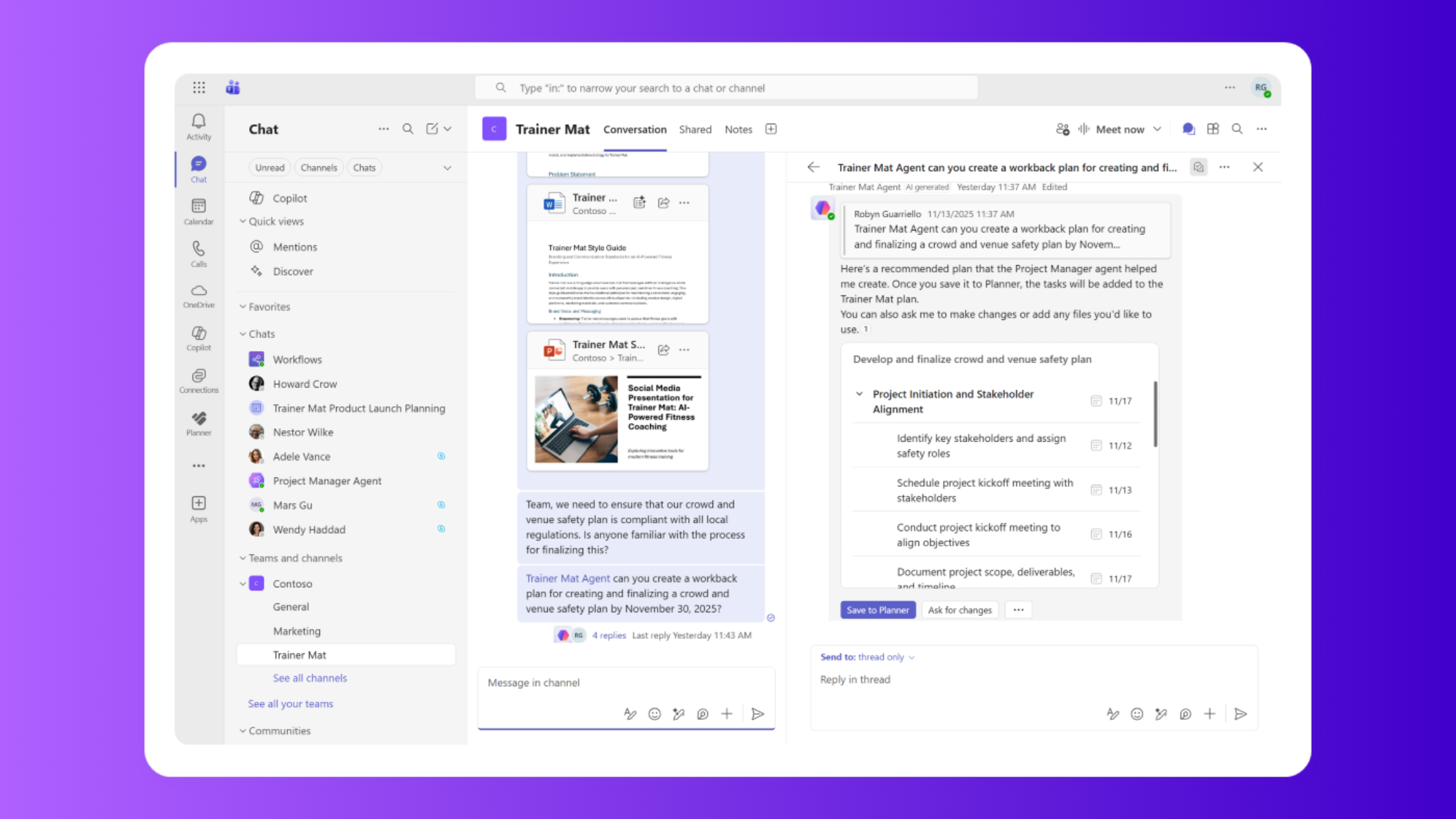
Planner's news is not limited to meetings. On Teams Channels, the Channel Agent makes day-to-day management much more efficient. He already allows create and update tasks directly in chat, define deadlines and appoint responsible persons. In addition, Channel Agent now generates workback plans, that is, reverse schedules created from the end date. Just inform the goal and the deadline, and the agent sets up a roadmap of tasks that helps keep an eye on what is most important.
Another novelty is the enriched status reports, which use Planner data to show progress, risks and blockages. These reports are published as Loop Files in Teams, facilitating collaboration and editing by everyone. And if you have questions, like “what are the tasks delayed?” or “what needs to be completed this week?” just ask Channel Agent and get the answer quickly. By keeping discussions and updates within the channel, it reduces the dispersion of information and puts the team on the same page.
Coming in 2026: protection and compliance
2026 will not only be the year of Project Manager Agent. It also marks the arrival of new features that make Planner even safer. Among the highlights are:
- Information Barriers Support: compliance policies that restrict collaboration between different groups within the company. This prevents data leaks and ensures that sensitive projects are visible only to authorized persons.
- MIP labels applied to content: so far, Microsoft Information Protection labels restricted the container (group or meeting). In 2026, it will be possible to apply labels to individual tasks and plans, blocking copy, export, printing and adding watermark. Labels will also be inherited from Loop components and meetings, ensuring consistency throughout the ecosystem.
- eDiscovery for meeting plans: currently available only for group plans, the eDiscovery function will allow administrators to recover data from plans created in meetings, facilitating investigations and audits.
These features place Planner at the level of corporate solutions, ready to meet compliance requirements and data governance policies. Stop companies, PMOs and project managersThat means being able to adopt Planner without compromising security.
How to prepare and migrate from Project Online to Planner
The retirement of Project Online it happens in September 2026, and this creates an opportunity to adopt a more modern and integrated tool. In order not to leave the transition to the last hour, companies, PMOs and project managers can follow a few steps:
- Map processes, projects and integrations – identify all flows that today depend on Project Online, Excel or home solutions. List tasks, schedules, reports and links with other tools.
- Choose the right solution – o Planner Premium is the recommended option for teams that want simplicity, collaboration and native integration with Teams. However, environments with specific requirements (such as local control) can opt for Project Server Subscription Edition, while organisations in need of detailed financial management can assess the Dynamics 365 Project Operations.
- Organize licenses and tests – enable the Microsoft 365 Copilot and Loop to release the functions of Project Manager Agent and Channel Agent. Try Teams public previews and see if Plan 3 or Plan 5 licenses already include Planner Premium.
- Prepare your team – promote workshops and training so that project managers and teams understand how the new tools work. Encourage the culture of recording decisions in tasks and centralizing plans in Planner.
- Gradually migrate and automate – transfer projects into waves, starting at least complex. During migration, use Power Automate to automate notifications and Power BI to visualize performance indicators. Remember to backup Project Online before migrating and validating the information at each step.
By following this script, you guarantee a smooth transition and take advantage of the arrival of 2026 with the tools and processes already aligned with the Planner news.
Continue your journey: recommended articles and videos
You like the news and you want to go deeper? Check out some content that we have prepared and that can help you:
- How to organize your task plans with Microsoft Planner – Learn to structure your frames and improve productivity with practical tips.
- Project Plan 3, Plan 5 or Planner: Which Microsoft license to choose? – find out which license best fits the needs of your company, PMO or project team.
- Our YouTube channel – check out videos with demonstrations from Project Manager Agent, Planner Premium and how to migrate from Project Online. Take advantage of signing up and enabling notifications so you don't lose your next content.
Why so many companies choose MLPro to transform their management
Specialized in PPM solutions and Microsoft certified partner, the MLPro is reference on project management, programs and portfolios. We have been working for more than 20 years and already support more than 75,000 projects in Brazil and abroad. We know that each organization has unique challenges, so we offer:
- Diagnosis and migration planning – we evaluate your current environment, set the best transition route (Planner Premium, Project Server SE or Dynamics 365 Project Operations) and create a schedule that minimizes risks and interruptions.
- Full deployment and customization – we integrate Planner with Microsoft Teams, SharePoint Online, Power BI and Power Automate, customizing fields, templates and workflows according to the reality of your PMO or project team.
- Training and continuous support – we promote practical training to train project managers, teams and stakeholders to extract as much of the tools as possible. Our support ensures that doubts and problems are resolved quickly.
- Strategic monitoring – monitor performance indicators in Power BI, we suggest improvements and help the evolution of your project office (PMO) based on good practice.
Ready to start? Talk to MLPro
2026 is right there. You already know how the combination of Planner Premium, AI and new protections can revolutionize the way to work; now it is time to act. Whether your company or PMO wants to migrate from Project Online or make a quality leap in managing tasks and portfolios, rely on the MLPro. Our team turns meetings into results, communication into collaboration and tasks into successful projects.
Do you want to understand how this applies to your scenario? Click the button below:

Schedule a free presentation with our experts and see in practice how to plan migration and take advantage of Planner news.
Original content from the MLPro editorial library, fully preserved and translated for the English website.
