
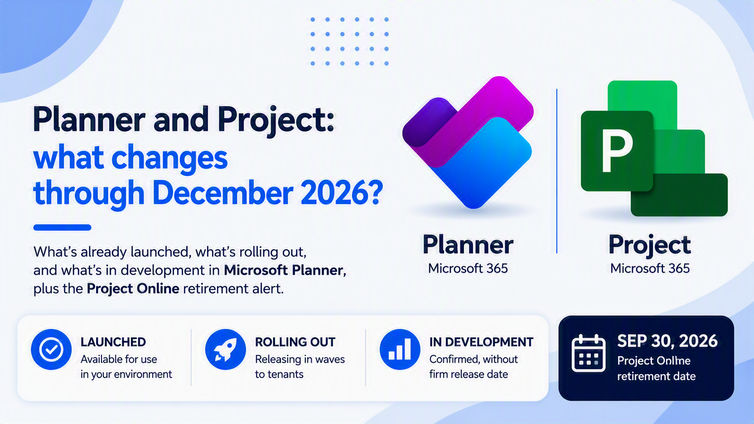
What you will find here
Planner changed a lot in 2026 and each update arrives at its own pace. See what is already available, what is arriving and what is still a forecast.
Anyone running projects in Microsoft 365 knows the discomfort: the tool changes and the notice arrives after the change is already on screen. In Microsoft Planner that happened repeatedly in 2026, at a different pace for each organization.
There is also one fixed date. Microsoft confirms the retirement of Project Online on September 30, 2026. For teams still relying on that environment, the priority of the semester moves.
The practical problem is that all of this arrives in different stages. Without separating what is available from what is only a forecast, managers end up promising leadership a delivery that does not exist yet.
In this article, you will understand how to read roadmap stages, what has already launched in Microsoft Planner, what is rolling out, what remains in development and what to prioritize by the end of the year.
Two concepts help before moving on. The roadmap stage describes how mature a delivery is and answers a question about availability. The feature is the capability itself. A published date usually marks the expected start of rollout, not simultaneous arrival everywhere.
01Summary: how to act at each stage
| Stage | Objective | How it applies in the tool |
|---|---|---|
| Launched | Confirm what can go into use | Available to applicable customers. |
| Rolling out | Prepare process and communication | Gradual release. Confirm in your tenant before committing to a date |
| In development | Plan without making commitments | Announced forecast. It belongs in monitoring, not in a contract |
Prefer to follow the topic visually? Watch the subject explained in practice.
 Play video: Planner and Project: what changes by December 2026 in Microsoft 365
01. How to read the Planner and Project roadmap today
Knowing that a feature exists is no longer enough. What determines whether you can take it to leadership, to a contract or to a deployment plan is the stage it sits in and the environment where it was released.
That creates three different behaviors. A launched feature becomes training. A rolling out feature needs internal communication and tenant verification. A feature in development belongs in monitoring only.
Licensing matters too. Availability does not equal usage rights in every plan. When the official source does not confirm the applicable plan, the right move is to record the doubt instead of announcing inclusion.
02. What has already launched in Microsoft Planner
Four deliveries are listed as launched in the September 2026 research. They are natural candidates for internal procedure and team training, provided you first confirm availability in your company tenant.
- Custom templates: publish an existing plan as a reusable template, with tasks, buckets, labels, goals, notes and checklists. Roadmap 512431, July 2026.
- Planner in Outlook: personal tasks and shared plans next to email and calendar, with no Copilot license required. Roadmap 513278, August 2026.
- Planner in private and shared Teams channels: add Planner as a tab in those channels, with basic plans and storage in the channel SharePoint. Roadmap 558928, August 2026.
- Task details side pane: review and edit a task while keeping Board, Grid or My Tasks visible. Roadmap 566866, July 2026.
Templates deserve two governance notes. Sharing happens at the Microsoft 365 Group level, any group member can delete a shared template, and later changes do not update plans already created.
03. Project Online: the date you cannot miss
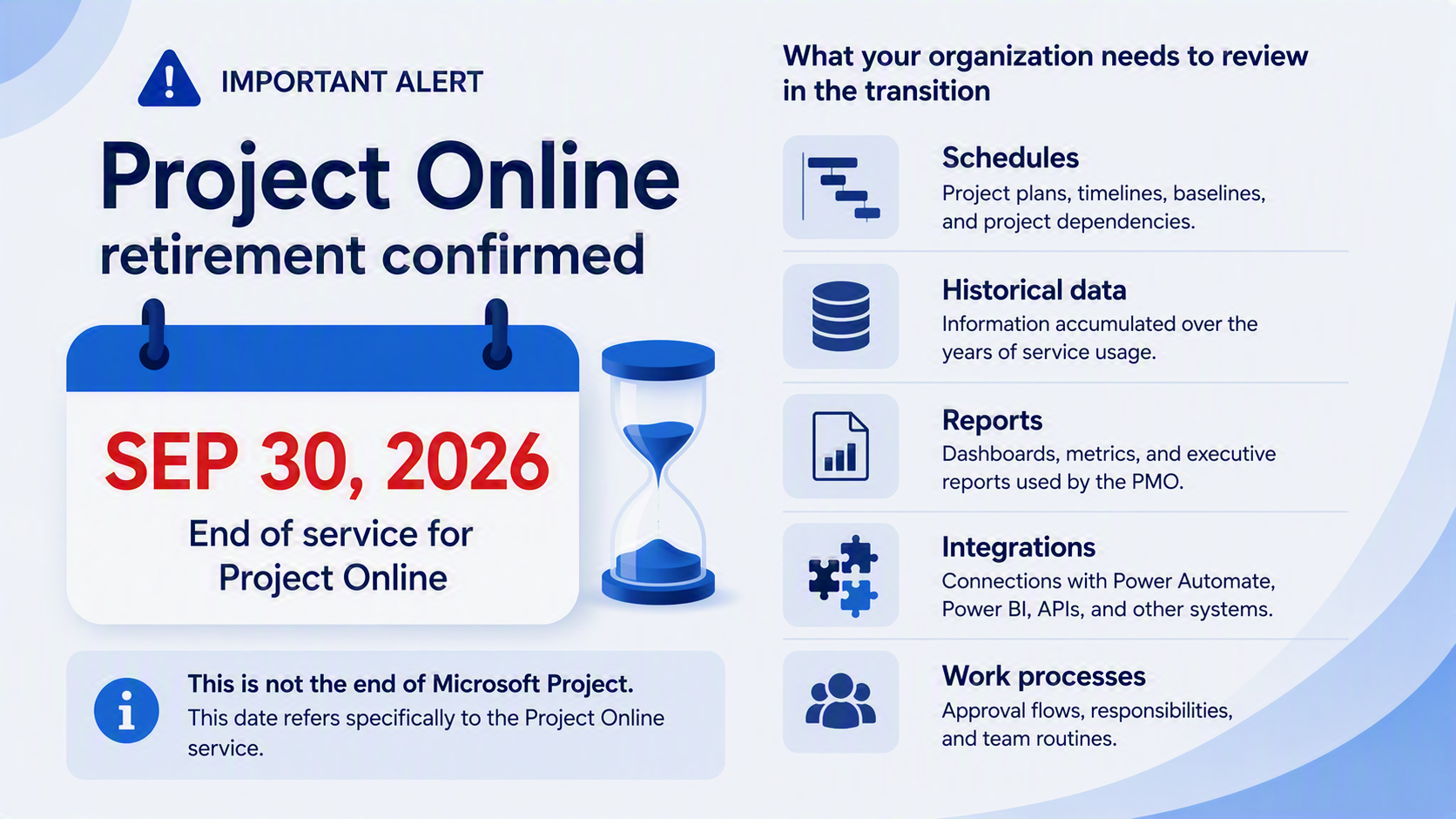
Microsoft records the retirement of Project Online on September 30, 2026, on the product lifecycle page. This is the most urgent point of the selection, because the date is already set.
Scope matters. The date refers to Project Online, the portfolio service that includes Project Web App. It does not end every product carrying the Project name, and Microsoft itself separates the service from Project Professional.
For teams that depend on it, the conversation goes beyond choosing another screen for the schedule. Schedules, historical data, reports, integrations and the team working process all belong in scope.
04. What is rolling out
Start and due dates no longer adjust automatically
This is the riskiest quiet change of the period. Microsoft Planner no longer requires the due date to be on or after the start date, and editing one date no longer adjusts the other. The behavior is enabled by default, with no opt out.
General availability starts in mid July 2026, in Planner in Teams and on the web. Other clients, such as Planner mobile, may temporarily keep the previous ordering during the rollout period.
The impact sits outside the interface. Any Power Platform flow, application or report calculating the difference between the two dates may return negative or inconsistent values. Reviewing those automations is no longer optional.
Planner Agent in basic plan chat
Planner Agent reaches basic plan chat, with natural language questions about status, priorities and work that needs attention. It also applies AI-generated filters and creates plans organized by goals and buckets. Roadmap 567671, September 2026.
Message MC1443514 confirms two conditions: the feature reaches users with an active Microsoft 365 Copilot license, and administrators can block the agent from the admin center. A basic plan therefore does not mean free AI.
Other deliveries in the period
- Refreshed experience and Goals in basic plans: cleaner navigation, responsive layouts and Goals in basic plans. Roadmap 568791, September 2026, with GCC identified in the entry.
- Planner usage report: visibility into plan and task adoption in the Microsoft 365 admin center. Usage, however, is not the same as management quality.
05. What remains in development through the end of 2026
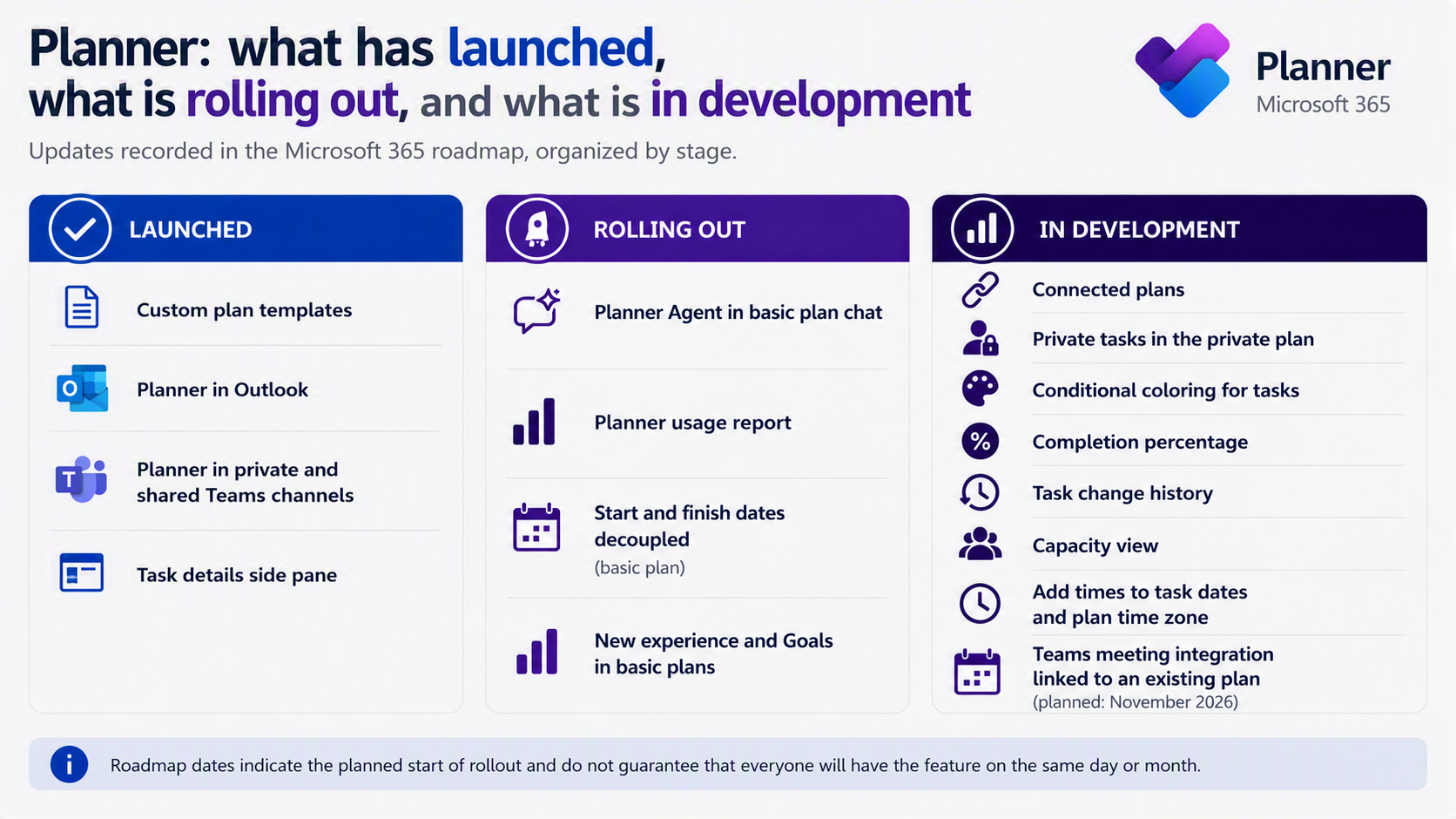
The items below are recorded in the roadmap as in development and testing. They belong in fourth quarter planning as monitoring, not as guaranteed delivery.
Forecast for September 2026
- Connected plans, roadmap 569929: link related plans and navigate across work in the same initiative, with no promise of automatic consolidation of schedules or indicators.
- Private tasks in the private plan, roadmap 569426: private tasks move to the person's own private plan, with no sharing or assignment to others.
- Conditional coloring, roadmap 569476: highlight tasks based on selected criteria, making priority and status easier to read.
Forecast for October 2026
- Capacity view, roadmap 569733: a timeline showing who is working on what, to spot overload or open capacity.
- Percent complete, roadmap 569610: a new completion column as a percentage, to communicate incremental task progress.
- Task history, roadmap 569933: track what changed, when it changed and how the work evolved over time.
Forecast for November 2026
- Teams meeting linked to an existing plan, roadmap 561490: connect a meeting to an existing plan, gathering tasks from recurring meetings in one place.
- Times on dates and plan time zone, roadmap 570153: add times to dates, with plan time zone and working hours, and view them in the plan or local time zone.
06. Are you reacting to change or planning for it?
The underlying reading is that Microsoft Planner is moving from a task manager toward a project management platform inside Microsoft 365. That widens the PMO scope and also the risk of announcing deliveries that have not arrived.
To move from reaction to planning, assess three fronts before closing the fourth quarter plan:
- Map the impact: list every Power Platform flow, application and report using Planner start or due dates.
- Test the behavior: create a task with a due date earlier than the start date and check your delay dashboards.
- Separate promise from forecast: take to leadership only what is launched and confirmed in your environment. The rest belongs in monitoring.
One scope note closes the reasoning. The forecasts in this research run to November 2026. That does not mean December will be empty, only that no delivery is announced for that month within this selection.
08Frequently asked questions
Is Microsoft Project ending in September 2026?
No. September 30, 2026 refers to Project Online, the portfolio service that includes Project Web App. It does not end every product carrying the Project name.
Do I need to act on the Planner date change?
Yes, but outside the interface. Review automations, applications and reports that relied on automatic adjustment between start and due dates, plus internal documentation and training.
Do I need a Copilot license to use Planner in Outlook?
No. The announcement is explicit that a Copilot license is not required for the Planner app in Outlook. Planner Agent in basic plan chat does require an active Microsoft 365 Copilot license.
Why did another company get a feature before us?
Because releases happen in waves. The published roadmap date usually marks the expected start of rollout, not simultaneous availability across every environment.
09Continue your journey
- Related article: Project Online retirement: what happens on September 30 and how to move forward
- Related article: Planner Premium is not for every project
- YouTube channel: follow new content about project management, PMO and portfolio
10About MLPro
MLPro specializes in PPM solutions within the Microsoft ecosystem, with more than 20 years of experience. We help companies structure project, portfolio and demand management with method, integration and clarity, from the schedule to the executive decision.
Want to organize your Project Online transition and track Planner changes with confidence? Book a conversation with MLPro.
