
What you will find here
Explore the real-time Project Manager Agent notifications described for Microsoft Planner in Teams and how they support task follow-up.
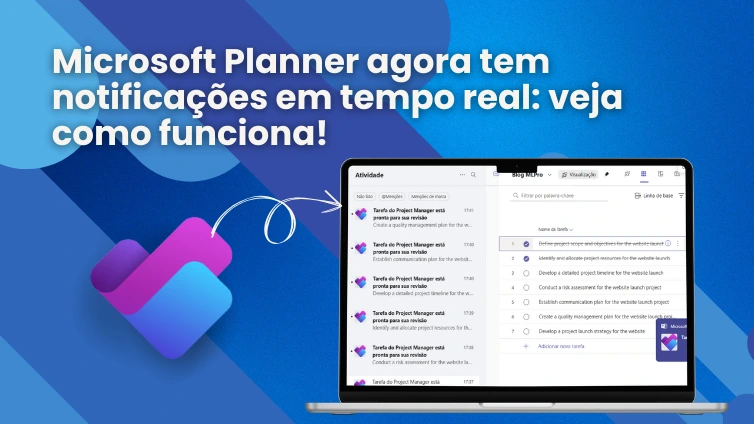
The Microsoft Planner continues to evolve to support the productivity of the teams. With the arrival of real-time notifications for the Project Manager agent, managers gain a new ally in the visibility and agility of deliveries.
Microsoft recently announced, in public preview, the functionality of Real-time notifications for the Agent Project Manager in the new Microsoft Planner, integrated with Microsoft Teams. This novelty represents another step in modernizing the tools for managing tasks and projects within the ecosystem Microsoft 365.
With this new functionality, users start to receive notifications directly on the Teams activity feed when tasks assigned to the agent are completed or require some action from the manager. The proposal is to keep project leaders informed in real time, accelerating decisions and facilitating the monitoring of ongoing activities.
What changes with real-time notifications?
The main advantage is proactivity: managers no longer need to manually check the progress of tasks managed by the Project Manager agent. Now, the very Planner sends automatic alerts whenever:
- a task is completed and ready for review;
- Agent Project Manager identifies the need for some human intervention to continue the activity.
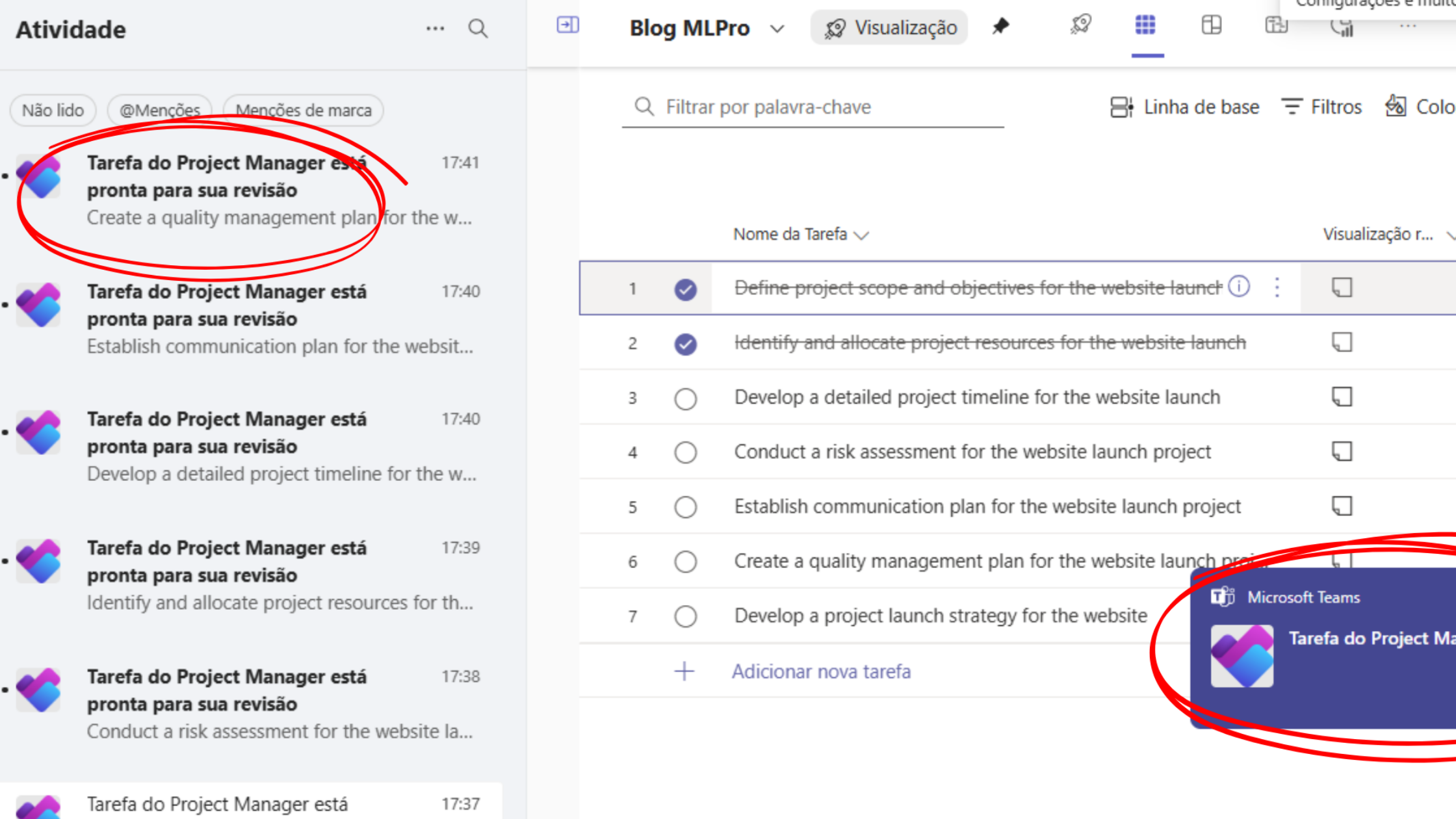
These notifications appear in Microsoft Teams, making the workflow more integrated and responsive.
Why is this relevant to your project management?
Project managers face the constant challenge of monitoring multiple demands simultaneously. Real-time notifications allow:
- Reduction of response time critical activities;
- Improvement in coordination between teams and stakeholders;
- Avoid bottlenecks caused by stationary tasks awaiting review or approval;
- Greater security in execution, with clear visibility of who needs to act and when.
In addition, this novelty complements the use of Microsoft Copilot, which feeds the Project Manager agent with AI to distribute tasks, prioritize actions and suggest execution paths, always in alignment with the team goals.
How to enable and manage notifications?
Notifications are automatically enabled for users with access to Agent Project Manager. If you prefer to adjust your preferences, just access the Microsoft Planner notification settings within Teams.
It is worth remembering that to use the Project Manager agent, you must have a valid license from Microsoft 365 Copilot. All those responsible for tasks assigned to the agent will receive notifications in real time without further configuration.
It is important to know that, at the moment, the functionality of Agent Project Manager at Planner, as well as other Copilot artificial intelligence features, is available with main language support English. This is because many of these resources are still in the process of Prior (Preview), and Microsoft is gradually releasing support for other languages.
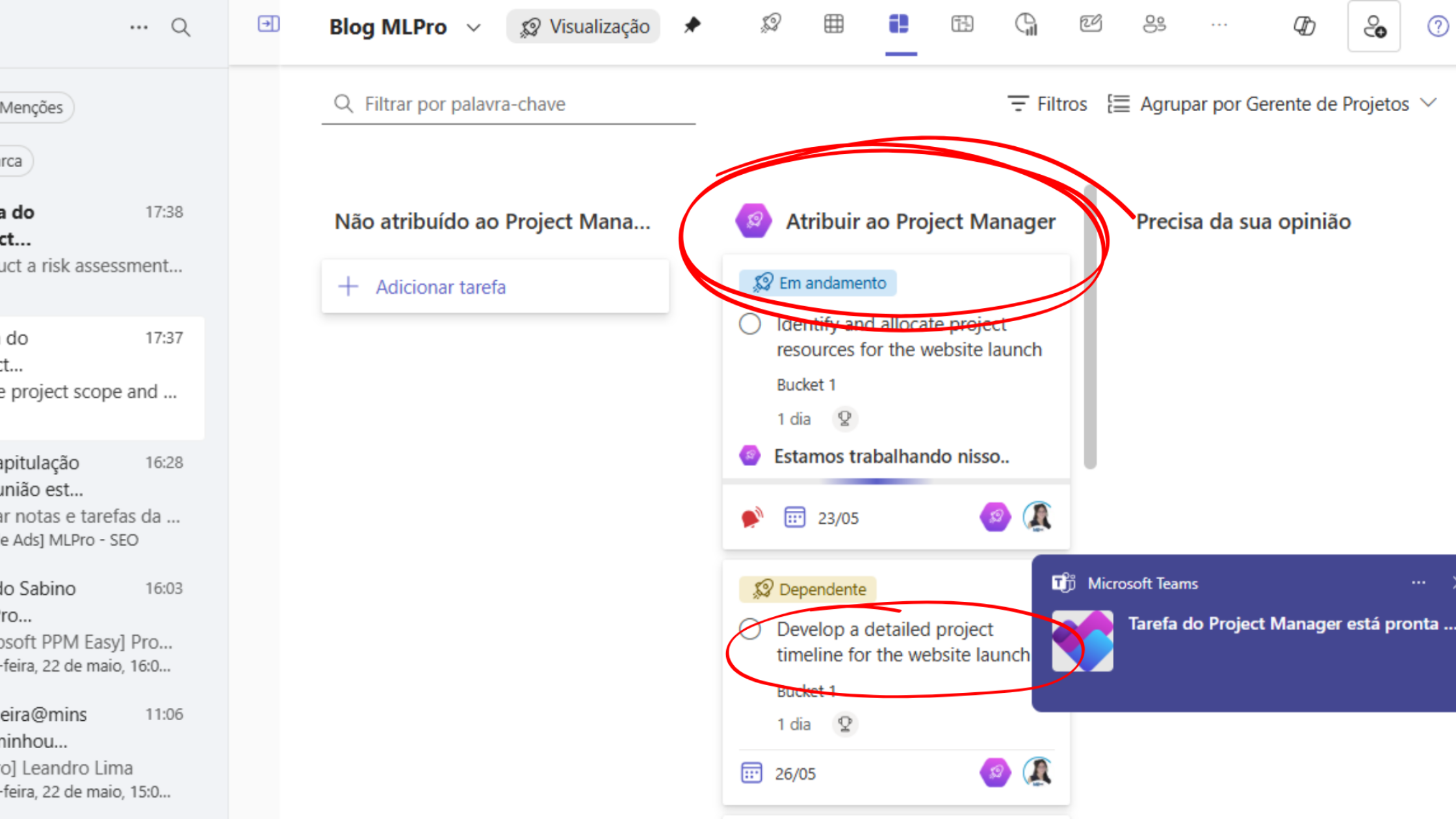
Nevertheless, use does not have to wait. A very practical solution already adopted by many users is simply to write the commands and requests in English for the agent to execute the actions. Then, just adjust the task names and descriptions to Portuguese, ensuring that your team sees everything in the usual language.
That is, even while full Portuguese support is not enough, it is already possible to take advantage of all the benefits of automation, artificial intelligence and real-time notifications in Planner, optimizing work and gaining productivity.
Opportunities for companies seeking agility
With this new feature, Microsoft Planner takes another step towards a project management more intelligent, integrated and data-driven. By promoting greater visibility, automation of alerts and faster responses, real-time notifications become a strategic resource for teams dealing with tight deadlines and multiple simultaneous projects.
If your company is looking to evolve in management maturity and benefit from modern Microsoft resources, this is the ideal time to explore Planner's potential with the support of Copilot and intelligent features like this.
How MLPro can help adopt the new Planner
A MLPro is an expert in solutions Microsoft for project management including Planner, Project Online, Project for the Web, PPM and EPM. With more than 20 years experience and performance in more than 250 companies and 75,000 projects, we offer strategic advice, training and technical support to adopt best practices in portfolio management.
Our team can help your organization:
- Plan the adoption of the new Planner in a custom way;
- Configure the use of Copilot and intelligent agents;
- Training managers for efficient use of notifications and alerts;
- Support the evolution of maturity in PMO based on data.
Do you want to understand how to apply this to your company?
If you want to understand how to apply these news to your company and how to leverage the full potential of Microsoft Planner with the use of artificial intelligence and real-time notifications, our team is at your disposal to help you. Schedule a conversation with one of our experts directly by this link: Click here to schedule your schedule and find out how MLPro can transform your project management with the best Microsoft solutions.
Original content from the MLPro editorial library, fully preserved and translated for the English website.
