
What you will find here
Review the auditing features described for Microsoft Project, Planner and To Do, including records of task and project activity.

Microsoft's audit resources help track types of operations performed by your Microsoft 365 services, allowing better control of the most common activities in your environment. Users in your organization can use the audit log search tool to search, display and export (for a CSV file) audit records of these operations.
Thousands of user and administrator operations executed in Microsoft 365 solutions are captured, registered and retained in your organization's unified audit log. These resources are also available for activities in Project for the Web, Planner and Microsoft To Do, enabling organizations to quickly identify data risks and manage regulatory compliance requirements associated with events in these services.
01 Microsoft Purview compliance portal: audit for Project for the Web, Planner and Microsoft To Do
For Web Project, Planner and Microsoft To Do, this feature provides access to crucial events that help determine the scope of the commitment during the use of the tools. This allows the organization to investigate events, suspicious activities or malicious changes.
02 How to use the audit log search feature for these tools:
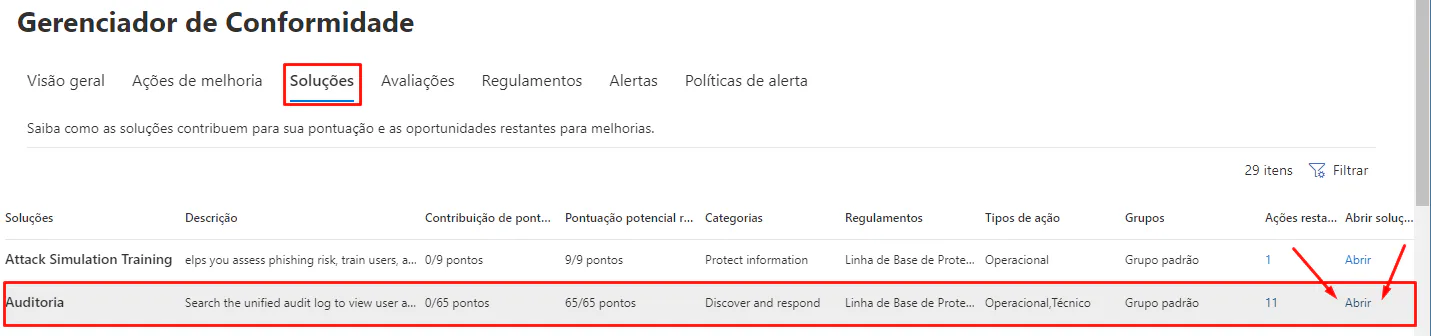
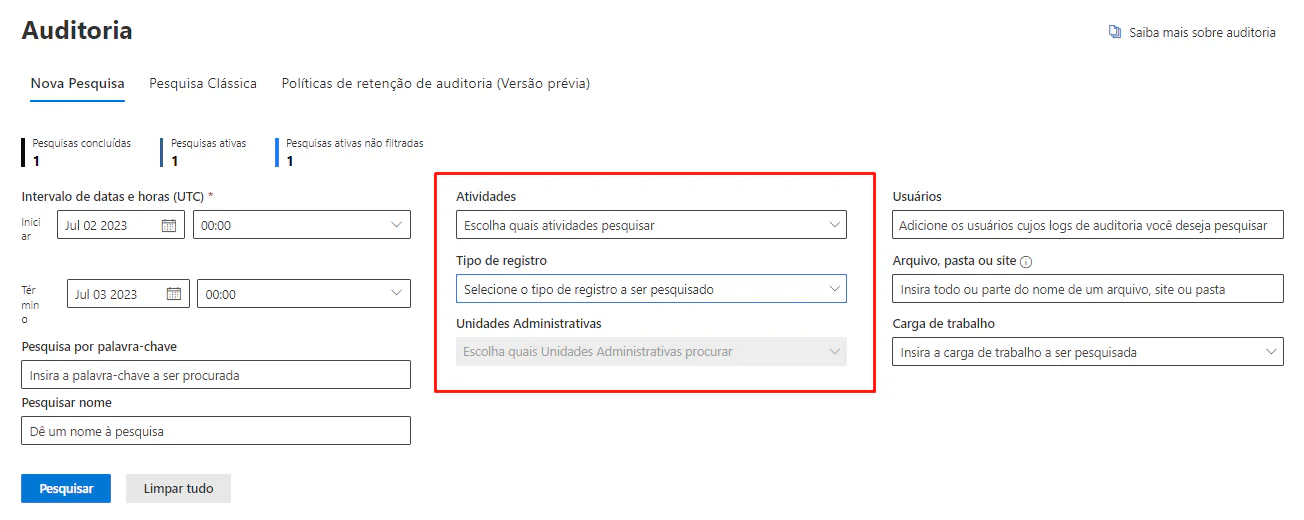
03Project for the Web Audit Log
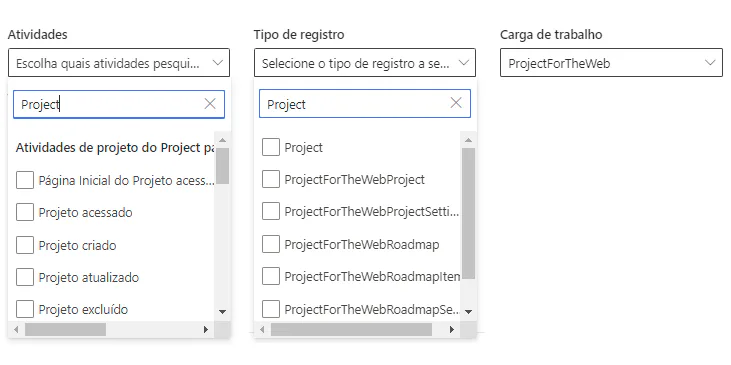
The Project for the Web is created in Microsoft Dataverse and has an associated Project Power App. To enable the audit for scenarios where the user is using Microsoft Dataverse or Project Power App, see the guidance of System Settings Audit tab. For a list of entities related to Project for the Web, see the guidance Export Project user data to the Web.
Activities captured for Project for the Web include creation, deletion, access or updates to a task, project, script or script item and more.
04Planner Audit Log
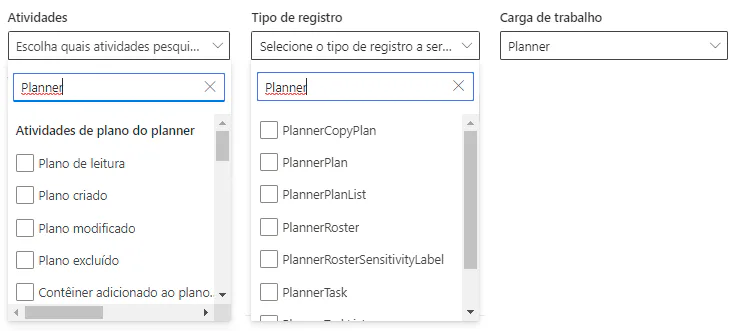
New audit resources capture activities in Planner which include reading, creating, modifying, copying or deleting a plan, task or list and capture record types like PlannerTask, PlannerPlan and PlannerCopyPlan.
05Microsoft Audit Log To Do
The activities captured for auditing the Microsoft To Do include creating, updating or deleting actions related to tasks, subtasks, linked entities and attachments and more.
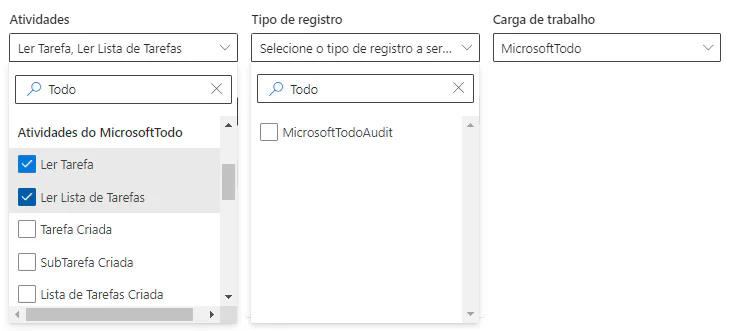
You can review the full list of user and administrator activities Project for the Web, Planner or Microsoft To Do registered for audit.
06Licensing requirements
The audit of events and activities for Project for the Web, Planner and Microsoft To Do requires a paid license from Project Plan 1 (or higher), in addition to the relevant license of Microsoft 365 which includes the right of Audit (Premium).
07Did you like the article? You may be interested:
If you are interested and want a product presentation, please schedule an appointment with us at the following link: Microsoft PPM Easy Presentation.
Original content from the MLPro editorial library, fully preserved and translated for the English website.
