
What you will find here
Project Online retires in September 2026. See how PSA Easy 5.0 supports Project and Planner in a hybrid environment while preserving project governance.
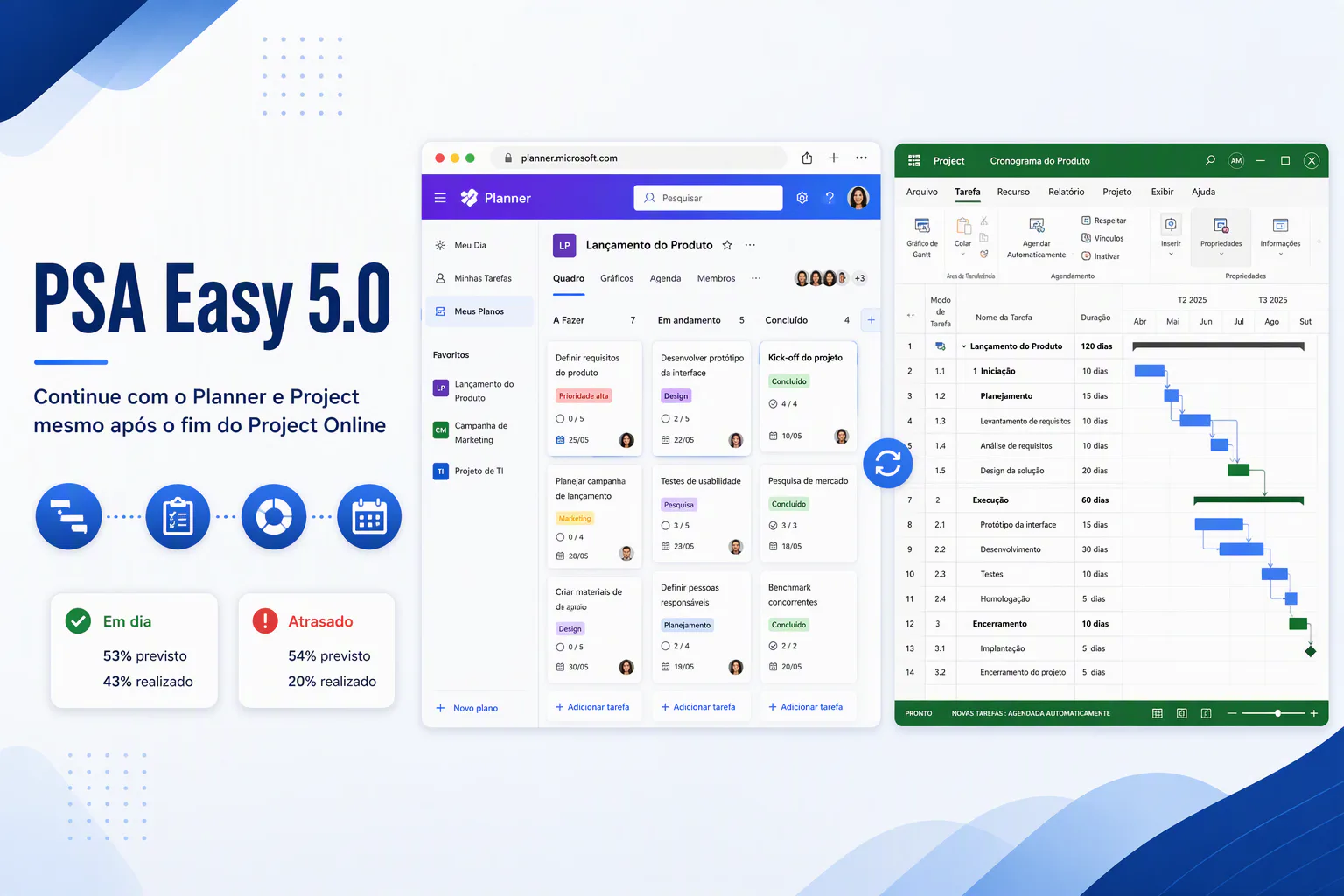
For many organizations, the announced retirement of Project Online on September 30, 2026 raised an immediate question: how can they continue managing projects and portfolios without losing history, rigor and governance? The good news is that organizations can continue working with Microsoft Project while gaining the flexibility to adopt more agile tools whenever a project calls for them.
With PSA Easy 5.0, the idea is simple and powerful. Instead of being locked into one tool, managers can decide project by project whether to work in an agile way with Microsoft Planner, use Microsoft Project for traditional planning, or combine both approaches in the same hybrid environment.
Smaller, more dynamic projects can run in Planner. Highly complex projects can remain in Project, for which Planner is not recommended. Both tools can also coexist in a single project. This hybrid model brings together a project center, schedules, documents, risks, issues, time reporting and management reports, with consolidated data in Dataverse ready for analysis in Power BI.
This article explains how PSA Easy 5.0 supports multiple schedule types across the Microsoft ecosystem and gives organizations a path to preserve governance, flexibility and continuity after Project Online retires.
You can also watch the complete PSA Easy 5.0 demonstration on the MLPro YouTube channel.
01Project Online retirement and the freedom to choose the right tool
Project Online retires in September 2026. That does not mean organizations must abandon Project or work exclusively in one replacement tool. PSA Easy 5.0 allows teams to continue using Project and to operate in a hybrid environment that combines Planner and Project.
Managers can select the project management tool that best fits each initiative: Planner for one project, Project for another, or both where needed.
02A project center that is not locked into Project
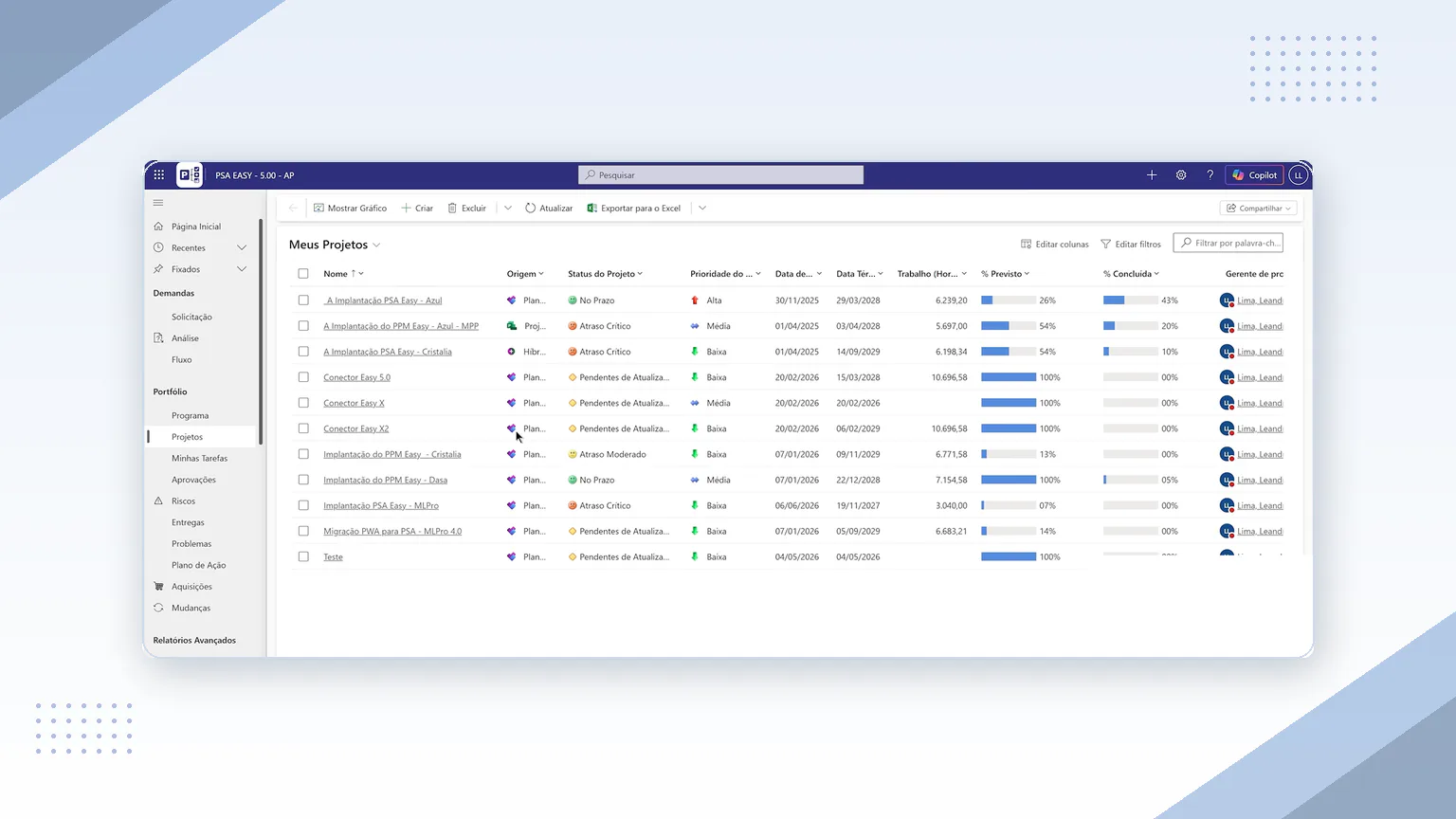
One of the main PSA Easy 5.0 capabilities is a project center similar to the one available in Project Online PWA. The key difference is that the environment is no longer tied to Project. Each project can use a schedule in Project or Planner, while every initiative remains visible in one place.
For each project, teams can compare planned and actual progress and quickly identify its status. A project progressing faster than planned tends to appear on schedule; one with low execution compared with the plan can be flagged as delayed. When users open a project structured in Planner, they are taken directly to Planner to perform the work in an agile way.
03Planner: agility for less complex projects
In Planner, teams can organize schedules with buckets and cards while tracking the main activities. Planner Premium features such as the Kanban board and a timeline with dependencies help teams understand the expected project completion date, a capability not available in basic Planner.
Its main limitation must also be recognized: Planner is not recommended for highly complex projects. Many organizations try to use Planner alone, but it cannot support every project type. A genuinely hybrid solution therefore does not depend on a single tool.
04SharePoint-based document management
In addition to schedules, PSA Easy 5.0 covers essential project management elements such as file management. Its document structure is based on SharePoint, providing a complete way to organize, control and access documents connected to each project.
Users can open one project's documents or browse the folder containing all projects, navigate folders, preview files and upload documents by dragging them into place. Folders can be synchronized with a computer so files can be opened and edited locally. This electronic document management model controls versions and records who changed each file and who is allowed to change it.
05Centralized risks and issues
PSA Easy 5.0 centralizes supporting risk lists with probability, impact and exposure information. A status field indicates whether a risk is overdue, on time or already reviewed, reducing the chance that it will be forgotten. The same structured approach applies to project issues.
06Microsoft Project through the MLPro connector
For projects that require greater rigor, schedules remain in Microsoft Project. Integration is provided by an MLPro connector that lets users work with Project Desktop on their computer while keeping the familiar process of editing tasks, adjusting dates and updating completion percentages.
When the user saves and publishes, the application uploads the document, sends information to Dataverse and generates the reports. Publishing takes approximately one to two minutes, after which the updated information appears automatically in management reports.
07Hybrid projects: Planner and Project in one initiative
A central feature of the model is the hybrid project, which uses Planner and Project together. Simpler daily tasks assigned to the delivery team can remain in Planner to favor agility, while the organization's official schedule, with defined start, milestones and finish dates and commitments to leadership, remains in Project where more rigor is available.
Planner and Project tasks serve different purposes in this model, and the project's primary information comes from Project. The natural evolution is even more unified synchronization from Project to Planner and from Planner to Project, strengthening communication between both tools in the same environment.
08Management reports: from individual projects to the portfolio
Management reports consolidate information from both Planner and Project and provide multiple views for teams, PMOs and executives:
- Project report: each row represents a project with its manager, baseline finish and replanned finish. It provides an executive view for delivery reviews and portfolio discussions.
- Portfolio report: summarizes all projects and shows how many are delayed or have schedules that still need to be updated.
- Milestone report: highlights zero-duration reference tasks such as payments, execution gates, go-live and phase completion. Teams can filter milestones without baselines or updates.
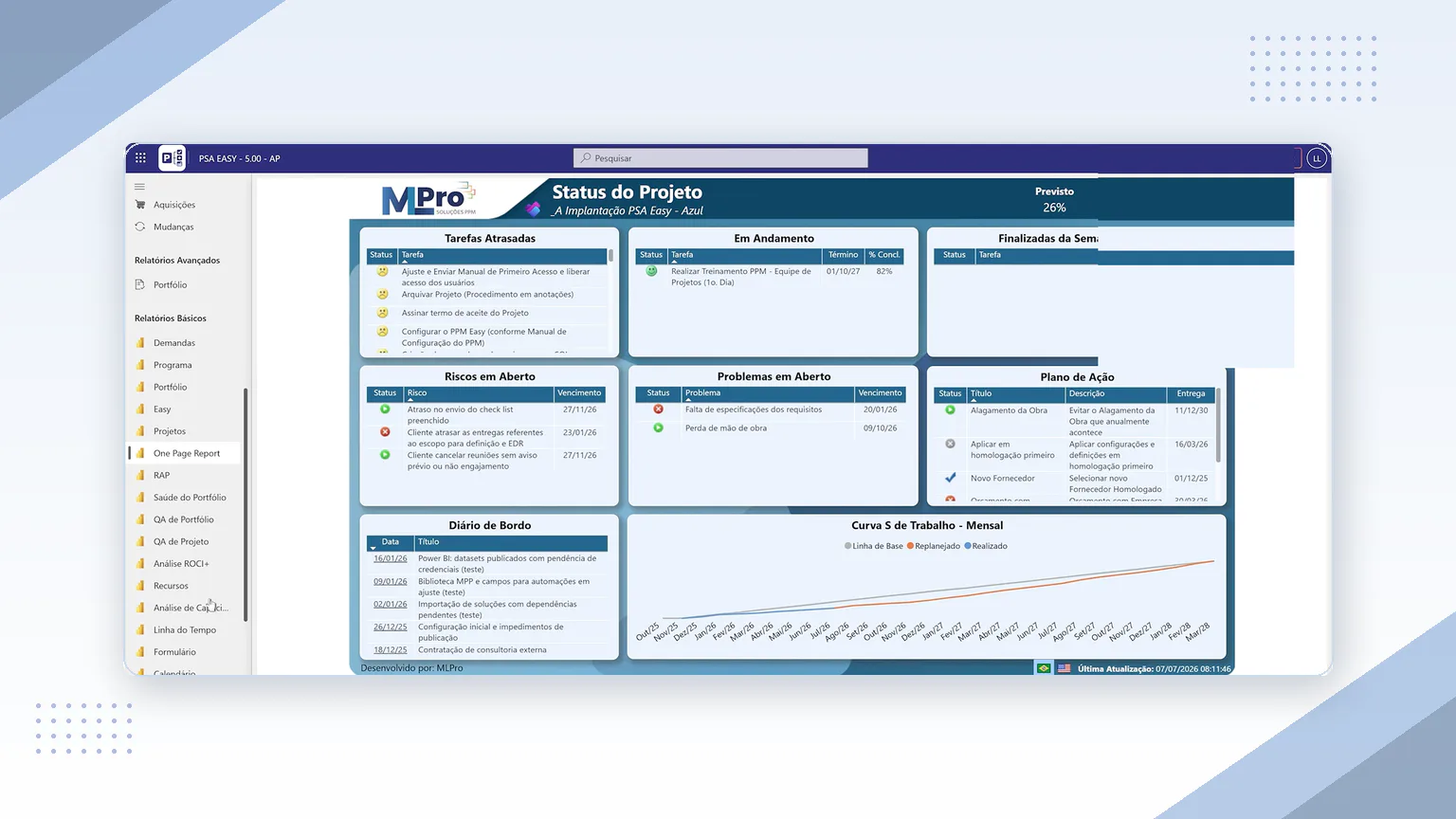
- One Page Report: combines overdue, active and completed tasks, planned versus actual progress, risks, issues, action plans, the project log and an S curve covering baseline, replanned and actual performance.
The solution includes 46 reports. One of the most important is resource capacity and allocation analysis. It combines Project and Planner schedules to compare monthly capacity and allocation by resource and department. Managers can identify overloaded people, including resources assigned above their available hours or across too many projects, and redistribute the workload.
09Time reporting with an approval workflow
Resource time reporting is also handled through a structured process. When a resource changes an activity and extends a date directly in Planner, the schedule can move without the project manager's knowledge and put the final commitment at risk.
To prevent that situation, the MLPro method uses an approval workflow. A resource updates an activity in My Tasks and submits it for approval. Nothing changes until the manager approves it. The manager can approve or reject each activity after comparing the original plan, current schedule progress and the percentage reported by the resource. The same logic applies to Project, providing better control over changes that affect schedule and execution.
10How PSA Easy 5.0 can transform project management
With Project Online retiring in September 2026, many organizations must decide how to continue managing their projects. They do not have to depend on one tool. PSA Easy 5.0 lets them keep Microsoft Project for initiatives that require rigor, adopt Microsoft Planner where agility is the priority, and combine both in a hybrid environment with the strength of the Microsoft ecosystem and consolidated Dataverse data.
In practice, this gives PMOs and leadership more visibility and control: a unified project center, SharePoint document management, centralized risks and issues, approved time reporting and a broad set of project and portfolio reports. Each project can use the best way of working without sacrificing governance, deadlines or management maturity.
MLPro specializes in this transformation. As a certified Microsoft partner and PPM specialist, MLPro has more than 20 years of experience and has supported more than 75,000 projects in Brazil and abroad.
Organizations preparing for Project Online retirement or improving the way they manage projects can work with MLPro on:
- Migration assessment and planning from Project Online to a hybrid model, with a transition route designed to reduce risk and disruption.
- PSA Easy 5.0 implementation and customization, integrating Planner, Project, SharePoint, Dataverse and Power BI for the organization's needs.
- Training and ongoing support for project managers, teams and stakeholders.
- Strategic PMO evolution based on good practices and reliable indicators.
11Continue your journey: recommended articles and videos
Talk to an MLPro specialist and see how to centralize schedules, documents, risks and reports in an environment prepared for Project Online retirement.
Book a free consultation → Fast response on WhatsAppWatch this content on the MLPro channel.
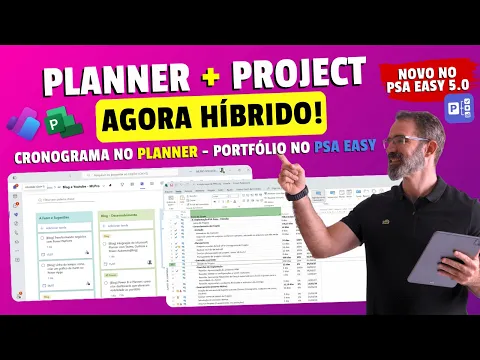 Play video: Complete PSA Easy 5.0 demonstration
Original content from the MLPro editorial library, fully preserved and translated for the English website.
