
What you will find here
See how Planner's Project Manager Agent supports task creation, deadlines and task ownership in Planner and Microsoft Teams.
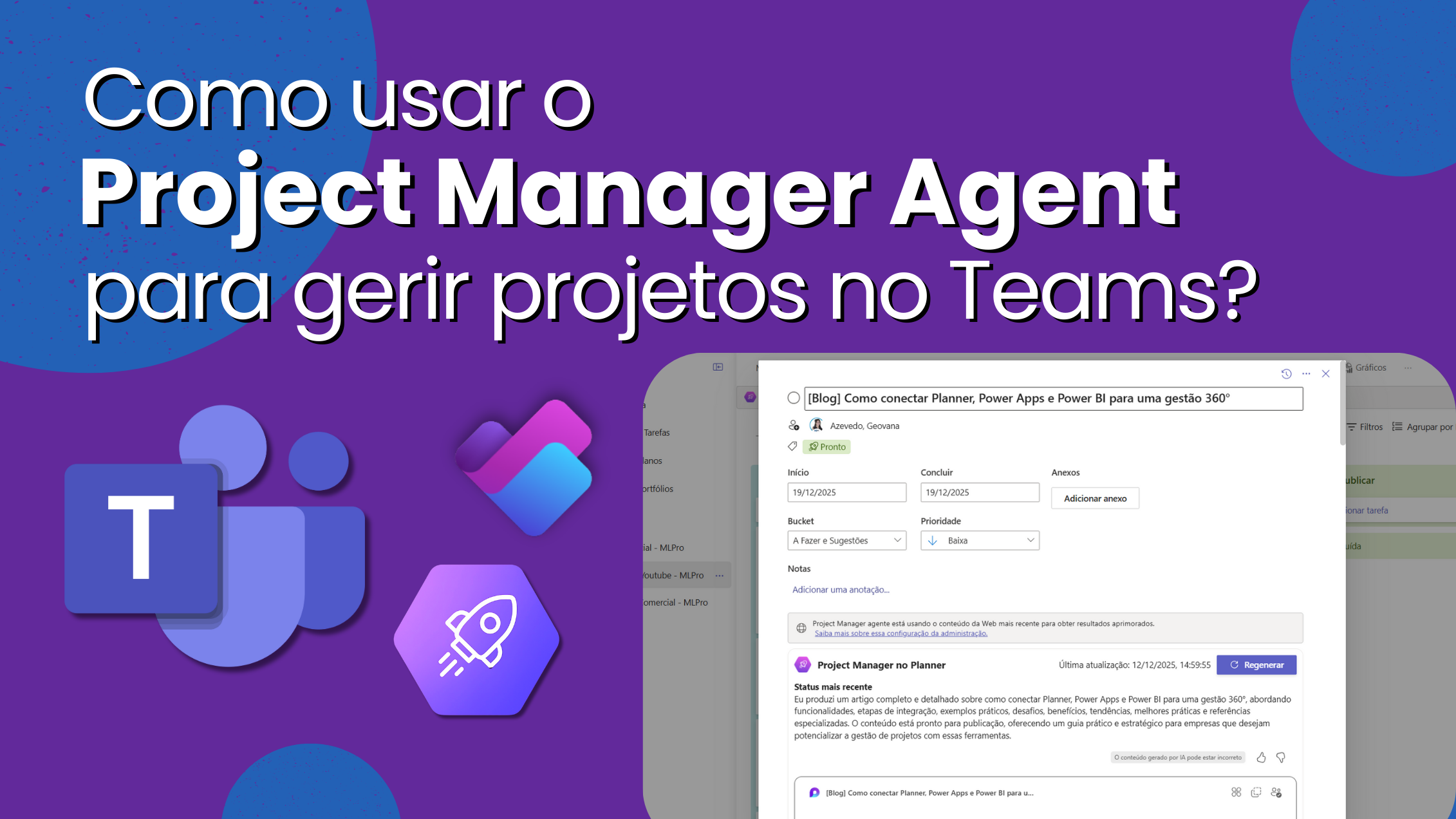
01Master your meetings and projects with AI
Managing modern projects requires following up many conversations, decisions and tasks that happen on Microsoft Teams and on applications linked to Microsoft 365. To make this flow smarter, Microsoft launched the Project Manager Agent (PMA), an AI-powered assistant who joins the Planner Premium and the channels and meetings of Teams. With it, you can capture tasks during meetings, assign deadlines and responsible, generate accompanying documents and automatically sync everything in the Planner.
While the Project Online was closed in September 2026, the Planner Premium became the modern hub for project management. Project Manager Agent comes to boost this experience: it is in public pre-version for Teams meetings and channels and already available on plans Existing premium. In this article you will understand how PMA AI works, what is needed to use it and why MLPro is the ideal partner for migrate from Project Online and modernize its management.
02Turn meetings into actions with Project Manager Agent
At Teams meetings, conversations often generate a list of tasks and decisions that need to be recorded. Project Manager Agent connects to Facilitator agent to automate this record. Just mention the Facilitator in the meeting chat so that the AI:
- Create tasks directly from what was discussed.
- Assign responsible and delivery dates without leaving the chat.
- Recover existing tasks by filtering by date, responsible or topic.
- Generate documents like Loop or Word files based on the meeting summary.
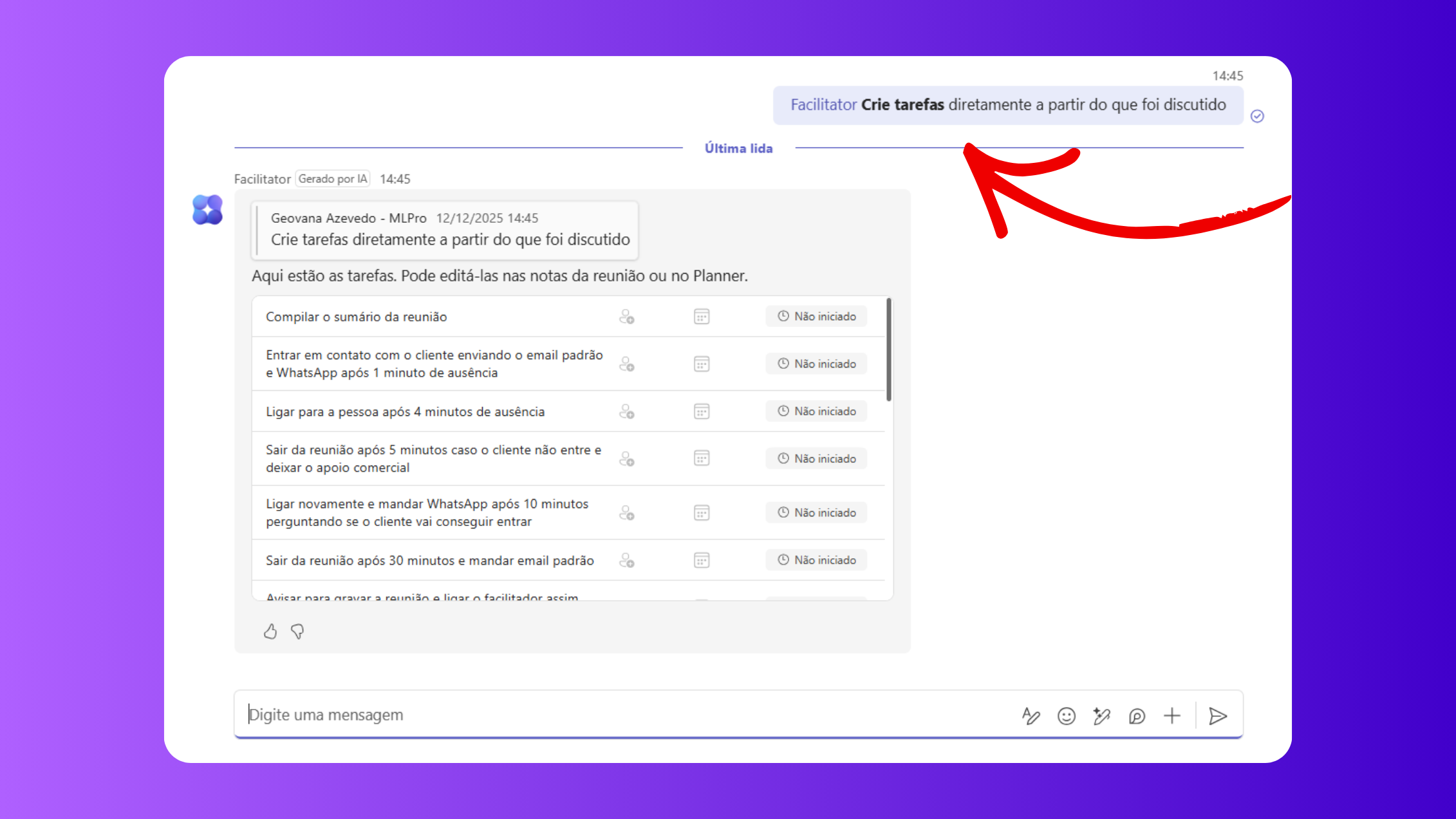
These tasks are automatically synchronized with Planner, allowing you to track progress and update information after the meeting. For example, you can ask: “@Facilitator create a task to compile the meeting summary”, or “@Facilitator list all the tasks of this meeting that they do not yet have responsible”. Thus, meetings cease to be missed conversations and become traceable actions.
03Manage tasks and progress on Teams channels
In addition to meetings, each Teams channel can count on its own agent, named after the channel. This Project Manager Channel Agent allows you to create tasks, set deadlines and get reports without leaving the collaboration space. Just @mention the channel agent to:
- Add tasks to a specific plan, informing title, responsibility and deadline.
- Request a summary of the tasks completed in the week and those due next.
- List locks or items marked “at risk”, ensuring that nothing becomes invisible.
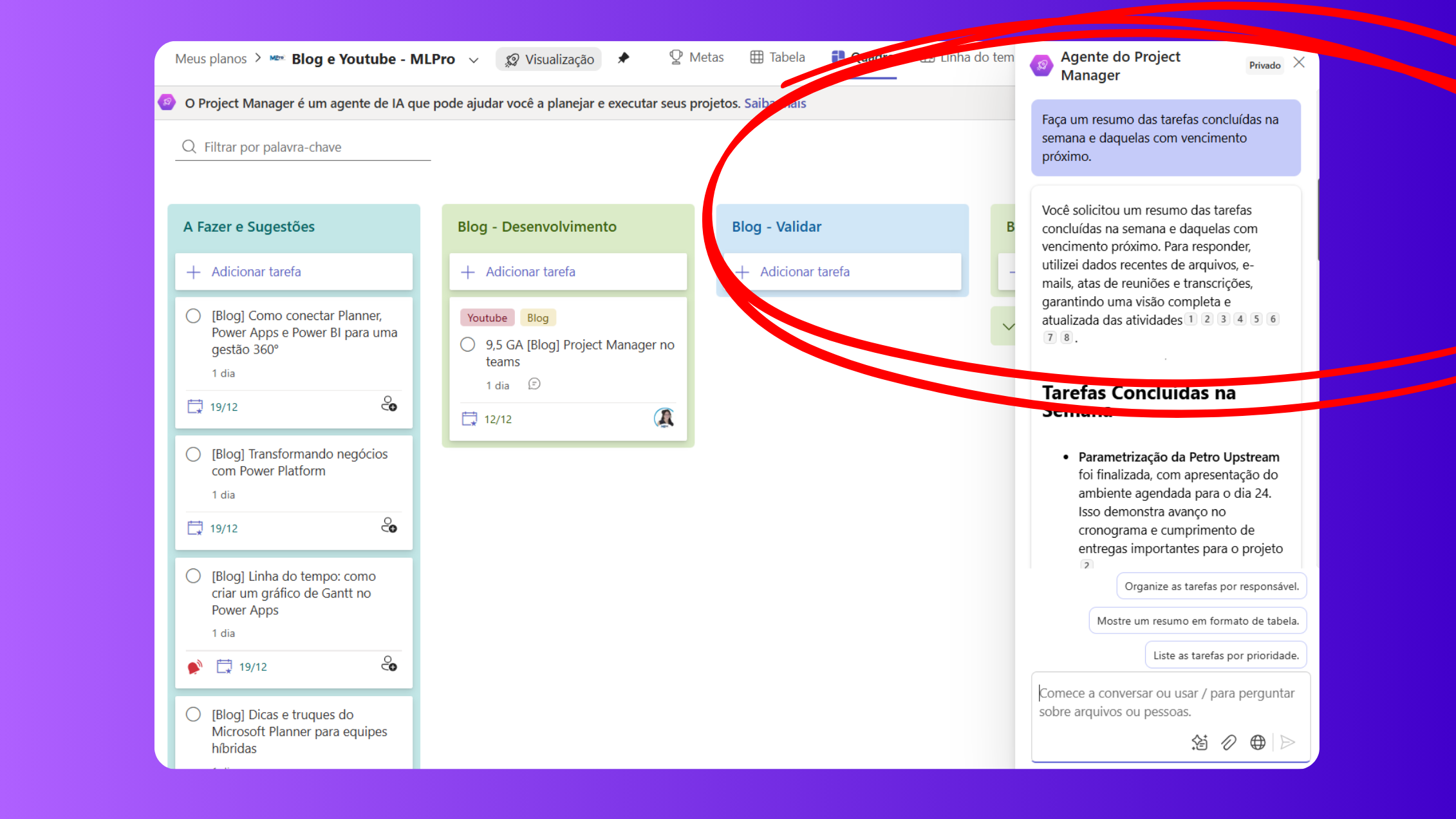
This feature takes the advanced features of Planner Premium into Teams, facilitating collaboration and keeping the team aligned. Instead of switching between multiple screens, you use natural commands in a chat to feed planning and track progress.
04How to start using Project Manager Agent and Planner
To enjoy the news, it is important to meet some requirements and follow simple steps:
- Microsoft 365 Copilot License: You need to enable Project Manager Agent public preview.
- Premium Plans: The PMA is available in new plans created with the agent and all existing premium plans.
- Loop enabled in the tenant: the service must be enabled for document creation to work.
Project Manager Agent supports more than 40 languages at meetings (channel usage is initially in English) and brings a new floating button to start a chat on any screen. All these features are included in the Planner and Project Plan 3 and Plan 5 licenses, which also provide access to Planner Premium. If you still use basic Planner, consider the update to unlock AI and portfolio resources.
05From Project Online to Planner: Smart Migration
With closure of Project Online, many companies are evaluating which way to go. Planner Premium (formerly Project for the Web) has become Microsoft's recommended platform for project management, combining tasks, schedules, and portfolios in a unique, team-integrated environment. Migration involves:
- Map your current projects and data, identifying which ones depend on Project Online and which ones can be migrated directly to Planner or Project Server Subscription Edition, if you need on-premises resources.
- Set the Planner working model by taking advantage of the new AI tools to generate plans, reports and documents. It is possible to replicate Project Online schedules on baselines and job lists in Planner, as well as connecting indicators in Power BI.
- Training the team to use the Teams integrated Planner, allowing Project Manager Agent AI to capture real-time activities. The transition should include permission configuration, custom fields and automations with Power Automate.
- Review licensing, migrating to Planner and Project Plan 3 or Plan 5 if necessary, to access Planner Premium, the Desktop Project and future AI innovations.
To learn more about the differences between licenses and integration with other Microsoft solutions, see our articles How to organize your task plans with Microsoft Planner and Project Plan 3, Plan 5 or Planner: Which Microsoft license to choose?.
06Why choose MLPro to modernise your project management
A MLPro is Microsoft certified partner and reference in project management solutions, programs and portfolios. With more than 20 years of work and more than 75,000 projects supported, we offer:
- Deployment and migration of platforms such as Project Online, Project Server Subscription Edition, Planner Premium and Dynamics 365 Project Operations.
- Customization of processes and integrations with SharePoint Online, Power BI, Power Automate and Teams. We adjust the solution to your workflow and your metrics.
- Practical training and support with certified experts, ensuring that your team explores the full potential of Planner and Project Manager Agent.
- Post-implantation monitoring, with Power BI performance panels and periodic reviews to adjust automations and ensure governance.
If you need to migrate from Project Online or start from scratch with Planner Premium and Project Manager Agent, MLPro is ready to draw the path, run the transition and empower your team. Our PMO experience goes beyond technology: we work for your organization to gain efficiency, visibility and results.
07Ready to turn your management?
The retirement of Project Online and the new AI capabilities in Planner Premium mark a paradigm shift. Taking advantage of this moment means modernizing processes, eliminating rework and increasing maturity in project management. Contact MLPro and find out how we can help your company implement Project Manager Agent, securely migrate data and guide your team on this journey.

Watch this content on the MLPro channel.
 Play video: How to use Planner's Project Manager Agent
Original content from the MLPro editorial library, fully preserved and translated for the English website.
